
Top Sliding Bar – Custom WordPress Widget Area Plugin
Original price was: $18.00.$3.60Current price is: $3.60.
Adding contextual login panels, operational announcements, or specialized navigation directly above a website’s standard header typically requires custom PHP hook modifications or theme template overrides. Top Sliding Bar provides a lightweight top-panel widget container for WordPress, allowing site builders to introduce collapsible content areas without editing underlying code.
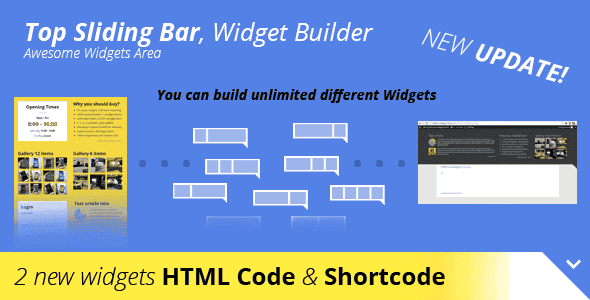
Top Sliding Bar is a dynamic WordPress plugin designed for developers, web designers, and site managers who need an adaptable top-header module. Built to integrate directly into the WordPress widget system, it solves the challenge of displaying key site information—such as operating hours, user login boxes, or featured galleries—in a non-intrusive collapsible drawer. It is ideal for agency builds, e-commerce sites, and corporate portals that require high-utility header real estate. It is not designed for non-WordPress environments or full page-builder replacement.
Technical Specifications
| Specification | Details |
|---|---|
| Platform | WordPress Plugin |
| Layout Options | 1, 2, 3, or 4 Column Grid System |
| Built-in Widgets | 5+ (Login section, List, Opening times, Articles, Gallery 6 & 12 items) |
| Positioning Modes | Absolute or Fixed (Static or Floating) |
| Typography Support | 650+ Integrated Google Fonts |
| Responsiveness | 100% Mobile Responsive with 4 Breakpoints |
| Styling Features | Colorpicker, Transparent Backgrounds, Custom CSS, Custom Arrow Graphic URL |
| Admin Options | Developer visibility toggle (Restricted to Administrators) |
Key Functional Capabilities
Flexible Grid & Layout Management
The plugin incorporates a responsive grid system allowing configurations across 1, 2, 3, or 4 columns. Administrators can adjust the spatial distribution of content to suit simple single-line announcements or detailed multi-column information blocks.
Pre-Built Widget Templates
Top Sliding Bar includes 5+ ready-to-deploy widget layouts out of the box:
- User Login Section: Streamlined authorization access directly from the top header.
- Business Information: Dedicated blocks for opening times and structured list items.
- Content Blocks: Modules for recent articles and image galleries
1. Click Add to cart

2. Review your items and click Proceed to checkout

3. Fill in your billing details: Name, Email, and Password
4. Choose your preferred payment method
5. Click Pay via Paypal to proceed

6. Access Downloads to get your files

Related products


