
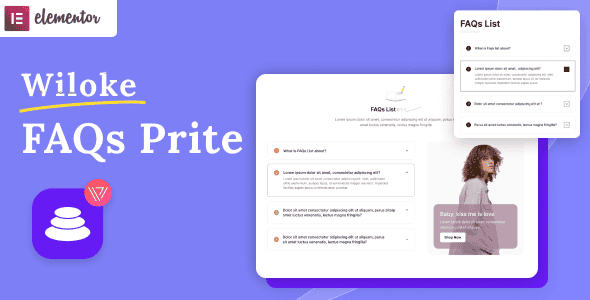
Wiloke FAQs Prite Elementor Addon | Customizable FAQ Widgets
Original price was: $15.00.$3.00Current price is: $3.00.
Answering customer questions directly on product and policy pages reduces bounce rates and lightens support tickets. FAQ Prite expands Elementor’s native capabilities by introducing dedicated layout controls for structured accordion and tabbed support sections.
This WordPress Elementor plugin provides pre-designed tab styles and collapsible menus for web developers, eCommerce managers, and site owners. Built specifically for the Elementor page builder framework, it addresses layout clutter on resource pages, policy documentation, and checkout flows. It is best suited for websites requiring clean, paginated Q&A sections, but is not intended for non-WordPress CMS platforms or sites using alternative page builders like Divi or Gutenberg alone.
| Specification | Details |
|---|---|
| Product Type | Elementor Addon Plugin |
| Core Framework | WordPress / Elementor Integration |
| Design Options | 4 Unique FAQ Tab Styles |
| Core Features | Drag-and-Drop Controls, Pagination, Collapsible Accordions |
| Use Case | eCommerce Stores, Resource Hubs, Policy Pages |
Streamlined FAQ Design for Elementor
Structuring support content requires a balance between readability and clean visual aesthetics. FAQ Prite gives developers and content creators 4 distinct tab styles that integrate directly into the visual Elementor interface. These templates remove the need to write custom CSS or JavaScript toggles to display structured questions and answers.
Built-in Pagination and Collapsible Menus
Large knowledge bases often overcrowd store layouts and terms pages. This addon incorporates an adjustable pagination feature, enabling site owners to present extensive Q&A lists inside a compact container. The drop-down accordion feature gives users control over showing or hiding detailed responses, preserving screen space across desktop and mobile viewports.
Frequently Asked Questions
Do I need coding skills to set up FAQ Prite?
No technical coding experience is necessary. All visual adjustments, pagination limits, and design styles are configured visually through standard Elementor drag-and-drop panel controls.
Can I use this plugin with the free version of Elementor?
Yes, the addon functions alongside standard Elementor core installations without requiring a premium license for the base builder.
How does the pagination feature improve mobile UX?
Pagination limits the initial number of visible items on screen, preventing excessive scrolling on mobile devices while keeping page layouts organized and fast to navigate.
1. Click Add to cart

2. Review your items and click Proceed to checkout

3. Fill in your billing details: Name, Email, and Password
4. Choose your preferred payment method
5. Click Pay via Paypal to proceed

6. Access Downloads to get your files

Related products


