
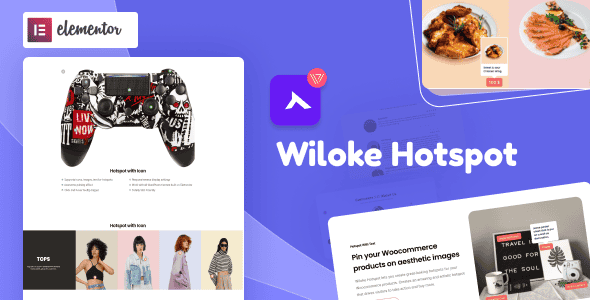
Wiloke Hotspot for Elementor – Interactive Image Hotspot
Original price was: $15.00.$3.00Current price is: $3.00.
Visual shopping drives higher conversions, but standard static images often lack immediate product context. Pinning interactive markers directly onto WooCommerce visual galleries bridges this gap by turning regular photos into clickable storefronts.
Wiloke Hotspot for Elementor is a specialized WordPress addon engineered for store owners, agencies, and web designers seeking to enhance visual user engagement. Built specifically to integrate with Elementor and WooCommerce, this plugin allows creators to place custom tooltips, pricing badges, and media links over any site image. It is best suited for e-commerce stores looking to showcase shoppable lookbooks and visual product guides. It is not intended for non-visual stores or sites built without Elementor.
| Technical Specification | Details |
|---|---|
| Page Builder Compatibility | Elementor |
| Platform Integration | WooCommerce / WordPress |
| Supported Hotspot Media | WooCommerce Products, Custom Text, Images, YouTube Videos |
| Interactive Features | Hover Tooltips, Clickable Pins, Custom Text/Price Labels |
| Target Use Case | Shoppable Galleries, Interactive Banners, Knowledge Hubs |
Key Features and Functional Capabilities
Direct WooCommerce Product Pinning
Transform static lookbooks into interactive store displays. Users can attach specific WooCommerce items directly to visual markers on an image. When site visitors hover over or click a designated hotspot, a popup tooltip displays the relevant product image, title, and live pricing, providing a direct path to the purchase page.
Customizable Tooltips and Marker Styling
Hotspot icons can be tailored to match brand styling. Creators can display static prices or descriptive text (such as custom badges or trend alerts) directly inside the icon marker itself. This gives users immediate pricing information before they even trigger the full hover tooltip.
Multi-Media Integration Shortcuts
Beyond WooCommerce products, hotspot markers support external media routing. Developers can embed direct links to YouTube video tutorials or high-resolution secondary images inside tooltip popups, turning visual assets into comprehensive informational nodes for complex services or multi-step product guides.
Frequently Asked Questions
Frequently Asked Questions
Does Wiloke Hotspot require WooCommerce to function?
No, WooCommerce is only required if you intend to link live shop items and automatic pricing data. You can still use the plugin on standard images to display plain text, custom images, or embedded YouTube videos without WooCommerce installed.
Can I display video content inside a hotspot popup?
Yes, the plugin supports direct embedding of YouTube videos within hotspot tooltips. When a visitor clicks or hovers over the pin, the video lightboxes or displays directly inside the tooltip frame.
Are custom pricing icons updated automatically for WooCommerce items?
The hover tooltips read dynamic WooCommerce data, pulling real-time titles, pricing, and thumbnails directly from your store catalog to ensure accuracy across all active hotspots.
1. Click Add to cart

2. Review your items and click Proceed to checkout

3. Fill in your billing details: Name, Email, and Password
4. Choose your preferred payment method
5. Click Pay via Paypal to proceed

6. Access Downloads to get your files

Related products


