
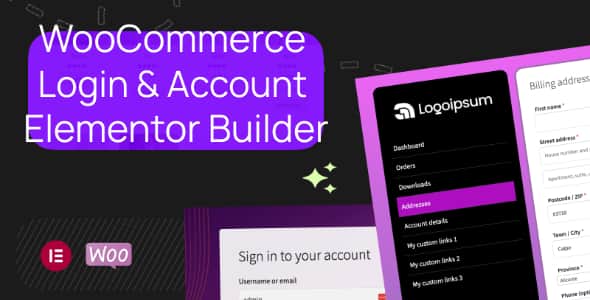
WooCommerce Login & Account Pages for Elementor | Custom Layouts
Original price was: $25.00.$5.00Current price is: $5.00.
Replacing standard WooCommerce shortcodes like [my_account] typically requires custom PHP hooks and theme overrides. This plugin converts the entire native WooCommerce authentication and customer dashboard workflow into fully editable Elementor widgets, allowing complete visual customization directly within the builder interface.
Designed specifically for WordPress developers, store designers, and eCommerce managers running WooCommerce with Elementor, this add-on replaces static account templates with drag-and-drop components. It provides granular styling controls for registration, password recovery, navigation menus, and customer details. This solution is ideal for agencies building bespoke WooCommerce customer portals and store owners wanting brand-consistent login flows. It is not intended for non-Elementor site builders or headless WooCommerce architectures.
| Technical Specification | Details |
|---|---|
| Product Type | WooCommerce / Elementor Plugin Add-on |
| Page Builder Required | Elementor |
| Authentication Methods | Standard WooCommerce, Gmail Social Auth |
| Core Widgets Included | 7 Dedicated Widgets (Nav, Content, Login, Register, Lost Pass, Logout, Home) |
| Performance Architecture | Granular, Modular CSS Loading (Per-module toggles) |
| Localization | Translation-ready (WordPress i18n standards) |
Core Features & Modular Layout Control
The plugin breaks down traditional monolithic WooCommerce account layouts into individual elements, giving you precise control over page structure, design system alignment, and end-user access flows.
Authentication Widgets
- Login Form: Customizable fields, button alignments, and dynamic styling options.
- Registration Form: Independent form block tailored for modern onboarding workflows.
- Lost Password Form: Clean layout controls to keep password resets consistent with your brand visual identity.
- Gmail Authentication: Optional direct Google login integration for faster user sign-in.
My Account Portal Builder
- My Account Nav: Custom navigation menu with default endpoint toggles, icon selection (Elementor Icon library), and custom menu link additions.
- My Account Content: Dedicated wrapper block ensuring all WooCommerce account endpoint content renders correctly within custom layouts.
- Item Visibility & Ordering: Drag-and-drop sorting and per-item visibility controls for menu endpoints.
- Utility Action Buttons: Purpose-built widgets for persistent Logout actions and direct return-to-home links.
Design Controls & Performance Optimization
Every widget includes intuitive style panels to maintain design system consistency across the entire user account experience without custom CSS overrides.
- Flexible Layout Controls: Switch menu orientations (horizontal or vertical), set custom spacing, adjust icon positions (left/right), and refine visual alignments.
- State-Specific Styling: Assign unique visual states for hover, active menu items, borders, background fills, and custom dividers.
- Modular CSS Engine: Load stylesheet modules only for active widgets to minimize page payload and eliminate unneeded CSS bloat, fully supporting backward compatibility.
- Pre-built Elementor Templates: Ready-to-import layout kits are included to jumpstart portal design.
Frequently Asked Questions
Does this plugin completely replace the native WooCommerce [my_account] shortcode?
Yes. Instead of relying on the standard template outputted by the default shortcode, you can build a fully custom layout using the dedicated My Account Nav and My Account Content widgets directly inside an Elementor template.
Can I add custom links and icons to the WooCommerce account navigation menu?
Yes. The navigation widget allows you to toggle default WooCommerce endpoints, change menu order, assign custom icons from the Elementor icon control, and add unique custom external or internal links.
How does the plugin handle asset loading and performance?
The plugin utilizes a modular CSS engine. You can enable or disable CSS stylesheets on a per-module basis, ensuring that asset files are loaded only when the corresponding widgets are active on a page.
1. Click Add to cart

2. Review your items and click Proceed to checkout

3. Fill in your billing details: Name, Email, and Password
4. Choose your preferred payment method
5. Click Pay via Paypal to proceed

6. Access Downloads to get your files

Related products


