
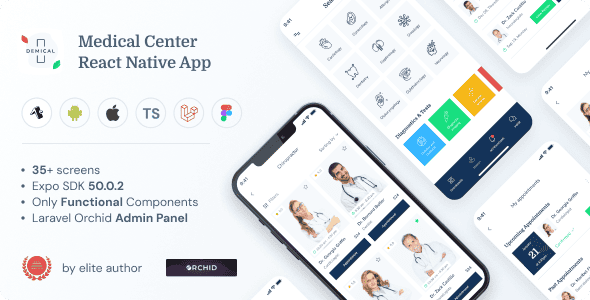
Demical – Medical Center React Native App | EXPO 50.0.2 | TypeScript | Redux Store | Admin Panel
Original price was: $98.00.$19.60Current price is: $19.60.
Demical provides a ready-to-deploy mobile application framework designed for clinic management, outpatient services, and healthcare scheduling. Built on Expo 50.0.2 and React Native 0.73.2 with a Laravel Orchid backend admin panel, it gives developers a pre-built TypeScript codebase to launch cross-platform medical apps for Android and iOS. This platform is ideal for healthcare providers, medical practices, and agencies building patient portals with appointment booking. It is not intended as a standalone web app or a codeless builder, as deployment requires basic knowledge of React Native CLI, Node.js, and PHP environments.
| Specification | Details |
|---|---|
| Mobile Framework | React Native (v0.73.2) with Expo (v50.0.2) |
| Language Format | TypeScript (.tsx) |
| State Management | Redux Toolkit (v2.0.1) & Redux Persist (v6.0.0) |
| Backend Engine | Laravel with Orchid Admin Panel |
| Platform Compatibility | iOS and Android |
| Included Assets | Figma Source File, SVG Vector Icons |
| UI Screens Included | 35 Functional Screens |
| Supported Fonts | Domine, Nunito Sans (Google Fonts) |
Core Features & Technical Capabilities
- TypeScript Architecture: All source files use strictly typed
.tsxcode structured entirely with functional components and React Hooks for predictable maintainability. - State Persistence: Integrates Redux Toolkit alongside Redux Persist, ensuring cart data, saved doctors, and user preferences remain intact when the application closes.
- Laravel Orchid Admin Backend: Includes a scalable PHP administrative panel to manage user credentials, patient records, doctor availability, and diagnostic lists.
- Complete UI Kit & Vector Assets: Comes with a source Figma file, custom vector SVG icons, preloaders for web images, and dynamic status bars.
- REST API Ready: Features pre-configured Axios requests and bearer token authentication handlers for rapid backend integration.
Comprehensive UI Screen List (35 Screens)
The template incorporates complete user journeys across 35 organized screen layouts:
- Onboarding & Authentication: 3 Onboarding steps, Sign In, Sign Up, Account Created confirmation, Phone Verification, OTP Confirmation, Password Recovery flow.
- Navigation & Dashboards: Home Version 1, Home Version 2, Category Explorer, Burger Menu, Notifications, Inbox, FAQ, Privacy Policy.
- Doctor & Service Discovery: Doctors List V1, Doctors List V2, Sorting Popups, Filter Modals, Doctor Biography, Patient Reviews.
- Appointments & Diagnostics: Booking Workflow, Appointment Success Confirmation, Diagnostics & Test Listings, My Appointments, My Doctors, My Saved Tests.
- Account Management: My Profile, Edit Profile screen.
Application Commands & Dependencies
To initialize and build the client mobile project, run the following commands within your terminal environment:
npm install— Resolves core dependencies including React Navigation v6, React Native Fast Image, and Redux Toolkit.npx expo run:android— Builds and launches the native Android binary.npx expo run:ios— Builds and launches the native iOS binary.
Frequently Asked Questions
How does the application preserve user state after closing?
Demical utilizes Redux Toolkit combined with Redux Persist over AsyncStorage. This setup automatically writes active app states—such as appointment drafts or stored profiles—to persistent device storage, retrieving them automatically upon re-opening.
Is the backend admin panel included with the mobile source code?
Yes, the package includes a standalone Laravel backend integrated with the Orchid Admin Panel framework. It allows system administrators to control data feeds, view appointments, and manage user accounts out of the box.
What environment setup is required to run the source code?
Developers need Node.js installed alongside Expo tools. Standard terminal execution of npm install followed by npx expo run:android or npx expo run:ios will compile the application for emulator or physical device testing.
1. Click Add to cart

2. Review your items and click Proceed to checkout

3. Fill in your billing details: Name, Email, and Password
4. Choose your preferred payment method
5. Click Pay via Paypal to proceed

6. Access Downloads to get your files

Related products


