
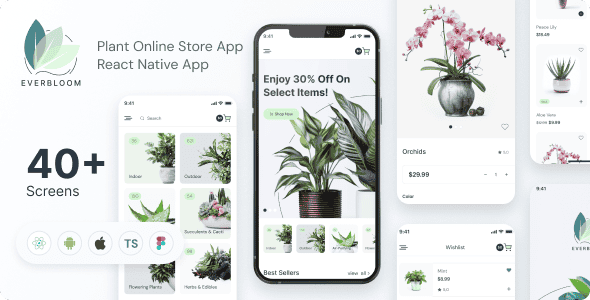
Everbloom – Plant Online Store | Expo 50.0.7 | Frontend – React App
Original price was: $58.00.$11.60Current price is: $11.60.
Building a cross-platform e-commerce mobile application for plant and garden retail requires reliable state persistence and clean component hierarchy out of the box. Everbloom is a mobile app frontend application template for iOS and Android built on React Native and Expo 50.0.7. Developed entirely in TypeScript with Redux Persist for local cart retention, it gives mobile engineering teams a fully configured starting point for green e-commerce projects.
Ideal Use-Case: Best for React Native developers and digital agencies building cross-platform retail apps that require pre-configured state management, clean TypeScript code, and scalable SVG assets. Not Suited For: Non-technical shop owners seeking a zero-code website plugin or those expecting a fully wired database backend out of the box.
Technical Specifications
| Specification | Details |
|---|---|
| App Framework | Expo 50.0.7 |
| Core Libraries | React 18.2.0 / React Native 0.73.4 |
| Language Format | TypeScript (.tsx) |
| State Management | Redux Toolkit (^2.2.1) & Redux Persist (^6.0.0) |
| Storage & Navigation | AsyncStorage (^1.21.0) & React Navigation (^6.1.10) |
| UI Assets Included | Figma Source File, SVG Icons |
| Typography | DM Sans, Inter (Google Fonts) |
| Target OS | iOS and Android |
Core Features & Technical Architecture
- Functional Architecture: Built using pure React Functional Components and custom React Hooks for modular logic separation.
- Persistent State Management: Integrates Redux Toolkit and Redux Persist so user carts and wishlists remain saved across app closures and device restarts.
- Asset & Image Optimization: Utilizes image preloading strategies alongside SVG icon assets for consistent visual performance on mobile displays.
- Included Design System: Comes with the complete Figma source layout and modern typography pairings (DM Sans and Inter) for straightforward UI updates.
- API Integration Ready: Pre-configured with Axios client setup for straightforward connection to backend REST APIs built with Laravel or Node.js.
Development Environment & Commands
Launch the frontend locally using standard Expo workflow tools:
- Install Dependencies:
npm install - Android Local Run:
npx expo run:android - iOS Local Run:
npx expo run:ios
Frequently Asked Questions
Is this template ready to connect to a custom backend API?
Yes. Everbloom is structured as a frontend solution pre-equipped with Axios for handling HTTP requests. You can connect your custom REST or GraphQL backend endpoints directly into the Redux service actions.
Does cart data remain saved if a user force-closes the mobile app?
Yes. By pairing Redux Toolkit with Redux Persist and AsyncStorage, all products added to the user’s active cart or wishlist persist automatically across application sessions.
Do I need to manage native Xcode or Android Studio files directly?
Because the app runs on Expo 50.0.7, primary development and cross-platform builds can be managed through the standard Expo CLI environment without initial native folder ejection.
1. Click Add to cart

2. Review your items and click Proceed to checkout

3. Fill in your billing details: Name, Email, and Password
4. Choose your preferred payment method
5. Click Pay via Paypal to proceed

6. Access Downloads to get your files

Related products


