
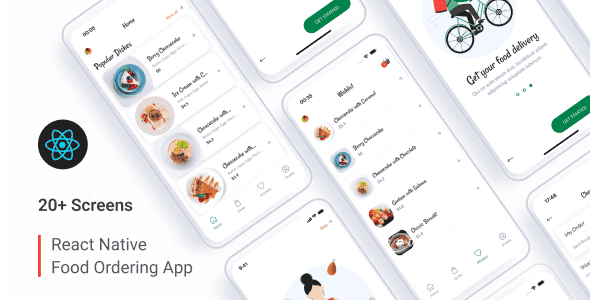
Delisty – Food Ordering App (Payload CMS + React Native) | Mobile UI
Original price was: $98.00.$19.60Current price is: $19.60.
Deploying a cross-platform food delivery front-end backed by a headless CMS often requires endless setup hours linking custom API schemas with state management layers. Delisty addresses this bottleneck by pairing a complete React Native mobile application codebase with a pre-configured Payload CMS backend out of the box.
Delisty is a full-stack cross-platform food ordering template for iOS and Android built with React Native CLI 0.82.0, TypeScript, and Payload CMS. Ideal for developers, software agencies, and restaurant startups seeking an operational mobile front-end and administrative panel. It is best suited for engineering teams needing ready-made JSON endpoints and state persistence, but not suited for non-technical users expecting a no-code drag-and-drop web builder.
| Specification | Details |
|---|---|
| Framework | React Native CLI 0.82.0 |
| Language / Format | TypeScript (.tsx) |
| Backend / CMS | Payload CMS Admin Panel |
| State Management | Redux & Redux Persist |
| Platform Support | Android & iOS |
| Asset Types | SVG Vector Icons, Image Preloader |
| Typography | Lato, Rancho (Free Google Fonts) |
| Generated Endpoints | dishes.json, promocodes.json, categories.json, ingredients.json |
Key Features & Technical Architecture
- Pure Functional Components: Built entirely with modern React Hooks and structured functional components for clean, maintainable architecture.
- Headless Content Management: Includes a ready-to-use Payload CMS admin dashboard for handling store content, ingredients, and menu items.
- Robust State Persistence: Utilizes Redux alongside Redux Persist to save user cart data and session details locally across app launches.
- Vector Graphics & UI Assets: Clean SVG format icons combined with preloader components maintain visual performance without frame drops.
- Pre-Configured JSON Endpoints: Native API structures generated directly from Payload CMS for categories, promo codes, dishes, and ingredients.
Package Contents
- React Native Source Code: Cleanly structured TypeScript (.tsx) files compiled for iOS and Android builds.
- Payload CMS Admin Dashboard: Pre-configured headless backend ready to manage menu structures and promotional campaigns.
- Setup Documentation: Detailed installation guidelines to help developers quickly connect the backend with mobile environments.
Frequently Asked Questions
What tech stack knowledge is required to customize Delisty?
Developers should be comfortable working with React Native CLI, TypeScript (.tsx files), and Redux for front-end modifications. Basic familiarity with Node.js environments will help when customizing the Payload CMS backend panel.
How does the app interact with the Payload CMS backend?
The application connects with Payload CMS using generated RESTful endpoints for core datasets including menu categories, dishes, ingredients, and promotional codes, keeping backend content synchronized with the client UI.
Does the mobile app support both Android and iOS deployments?
Yes, the codebase is constructed with React Native CLI 0.82.0 and relies on functional React components, allowing native compilation for both Android and iOS operating systems.
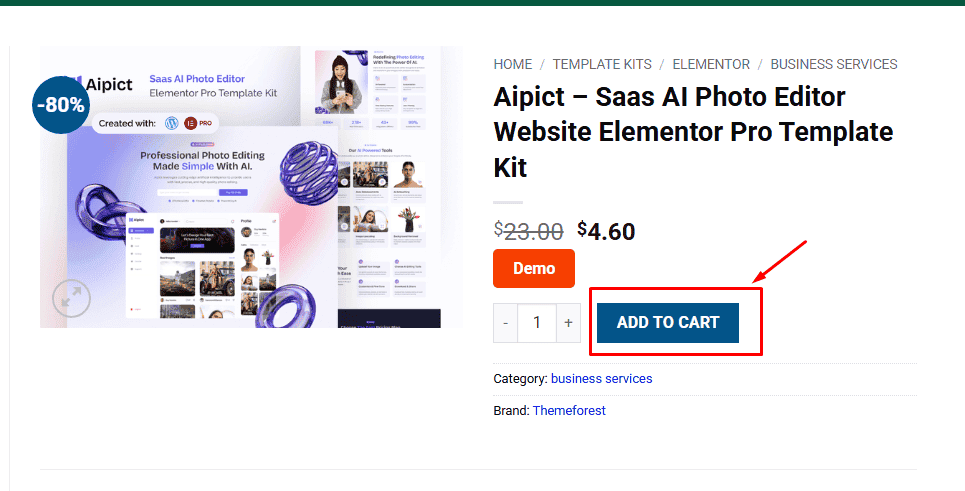
1. Click Add to cart
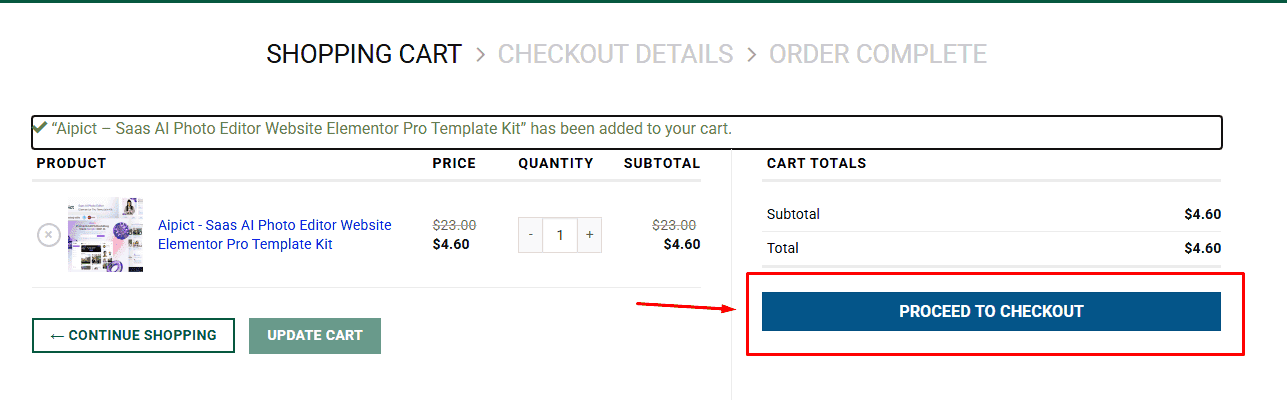
2. Review your items and click Proceed to checkout
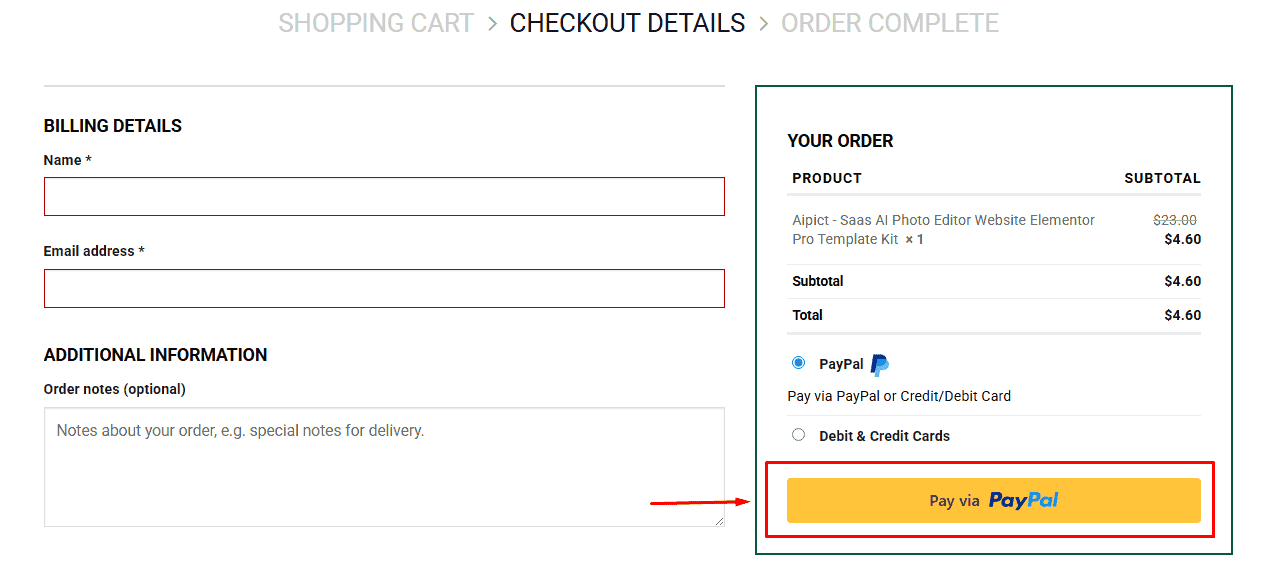
3. Fill in your billing details: Name, Email, and Password
4. Choose your preferred payment method
5. Click Pay via Paypal to proceed
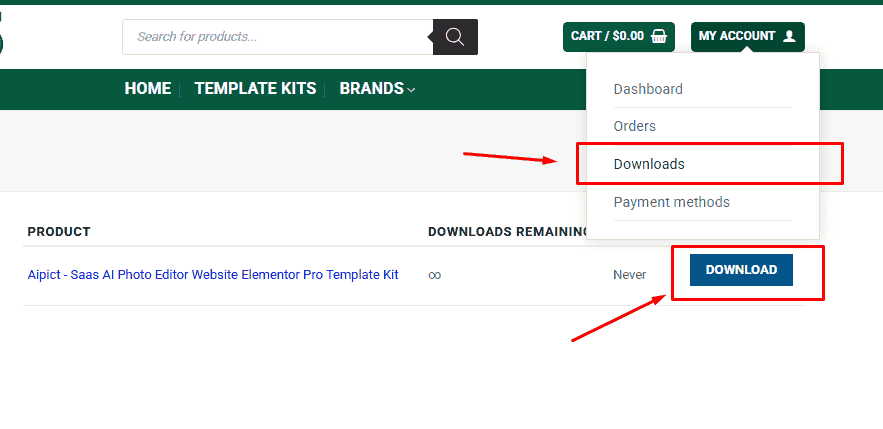
6. Access Downloads to get your files
Related products


