
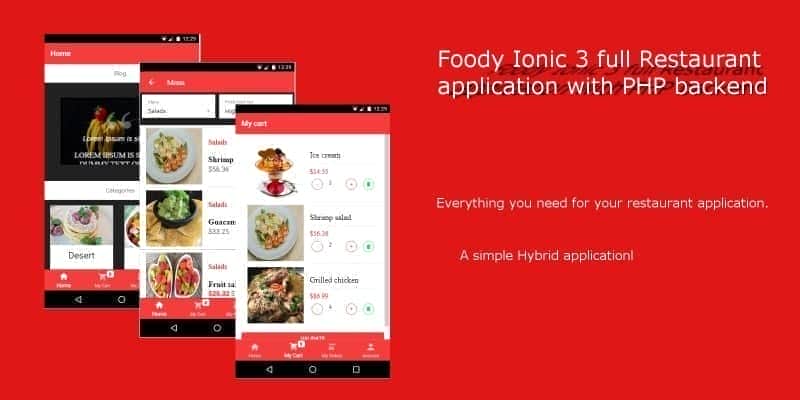
Foody Ionic 3 Full Restaurant App With PHP Backend – Ready to Deploy
Original price was: $32.00.$6.40Current price is: $6.40.
Launching a mobile food ordering platform often requires months of development and complex backend integration. Foody addresses this challenge by providing a ready-to-deploy mobile application built on a hybrid framework, allowing you to target both Android and iOS users from a single codebase. Designed with user experience in mind, this package includes a fully functional PHP backend and a database structure that can easily be adapted for other e-commerce and retail projects.
With its clean interface and straightforward setup, developers can deploy this application without writing complex code from scratch. The system comes equipped with all standard e-commerce features, from user registration to order tracking, making it an excellent starting point for developers and restaurant owners alike.
Essential Features & Capabilities
- User Authentication: Secure sign-in, sign-up, and password recovery systems to protect user accounts.
- Built-In Blog: Share news, updates, and culinary stories directly with your customer base.
- Smart Navigation: Easily search for menu items filtered by category to help users find what they want quickly.
- Price Sorting: Allow customers to organize dishes and products based on their budget.
- Promotional Deals: Highlight hot deals and special discounts directly on the homepage.
- Interactive Elements: Users can rate menu items and share their favorite dishes with friends.
- Smooth Ordering Process: Integrated checkout system and order history tracking under “My Orders”.
- Optimized UI Performance: Features like pull-to-refresh and infinite scroll ensure a fluid browsing experience.
Technical Stack & Compatibility
To run and modify this restaurant application, ensure your environment meets the following technical requirements:
- Frontend Framework: Ionic 3
- Mobile OS Compatibility: Android 5 or later (and iOS compatible via hybrid deployment)
- Backend Language: PHP 5
- Database System: MySQL
Step-by-Step Server Setup & Installation
Setting up the application requires only a few simple configuration steps. Follow this guide to get your backend and mobile app connected:
- Open the Project: Load the application files into your preferred code editor or development environment.
- Database Import: Locate the database file inside the “database” folder and import it into your MySQL database management system.
- Upload the API: Copy the entire
api_foodyfolder and upload it directly to your web server. - Configure Database Credentials: Open the file located at
/api_foody/include/dbconfig.phpin a text editor. - Update Database Variables: Modify the connection details by entering your specific values for host address (
$host), database name ($db_name), database username ($username), and database password ($password). - Link the Frontend: Open the
service.tsfile within the application source code and update the API endpoint URL to point to your server’s API directory. - Deployment Ready: Once these steps are complete, your mobile application is ready to communicate with your live database.
1. Click Add to cart

2. Review your items and click Proceed to checkout

3. Fill in your billing details: Name, Email, and Password
4. Choose your preferred payment method
5. Click Pay via Paypal to proceed

6. Access Downloads to get your files

Related products


