
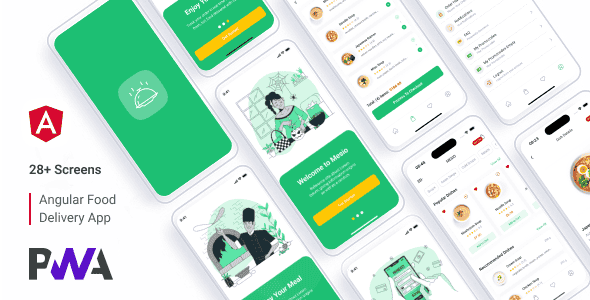
Mesio – Food Delivery App (Payload CMS + Angular PWA) – Mobile Ready
Original price was: $78.00.$15.60Current price is: $15.60.
Engineers building food ordering interfaces often spend weeks configuring responsive frontend components and headless CMS integrations. Mesio accelerates this pipeline by delivering a pre-assembled Progressive Web App built on Angular 20 and integrated with Payload CMS. Designed specifically for online food delivery platforms, modern restaurant chains, and quick-service ordering systems, this client application provides a fast, mobile-first frontend paired with structured dynamic content management. It is ideal for frontend engineers and agencies needing a production-ready template, though it is not suited for non-technical users seeking a drag-and-drop website builder.
Technical Specifications
| Core Parameter | Specification Details |
|---|---|
| Frontend Framework | Angular 20 |
| Language | TypeScript (.ts) |
| CMS Engine | Payload CMS (Pre-configured) |
| Application Type | Progressive Web App (PWA) |
| Styling & Icons | SCSS, SVG Vector Icons |
| State Management | Service-Based Architecture |
| Default Typography | Roboto (Free Google Font) |
| Included Mock APIs | dishes.json, promocodes.json, reviews.json |
| Included Package | Angular Source Code, Design Source Files, Documentation |
Key Features & Project Structure
- Modern Angular 20 Foundation: Formatted with clean TypeScript components and modular code organisation for efficient performance and long-term maintainability.
- Service-Based State Management: Implements structured service handlers to manage data streams, promotional logic, and cart states across views.
- Headless Content Management: Pre-integrated with Payload CMS, enabling quick deployment of custom admin panels for dynamic menu and promo management.
- Developer-Ready Assets: Comes with SVG icon files, SCSS styling modules, project design files, and complete integration documentation.
Progressive Web App Capabilities
- Native-Like User Experience: Operates directly inside mobile browsers with fluid interactions, eliminating the friction of app store deployments.
- Offline Operational Support: Leverages service workers to retain essential interface data during unstable connectivity.
- Push Notification Support: Provides built-in mechanisms to trigger dynamic updates and marketing messages directly to client devices.
- Fully Responsive Layouts: Optimized specifically for touch interfaces while scaling neatly across desktop screens.
Setup and Development Commands
Setting up the development workspace requires standard Node.js and Angular CLI setup steps:
- npm install — Installs all project dependencies.
- ng serve — Launches the local development server for rapid testing.
Frequently Asked Questions
What skills are needed to deploy and customize Mesio?
Modifying layouts, managing API calls, or altering dynamic content models requires basic operational knowledge of Node.js, Angular, TypeScript, and SCSS.
Does this package include full application source files?
Yes, you receive complete Angular source files in TypeScript format, design source files, pre-configured Payload CMS settings, and setup documentation.
How does Payload CMS work with this template?
Payload CMS handles backend content administrative tasks, allowing administrators to modify dishes, promotional codes, and reviews, which the Angular app fetches via standard JSON endpoints.
1. Click Add to cart

2. Review your items and click Proceed to checkout

3. Fill in your billing details: Name, Email, and Password
4. Choose your preferred payment method
5. Click Pay via Paypal to proceed

6. Access Downloads to get your files

Related products


