
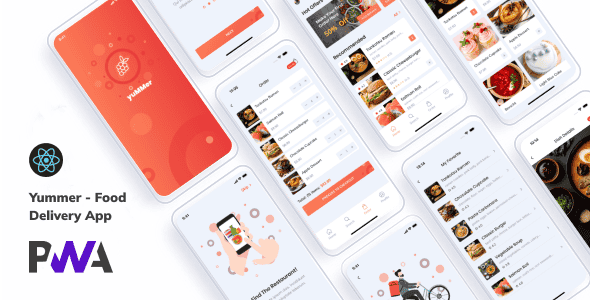
Yummer – Food Ordering App (React + PWA + Payload CMS) – Fast React App
Original price was: $78.00.$15.60Current price is: $15.60.
Setting up a direct-to-consumer online ordering portal for single-restaurant setups often gets bogged down by heavy monolithic frameworks or complex mobile app store approval workflows. Yummer streamlines this process by pairing a lightweight React frontend with Payload CMS inside a Progressive Web Application architecture.
Yummer is a single-restaurant web application engineered for online food ordering and digital menu presentation. Built on React 19, TypeScript, Zustand, and Payload CMS, it delivers an installable, mobile-first web app that runs on both mobile and desktop browsers. This template is ideal for independent restaurants, local cafes, and frontend developers building client ordering portals. It is not tailored for multi-merchant delivery marketplaces like UberEats or DoorDash out of the box.
| Technical Specification | Details |
|---|---|
| Core Library | React v19.0.0 |
| Language & File Format | TypeScript (.tsx) |
| Content Management System | Payload CMS |
| State Management | Zustand |
| Application Type | Progressive Web App (PWA) |
| Typography | Google Fonts (Mulish, Poppins) |
| Asset Format | 100% SVG Vector Icons |
Core Features & Architecture
- Modern React 19 Codebase: Built entirely with modern React functional components and hooks for predictable render performance and minimal runtime overhead.
- Headless Content Management via Payload CMS: Enables non-technical store managers to update menu items, prices, dish descriptions, and promotional banners through an administrative interface.
- Zustand State Store: Handles cart persistence, order state updates, and interface transitions efficiently without redundant page re-renders.
- Native PWA Features: Supports instant browser loading, offline fallback capability, home screen installation, and push notification readiness.
- Vector Graphics Base: Utilizes crisp SVG icons throughout the interface to guarantee sharp rendering on high-DPI and mobile screen displays.
Developer Setup Commands
To run the development environment locally, clone the repository and execute the standard terminal commands below:
npm install
npm run dev
Frequently Asked Questions
Can users install Yummer without downloading it from an app store?
Yes. Because Yummer is structured as a Progressive Web App (PWA), visitors can add the platform directly to their mobile home screen or desktop straight from their web browser, bypassing traditional app store deployment.
How does Payload CMS integrate with the React frontend?
Payload CMS acts as the backend content management engine. It exposes API endpoints that the React frontend queries, allowing team members to update menu listings without making changes to the source code.
Is Yummer designed to support multiple restaurant branches or vendors?
No. Yummer is structured for single-brand restaurants and individual food businesses. Multi-vendor marketplaces would require custom backend engineering and schema updates within Payload CMS.
1. Click Add to cart

2. Review your items and click Proceed to checkout

3. Fill in your billing details: Name, Email, and Password
4. Choose your preferred payment method
5. Click Pay via Paypal to proceed

6. Access Downloads to get your files

Related products


