
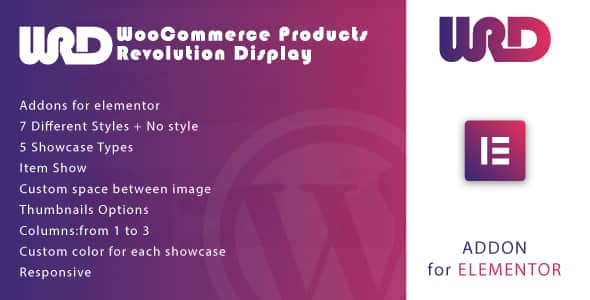
Woocommerce Products Revolution Display for Elementor WordPress Plugin
Original price was: $10.00.$2.00Current price is: $2.00.
Setting up customized product presentations inside Elementor often requires manual CSS overrides or heavy custom code. The WooCommerce Products Revolution Display plugin streamlines this process by delivering a dedicated widget suite that renders responsive, interactive WooCommerce product showcases in minimal setup time.
Technical Overview: Built specifically for WordPress administrators and frontend developers using Elementor, this add-on converts standard WooCommerce catalog items into stylized displays. It offers configurable lightbox popups, column controls, and layout spacing. This tool is ideal for e-commerce developers seeking fast display variations without writing custom grid scripts; it is not suited for websites running alternative page builders like Divi or Gutenberg.
| Technical Property | Specification Details |
|---|---|
| Page Builder Compatibility | Elementor Addon |
| Base Engine | WordPress & WooCommerce |
| Visual Styles | 7 Built-in Styles + Raw (No Style) Option |
| Showcase Types | PrettyPhoto, Magnific Popup, Light Gallery, Direct URL, Image Only |
| Grid Layouts | 1 to 3 Columns |
| Internationalization | Translation Ready (includes .po and .mo files) |
Key Integration Features
Flexible Display Modes & Lightbox Integration
Select from 5 distinct trigger modes to match your store layout requirements. You can display product images using integrated lightbox plugins like PrettyPhoto, Magnific Popup, or Light Gallery. Alternatively, configure items to link directly to the product URL or display static images without lightbox functionality.
Column & Spacing Control
Adjust visual density using flexible column configurations ranging from 1 to 3 columns. Fine-tune visual gaps with custom spacing settings between images and adjust thumbnail display parameters directly within the Elementor panel interface.
Responsive & Visual Customization
Maintain consistent layout structures across viewports by designating exact item counts per slide for mobile, tablet, and desktop views. Each showcase instance supports independent visual styling, allowing unique background and text color schemes per display unit.
Frequently Asked Questions
Does this plugin require Elementor to function?
Yes, this plugin is developed specifically as an extension for Elementor. Both WordPress and Elementor must be installed and active on your website to use this feature set.
Can I customize the number of visible items on mobile screens?
Yes, the plugin includes responsive layout settings that allow you to set specific item counts for desktop, tablet, and mobile breakpoints independently.
Is the plugin localization-ready for multi-language sites?
Yes, the plugin package includes standard .po and .mo translation files, allowing you to translate interface text into any language using tools like Poedit or Loco Translate.
1. Click Add to cart

2. Review your items and click Proceed to checkout

3. Fill in your billing details: Name, Email, and Password
4. Choose your preferred payment method
5. Click Pay via Paypal to proceed

6. Access Downloads to get your files

Related products


