
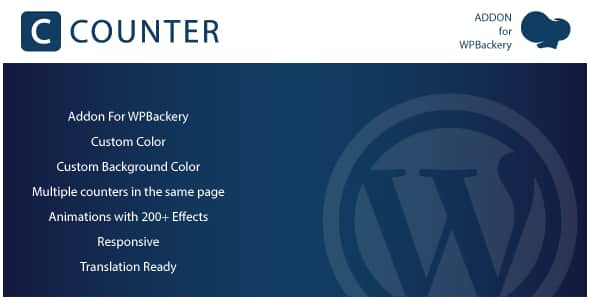
Counter – Addons for WPBakery Page Builder WordPres Plugin | Animated
Original price was: $10.00.$2.00Current price is: $2.00.
Displaying dynamic metrics, milestone accomplishments, and numerical stats on WordPress sites often requires custom scripting or heavy add-ons. This focused WPBakery extension allows developers and website owners to embed animated counters onto any page layout with minimal configuration.
This plugin is a dedicated visual element designed for WordPress environments running WPBakery Page Builder. It simplifies stat presentation by offering over 200 animation effects, custom color controls, and multi-counter capability on a single layout. It is best suited for agencies, portfolio sites, and business portals showcasing statistics, metrics, or achievements. It is not suited for websites using alternative page builders like Elementor or Gutenberg without WPBakery active.
| Specification | Details |
|---|---|
| Core Requirement | WPBakery Page Builder for WordPress |
| Animation Library | 200+ Motion Effects |
| Instance Limit | Multiple counters per page (Unlimited) |
| Customization | Custom Color Settings |
| Localization | Translation Ready (.po and .mo included) |
| Layout Adaptation | Fully Responsive |
Key Technical Features
- One-Click Insertion: Add counter blocks directly into standard WPBakery rows and columns without editing code.
- 200+ Animation Effects: Select from a vast collection of visual entry effects and numerical increment styles.
- Multi-Instance Support: Place several distinct counter modules on the same page, each configured with unique trigger values and speeds.
- Custom Color Controls: Modify text, background, and accent colors straight from the visual settings tab.
- Translation Ready: Includes pre-packaged .po and .mo files to translate front-end counter labels into any target language.
- Responsive Viewport Support: Ensures numerical counts, headers, and icons scale properly across mobile devices, tablets, and desktops.
System Dependencies
This product functions strictly as an add-on element. An active installation of the core WPBakery Page Builder plugin for WordPress is required to load and configure these counter modules.
Frequently Asked Questions
Can I display multiple counters on a single page?
Yes, you can add multiple counter blocks to a single page or post layout. Each counter element functions independently with its own start/end numbers, timing, styling, and animation settings.
Does this add-on require coding knowledge to customize colors?
No coding skills are required to adjust visual styling. You can select custom colors directly from the element’s settings panel inside the native WPBakery interface.
Will this counter plugin work without WPBakery installed?
No, this plugin is engineered specifically as an extension module for WPBakery Page Builder. It will not operate as a standalone plugin or within other page building frameworks.
1. Click Add to cart

2. Review your items and click Proceed to checkout

3. Fill in your billing details: Name, Email, and Password
4. Choose your preferred payment method
5. Click Pay via Paypal to proceed

6. Access Downloads to get your files

Related products


