
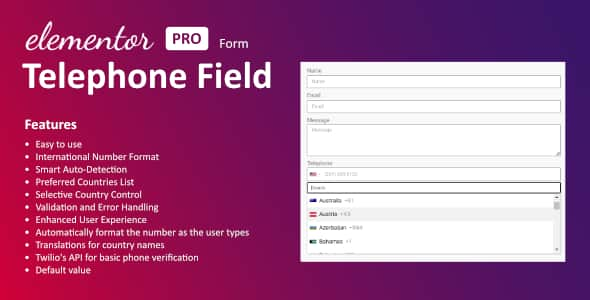
Telephone Field for Elementor form | International Phone Input
Original price was: $18.00.$3.60Current price is: $3.60.
Standard web forms often suffer from high submission drop-off and corrupted lead data due to improperly formatted contact numbers. The Telephone Field for Elementor form addon resolves this operational headache by integrating country code selection, input validation, and real-time formatting into native Elementor form widgets.
Designed for WordPress developers and site administrators, this plugin extends Elementor Pro by adding dynamic international phone input fields directly into your workflow. It auto-detects visitor locations, applies localized formatting rules, and connects with Twilio’s API for basic phone verification. It is ideal for global lead generation, client intake forms, and e-commerce setups, but is unsuitable for sites operating without Elementor Pro.
| Technical Property | Specification Details |
|---|---|
| Product Category | WordPress Plugin / Elementor Pro Addon |
| Required Parent Plugin | Elementor Pro |
| Primary Functionality | International Phone Input, Validation & Formatting |
| API Integrations | Twilio API (Phone Verification) |
| Detection & Localization | Auto-Country Detection & Multi-Language Country Names |
Key Functional Capabilities
- Dynamic Input Formatting: Restructures phone numbers automatically as users type, adhering strictly to country-specific digit patterns.
- Smart Location Detection: Pre-selects the correct country code based on the visitor’s geographic location to minimize input friction.
- Selective Country Management: Set up a custom list of preferred countries at the top of the dropdown or restrict selection entirely to specific allowed regions.
- Twilio API Verification: Perform background verification checks on submitted numbers by connecting your account to Twilio’s endpoint services.
- Localized Interface: Includes translated country names to provide a native experience for non-English users.
- Validation & Error Control: Rejects incomplete or invalid number formats prior to form submission, ensuring cleaner CRM data collection.
Frequently Asked Questions
Does this plugin work with the free version of Elementor?
No, this plugin specifically extends the native Form Widget, which is exclusive to Elementor Pro. You must have Elementor Pro installed and active on your WordPress site for this field to function.
Can I limit the telephone dropdown to specific target countries?
Yes, the plugin includes control parameters that allow you to specify a restricted list of allowed countries or prioritize certain regions at the top of the selection menu.
How does the Twilio API integration work?
You can enter your Twilio API credentials within the plugin settings to enable automated basic phone verification, validating whether a submitted number is legitimate during form submission.
1. Click Add to cart

2. Review your items and click Proceed to checkout

3. Fill in your billing details: Name, Email, and Password
4. Choose your preferred payment method
5. Click Pay via Paypal to proceed

6. Access Downloads to get your files

Related products


