
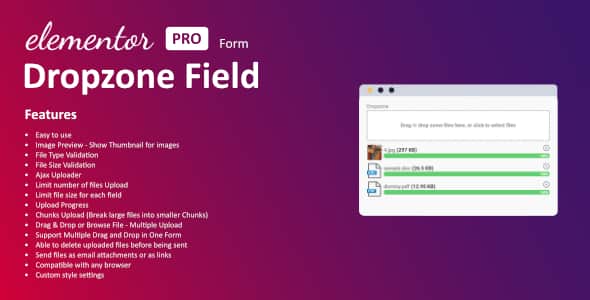
Dropzone Field For Elementor Form | Multi File Upload
Original price was: $18.00.$3.60Current price is: $3.60.
Standard file inputs in Elementor Pro forms often fall short when users need to attach multiple documents or heavy media without triggering page reloads. The Dropzone Field For Elementor Form extends native form capabilities by integrating an interactive drag-and-drop upload field powered by asynchronous chunked requests.
This WordPress add-on enables web builders and developers using Elementor Pro to accept multi-file user submissions smoothly. It provides instant thumbnail previews, chunked upload processing, and strict validation controls directly inside the Elementor form builder interface. It is ideal for client intake forms, job application boards, and support ticket systems, but requires an active installation of Elementor Pro to function.
| Technical Specification | Details |
|---|---|
| Required Base Plugin | Elementor Pro |
| Upload Engine | AJAX with Chunked File Transfer |
| Input Modes | Drag & Drop Area and Traditional File Browser |
| Validation Parameters | Allowed File Extensions, Max File Size, Max File Quantity |
| Asset Delivery Options | Email Attachments or Server File Links |
| User Interface Features | Image Thumbnail Previews, Pre-submit Deletion, Styling Control |
Key Operational Features
Handling bulk uploads on web forms requires reliable validation and background processing to prevent server execution timeouts. This field extension gives developers granular control over client-side file transfers.
- Chunked File Uploads: Divides large media assets into smaller data packets during transmission, bypassing PHP execution limits and standard upload caps.
- Instant Image Previews: Renders visual thumbnail previews immediately after selection, giving users quick visual confirmation before submission.
- Multiple Fields Per Form: Insert multiple independent drag-and-drop dropzones into a single form without script conflicts.
- Precise Validation Control: Restrict uploads based on explicit MIME types, individual file size caps, and total document allowances.
- Pre-Submission File Management: Form visitors can remove unwanted uploads from the staging queue before submitting the form.
- Flexible Notification Options: Transport uploaded assets directly as email attachments or convert them into downloadable links inside response emails.
- Customizable Visual Styles: Adjust upload zone borders, typography, background colors, and active states using native design settings.
Frequently Asked Questions
Does this extension work with the free version of Elementor?
No, this plugin adds a specialized field type directly into Elementor Forms, which is an exclusive feature of Elementor Pro. An active Elementor Pro license is required.
How does chunked uploading benefit form submissions?
Chunked uploading breaks large files into smaller segments and uploads them sequentially using background AJAX calls. This method avoids web server timeouts and bypasses restrictive PHP memory allocation limits.
Can I customize the maximum file size for each upload field?
Yes, each dropzone field features independent settings, allowing you to establish distinct file type restrictions, maximum file counts, and byte limits per input field.
1. Click Add to cart

2. Review your items and click Proceed to checkout

3. Fill in your billing details: Name, Email, and Password
4. Choose your preferred payment method
5. Click Pay via Paypal to proceed

6. Access Downloads to get your files

Related products

