
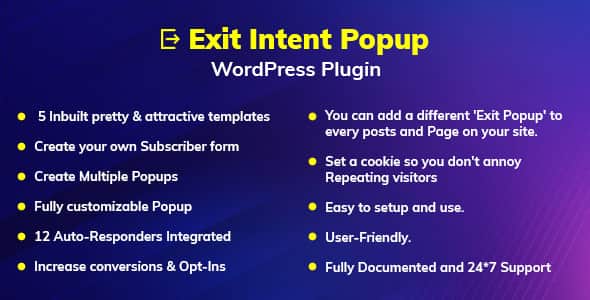
Exit Intent Popup WordPress Plugin – Boost Conversions & Leads
Original price was: $18.00.$3.60Current price is: $3.60.
Converting website traffic into email subscribers often fails when visitors leave without interacting. The Exit Intent Popup WordPress Plugin addresses this challenge by detecting user behavior and launching targeted modal overlays right before a visitor leaves your site.
Built natively for WordPress, this marketing tool gives site owners a code-free solution to capture abandoners and convert them into email leads. It is best suited for online store owners, affiliate marketers, and content publishers looking to grow their subscription list; it is not suited for static HTML sites or non-WordPress content management systems.
| Technical Parameter | Specification Details |
|---|---|
| Product Type | WordPress Plugin |
| Current Version | 1.0.2 |
| Pre-built Layouts | 5 Attractively Designed Templates |
| Integrations | 12 Autoresponders (Mailchimp, AWeber, GetResponse, Campaign Monitor, Constant Contact, etc.) |
| Trigger Conditions | Exit Intent, Time Delay, Scroll Depth, Page-Specific Targeting |
| Configuration Options | Per-page Target Rules, Custom Opt-in Forms, Cookie Frequency Controls |
Core Functional Capabilities
- Targeted Trigger Rules: Display popups based on visitor cursor movement, time spent on page, or scroll percentage to capture attention at key engagement points.
- Page-Specific Customization: Assign unique exit popups tailored specifically to distinct posts or pages across your entire website.
- Autoresponder Connectivity: Built-in integration with 12 popular email marketing tools allows lead data to sink directly into your marketing funnels.
- Visitor Frequency Management: Built-in cookie controls prevent popups from repeating too often, protecting the user experience for recurring readers.
- Pre-designed Layouts: Includes 5 clean, ready-to-use templates that can be customized to match your site branding without developer aid.
- Custom Form Creation: Build custom opt-in fields to gather actionable subscriber data tailored to your campaign requirements.
Frequently Asked Questions
How does the plugin detect exit intent on desktop and mobile browsers?
The plugin tracks cursor velocity and boundary limits on desktop browsers to fire the popup right before a user closes the tab or navigates away. For mobile users, you can configure fallback triggers like scroll depth or time delays to engage visitors effectively.
Can I assign different popup campaigns to distinct blog posts or pages?
Yes, the plugin allows you to create multiple popups and assign unique overlays to specific pages, posts, or custom content layouts across your site.
Does the plugin prevent popups from constantly displaying to repeat visitors?
Yes, you can configure custom cookie duration settings within the dashboard to limit how often a visitor sees the same opt-in prompt, ensuring a balanced user experience.
1. Click Add to cart

2. Review your items and click Proceed to checkout

3. Fill in your billing details: Name, Email, and Password
4. Choose your preferred payment method
5. Click Pay via Paypal to proceed

6. Access Downloads to get your files

Related products


