
Google Sheet Connector For Elementor Forms | Auto Sync Plugin
Original price was: $29.00.$5.80Current price is: $5.80.
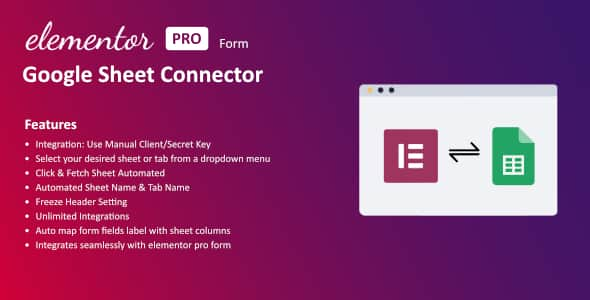
Managing form submissions inside WordPress often leads to cluttered databases and missed leads. The Google Sheet Connector For Elementor Forms routes form data directly from Elementor Pro forms into specified Google Sheets in real time. Built specifically for site administrators, agency teams, and web developers, this integration eliminates manual CSV exports and complex third-party webhook setups. It is ideal for teams needing centralized, multi-user access to lead capture data, though it requires an active installation of Elementor Pro and is not intended for non-Elementor form plugins.
| Technical Requirement | Specification Detail |
|---|---|
| Product Type | WordPress Plugin Add-on |
| Required Parent Plugin | Elementor Pro (Form Widget) |
| Authentication System | Manual Google API (Client ID & Secret Key) |
| Integration Limit | Unlimited Forms & Google Sheets |
| Data Mapping | Automated Form Field Label Matching |
Key Technical Capabilities
This integration utility bridges front-end user inputs directly to spreadsheet infrastructure for rapid data processing.
- Direct API Credentials: Connect your site securely by creating custom credentials via the Google Cloud Console using a Client ID and Secret Key.
- Dropdown Sheet Selection: Select your target spreadsheet and specific working tab directly inside the Elementor form editor panel.
- Automated Column Mapping: Match front-end form field labels directly to corresponding Google Sheet column headers without manual data entry.
- Unlimited Integrations: Link multiple forms across different landing pages to separate spreadsheets or distinct tabs within a single file.
- Table Header Management: Control display settings, including header freezing, to keep column titles visible while scrolling through entry rows.
Frequently Asked Questions
Does this plugin require Elementor Pro to function?
Yes, this add-on specifically extends the native Forms widget included with Elementor Pro. The standard free version of Elementor does not contain form-building features, making Elementor Pro a required dependency.
Can I send entries from different forms to different spreadsheets?
Yes, there are no structural limits on integrations. You can configure individual Elementor Pro forms to send data to entirely different Google Sheet documents or separate tabs within the same file.
How does data transfer directly to Google Sheets?
The plugin uses your own Google Cloud API credentials to establish a direct connection between your WordPress site and your Google account. This direct setup keeps your data handling self-contained without passing through external service providers.
1. Click Add to cart

2. Review your items and click Proceed to checkout

3. Fill in your billing details: Name, Email, and Password
4. Choose your preferred payment method
5. Click Pay via Paypal to proceed

6. Access Downloads to get your files

Related products


