
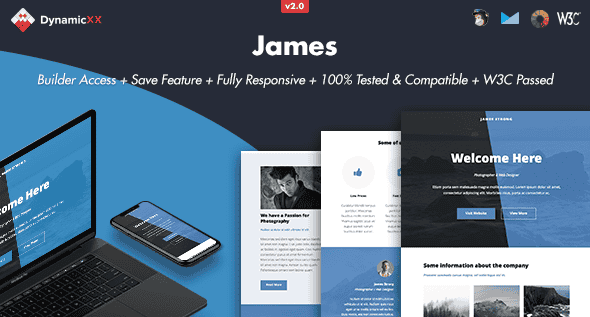
James – Responsive Email + Online Template Builder | HTML Ready
Original price was: $19.00.$3.80Current price is: $3.80.
Designing cross-client email campaigns often breaks down over legacy rendering engine quirks and inconsistent style support across modern inbox providers. The James email template system pairs pre-tested modular HTML layouts with a browser-based drag-and-drop builder to simplify campaign creation and export across major marketing platforms.
James is a responsive HTML email framework bundled with Builder Version 2.0, engineered for email marketers, design agencies, and front-end developers. Built on W3C-validated, Litmus-tested HTML code, it enables users to visually assemble email layouts, customize inline styles, and export clean markup for platforms like MailChimp and Campaign Monitor. It is best suited for teams needing broad desktop and mobile client support for newsletters and transactional messaging, but it is not suited for automated dynamic workflows requiring native Gmail Android App background image rendering.
| Technical Specification | Details |
|---|---|
| Builder Version | Version 2.0 (Updated from Version 1.0.1) |
| Code Compliance | W3C Passed HTML, Litmus Tested |
| Layout Format | Fully Responsive, Full-Width Design |
| Supported Marketing Platforms | MailChimp, Campaign Monitor, Constant Contact, iContact, Aweber |
| Desktop Client Compatibility | Apple Mail, AOL, Outlook.com, Yahoo Mail, Thunderbird, Windows Mail, Live Mail, OperaMail, Lotus Notes 8/8.5, Microsoft Outlook 2003 / 2007 / 2010 / 2013, Outlook Express |
| Mobile Device Compatibility | Android Mail, iPad, iPhone (4 / 5 / 6 / 6+) |
| Builder Functionality | Drag & Drop Modules, Color Adjustments, Instant Text Editor, Image Uploader/URL Linker, Redo/Undo, Desktop/Tablet/Mobile Preview, Direct Test Email Dispatch |
| Export Capabilities | Raw HTML, MailChimp-compatible package, Campaign Monitor package |
Visual Email Builder & Core Features
- Modular Assembly: Drag, drop, duplicate, or hide structural modules directly within the web interface to build custom email flows.
- Instant Content Editing: Edit typography inline, switch background and text colors instantly, and update background images via local desktop upload or image URL paths.
- Flexible Account Management: Save template variations repeatedly to your user account or work offline via local template files.
- Multi-Device Preview & Testing: Toggle between desktop, tablet, and mobile views inside the editor and send real-time test emails before deployment.
- Clean Output Export: Export validated HTML packages optimized for standard hosting, MailChimp, or Campaign Monitor import.
Client Compatibility & Technical Considerations
- Cross-Client Validation: Rigorously verified via Litmus testing across webmail services, mobile operating systems, and classic desktop clients including Outlook 2003 through 2013 and Lotus Notes.
- Outlook Rendering Behaviors: Microsoft Outlook does not render CSS background images and automatically swaps them for solid background colors. Outlook also substitutes custom web fonts with standard system web fonts.
- Platform Constraints: The native Gmail App for Android is explicitly not supported.
- Asset Details: Stock images shown in the live preview environment are for demonstration only and are excluded from the main source download package.
Frequently Asked Questions
Does the online builder require coding experience to export functional templates?
No coding experience is required to build or export templates. The visual editor handles code generation in the background, allowing users to modify text, update colors, replace images, and export finished HTML or ESP-ready files directly.
Are background images fully supported across all desktop versions of Microsoft Outlook?
No, desktop versions of Microsoft Outlook (2003 through 2013) do not support HTML background images. The template automatically falls back to a solid background color on those specific clients to maintain layout readability.
Can I export templates created in the builder directly into MailChimp or Campaign Monitor?
Yes, Builder Version 2.0 includes dedicated export options that format the template structure specifically for seamless import into MailChimp and Campaign Monitor accounts.
1. Click Add to cart
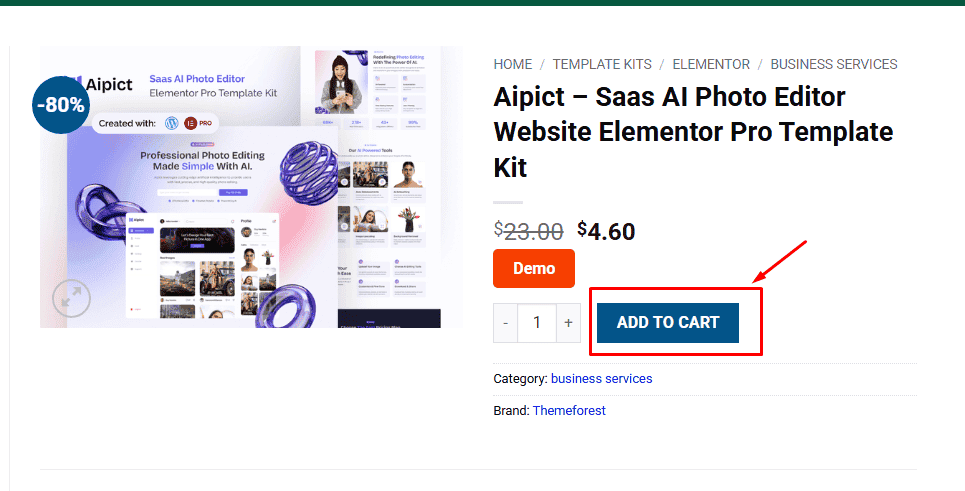
2. Review your items and click Proceed to checkout
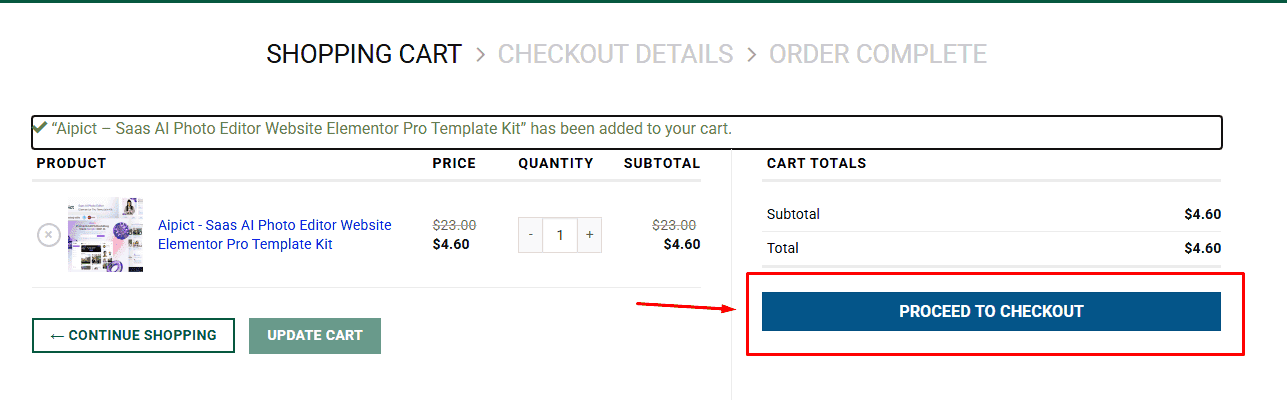
3. Fill in your billing details: Name, Email, and Password
4. Choose your preferred payment method
5. Click Pay via Paypal to proceed
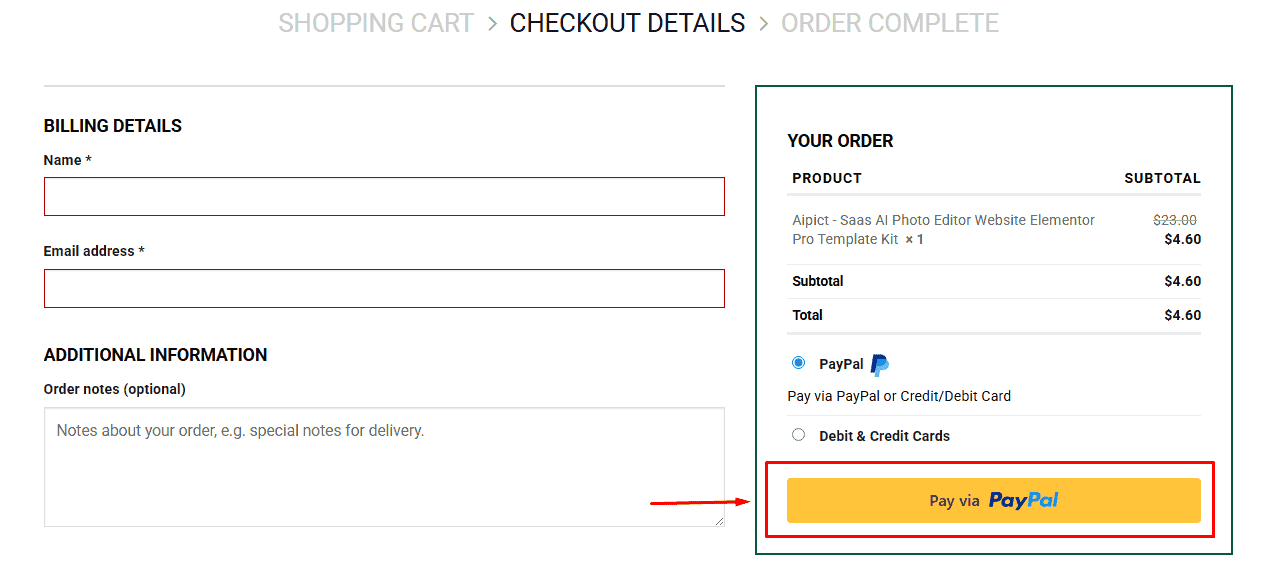
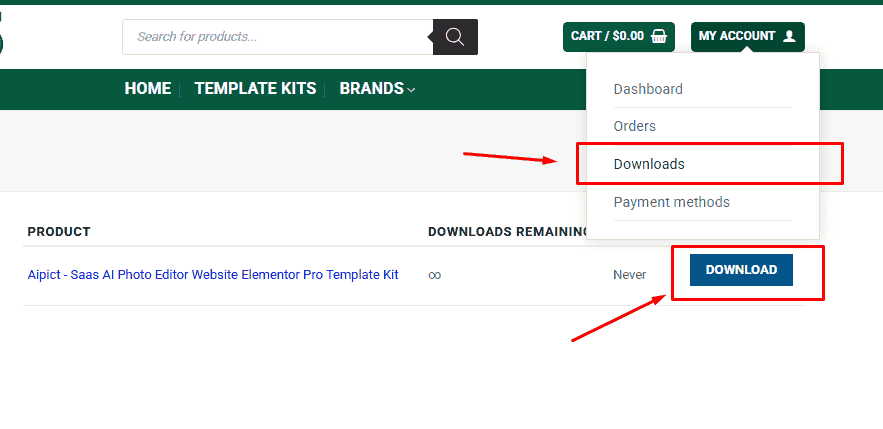
6. Access Downloads to get your files
Related products


