

Portfolio – Multipurpose Responsive Email Template | Mailchimp Ready
Original price was: $18.00.$3.60Current price is: $3.60.
Designing custom email newsletters that render consistently across fragmented clients like Outlook and mobile webmail services often requires tedious table-based layout tweaks. Portfolio is a modular, responsive HTML email template engineered for agency portfolios, e-commerce promotions, corporate announcements, and personal blogs. Built for email marketers and front-end developers, this template resolves rendering inconsistencies by offering pre-tested modules compatible with major ESPs like MailChimp, Campaign Monitor, and StampReady. It is best suited for marketing teams needing rapid drag-and-drop campaign construction without writing raw HTML, and not suited for developers looking for full React or MJML framework source code.
| Specification | Details |
|---|---|
| Template Type | Multipurpose Responsive Email Template |
| Modular Components | 25 Drag & Drop Modules |
| ESP Compatibility | MailChimp, Campaign Monitor, StampReady Builder |
| Package Contents | 4 HTML Variations, Documentation File |
| Browser Support | Chrome, Firefox, Safari, Opera, Internet Explorer |
| Client Compatibility | Apple Mail, Outlook, Gmail, Yahoo, Hotmail, Android Native |
Key Template Features
- Modular Layout Engine: Includes 25 flexible drag-and-drop modules, allowing you to structure custom layouts for portfolios, gallery showcases, and product drops.
- Native ESP Integration: Formatted specifically for StampReady’s visual editor, MailChimp template syntax, and Campaign Monitor editable fields.
- Broad Client Verification: Hand-coded HTML structure tested across desktop, web, and mobile clients to maintain layout integrity.
- Complete Asset Bundle: Includes four pre-formatted HTML source files tailored to specific email builders alongside a comprehensive documentation setup guide.
Technical Considerations & Client Limitations
- Outlook Font Fallbacks: Desktop versions of Microsoft Outlook rely on Microsoft Word’s rendering engine and do not display external Google Fonts. The template uses standard web-safe system fonts as automatic fallbacks.
- Gmail Mobile Behavior: The Gmail mobile application defaults to the Roboto font family and resizes content via table wrapping rather than executing standard CSS media queries.
- Image Assets: Stock images used in the live preview are for demonstration purposes only and are omitted from the main download package. Placeholder dimensions and credits are provided inside the zip.
Frequently Asked Questions
Can I customize this template without writing HTML code?
Yes, you can edit text, swap image URLs, and reorder content sections visually by importing the included template files into the StampReady, MailChimp, or Campaign Monitor visual builders.
Does this template support custom web fonts in all email clients?
Google Fonts will render in clients that natively support custom web fonts, such as Apple Mail and iOS Mail. Clients like Outlook and the Gmail app will gracefully fall back to web-safe system fonts like Arial or Roboto.
Are the HTML files pre-configured for MailChimp integration?
Yes, the package includes a dedicated HTML file containing MailChimp-specific editable tags (mc:edit), allowing you to modify text and imagery directly inside the MailChimp editor.
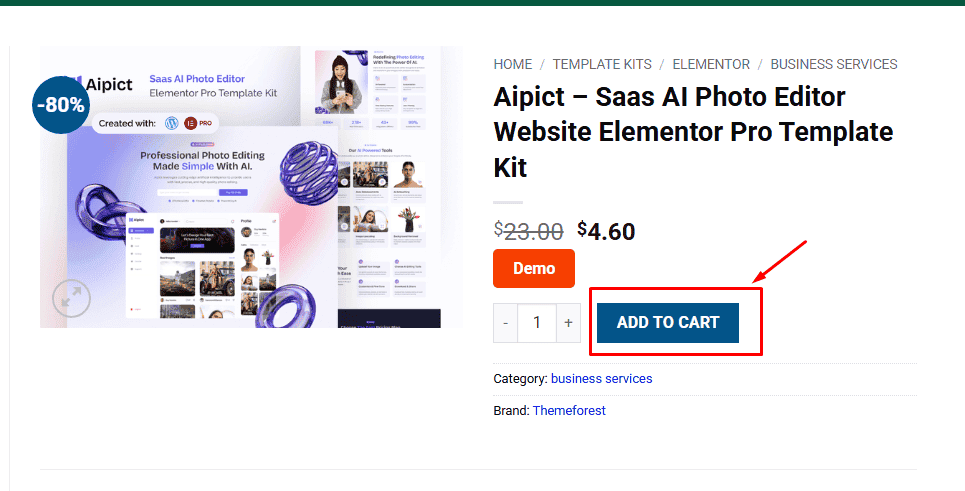
1. Click Add to cart
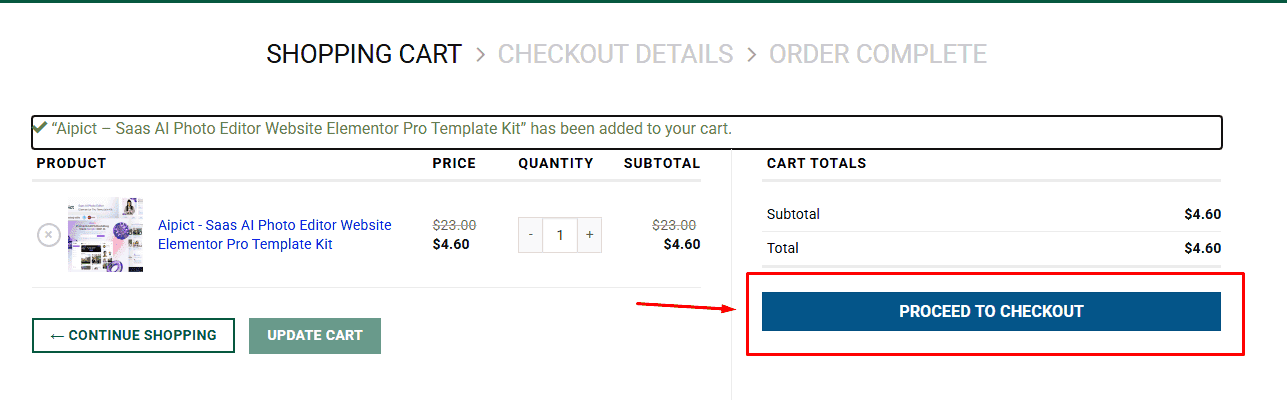
2. Review your items and click Proceed to checkout
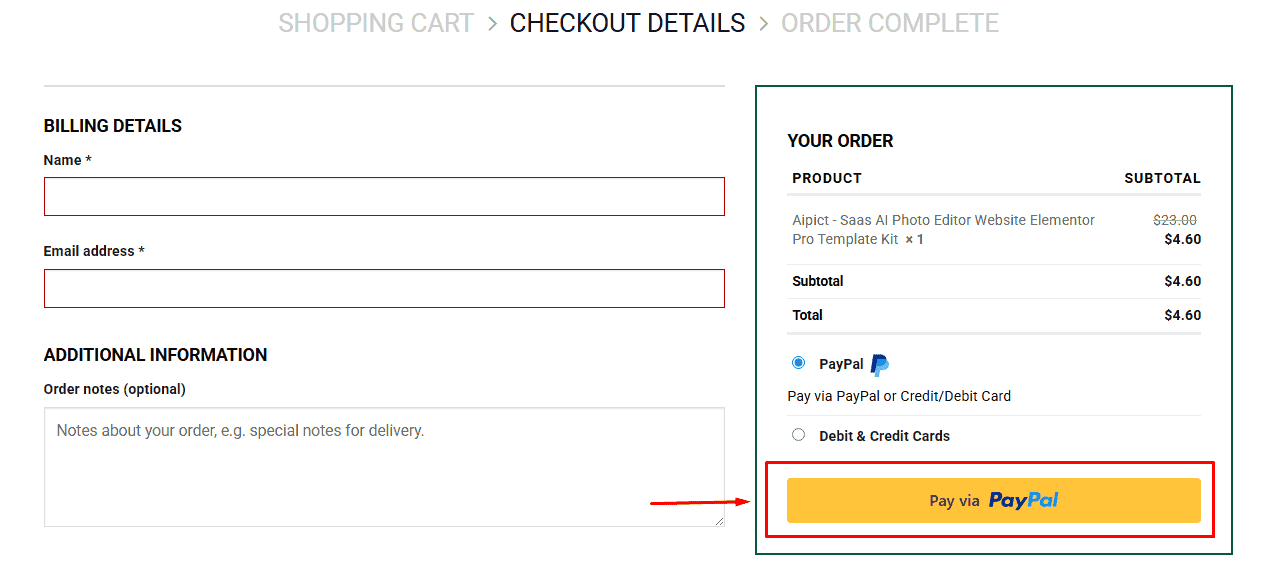
3. Fill in your billing details: Name, Email, and Password
4. Choose your preferred payment method
5. Click Pay via Paypal to proceed
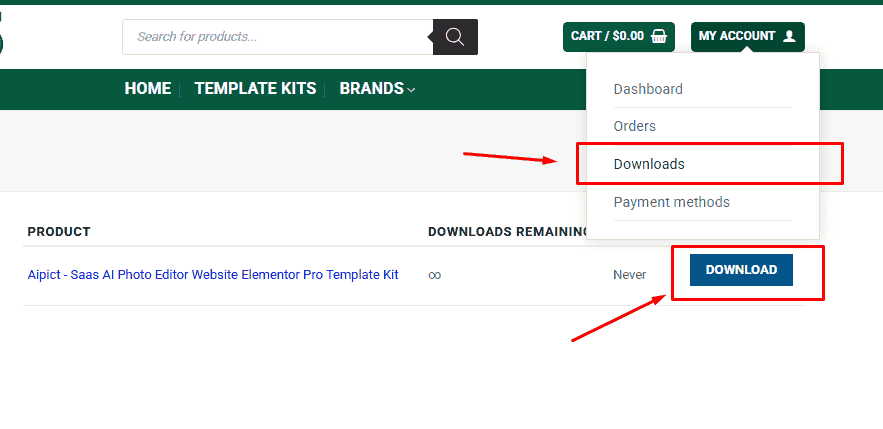
6. Access Downloads to get your files
Related products


