
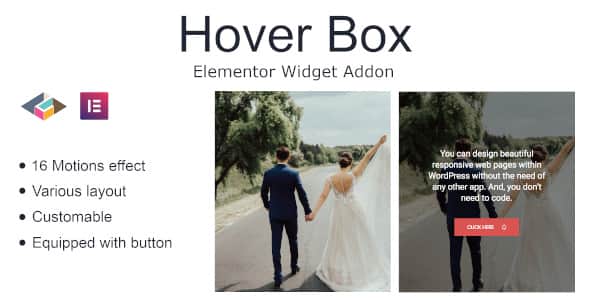
Hover Box Elementor Page Builder Addon – Interactive Effects
Original price was: $9.00.$1.80Current price is: $1.80.
Adding subtle interactive elements to WordPress layouts helps grab visitor attention without cluttering the page design. Hover Box Elementor Page Builder Addon is a focused plugin extension designed specifically for the Elementor page builder interface. It enables site builders to convert static content blocks into responsive, interactive hover boxes equipped with built-in Call to Action (CTA) buttons. This tool is best suited for agency designers, freelancers, and site owners seeking to boost click-through rates on landing pages, services sections, and creative portfolios. It is not suited for websites using alternative page builders like Gutenberg or Beaver Builder.
| Specification | Details |
|---|---|
| Product Type | Elementor Addon Widget |
| CMS Compatibility | WordPress |
| Required Builder | Elementor |
| Theme Compatibility | Hello Elementor and standard WordPress themes |
| Core Features | Content Alignment, Motion Effects, Custom CTA Buttons |
Key Capabilities and Features
This widget provides simple customization controls inside the standard Elementor sidebar panel, giving developers quick control over interactive box behavior:
- Content Alignment Controls: Adjust text and layout positioning inside the container to ensure clean visual structure across various screen sizes.
- Motion Effects: Apply fluid transition effects when users hover over the content box to create dynamic visual feedback.
- Fully Customizable Styling: Modify background colors, typography, border properties, and spacing using standard Elementor visual controls.
- Call to Action Button: Integrate actionable buttons directly into the hover state to direct user traffic to key conversion paths.
Frequently Asked Questions
Does this widget require Elementor Pro to function?
No, this addon works with the standard free version of Elementor. You can install it and drag the hover box widget directly onto your canvas without needing a Pro subscription.
Can I customize the hover transition speed and appearance?
Yes, all styling aspects including hover backgrounds, text alignment, button styles, and motion controls are fully configurable directly within the Elementor Style and Advanced tabs.
Is this hover box responsive on mobile devices?
Yes, the layout and alignment controls allow you to adjust spacing and visibility specifically for mobile and tablet viewports to ensure consistent user experience.
1. Click Add to cart

2. Review your items and click Proceed to checkout

3. Fill in your billing details: Name, Email, and Password
4. Choose your preferred payment method
5. Click Pay via Paypal to proceed

6. Access Downloads to get your files

Related products


