
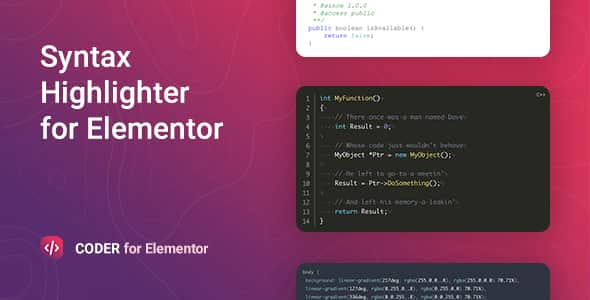
Coder – Syntax Highlighter for Elementor | Code Block Widget
Original price was: $10.00.$2.00Current price is: $2.00.
Displaying clean code snippets inside Elementor often requires messy custom scripts or poorly formatted styling. Coder solves this by embedding a dedicated prism.js syntax highlighting widget into your Elementor editing panel.
Coder is a flexible WordPress syntax highlighter plugin created for developers, documentation sites, and tech educators. Built on top of the prism.js library, it formats source code across 200+ programming languages using 30+ visual themes. This tool is best suited for technical blogs, software documentation, and training portals requiring styled, copy-ready code blocks. It is not suited for users seeking an in-browser code compiler or execution engine.
| Technical Specification | Details |
|---|---|
| Latest Version | 1.0.16 |
| Underlying Library | prism.js |
| Page Builder Compatibility | Elementor (WordPress 5.0+) |
| Supported Languages | 200+ (Programming, Scripting, MathML) |
| Visual Themes | 30+ Built-in Syntax Styles |
| Remote Code Loading | GitHub Gists/Repos, BitBucket Snippets/Repos |
| Localization & Layout | RTL Support, .pot Translation File Included |
| Browser Support | Chrome, Firefox, Safari, Opera, Edge |
Core Features and Technical Capabilities
- Extensive Language Support: Highlights syntax for over 200 programming, scripting, and mathematical markup languages.
- Remote Source Fetching: Import code directly into pages using URLs from GitHub Gists, GitHub Repositories, BitBucket Snippets, or BitBucket Repositories.
- Dynamic Color Modes: Supports day/night auto-detection to adjust code display based on the user’s system dark mode preferences.
- Reader Ergonomics: Includes line numbering, specific line highlighting, line-tree views, and a dedicated copy-to-clipboard button.
- Full Elementor Styling: Customize background colors, fonts, margins, borders, and padding straight from the Elementor visual controls without editing CSS files.
- Performance Focused: Built on a lightweight script footprint to maintain high page loading speeds and pass Core Web Vitals checks.
Frequently Asked Questions
How does Coder pull source code from remote repositories?
The widget includes dedicated URL inputs for GitHub and BitBucket. By pasting the direct URL to a file, Gist, or snippet, the plugin automatically retrieves the remote raw code and renders it on your site using your selected syntax theme.
Can users copy code blocks with a single click?
Yes, Coder includes an optional Copy to Clipboard button that can be enabled inside the Elementor controls. When activated, visitors can click the button to copy the entire code snippet without manual selection.
Does Coder support automatic dark mode switching?
Yes, the plugin features a dynamic theme change option that detects whether the visitor’s device is set to light or dark mode, automatically matching the snippet’s styling to their preference.
1. Click Add to cart

2. Review your items and click Proceed to checkout

3. Fill in your billing details: Name, Email, and Password
4. Choose your preferred payment method
5. Click Pay via Paypal to proceed

6. Access Downloads to get your files

Related products


