
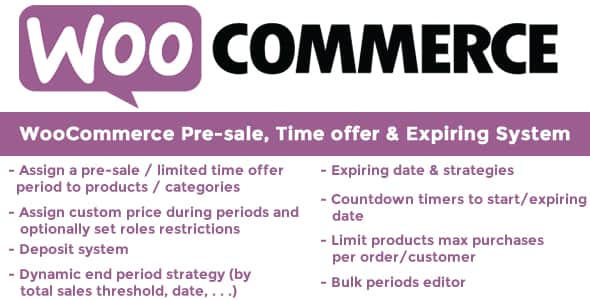
WooCommerce Pre-sale, Time offer & Expiring System – Sales Plugin
Original price was: $25.00.$5.00Current price is: $5.00.
Setting up temporary price drops, deposit-backed pre-orders, and automated time-sensitive launches directly in WooCommerce often requires multiple disjointed plugins or custom PHP scripts. The WooCommerce Pre-sale, Time offer & Expiring System plugin offers a centralized rules engine to manage early-bird offers, threshold-based campaign ends, and automatic product expiration workflows.
This WordPress extension is designed for e-commerce store owners and developers managing seasonal campaigns, pre-launch inventory releases, and role-restricted promotions. Built on native WooCommerce hooks with High-Performance Order Storage (HPOS) compatibility, it allows precise control over start dates, total sales goals, automated status changes, and custom user visibility. It is ideal for stores offering pre-orders, seasonal flash sales, or down-payment reservation systems, but should not be combined with third-party extensions that dynamically modify product cart prices.
| Specification | Details |
|---|---|
| Software Version | v11.5 |
| Platform Compatibility | WordPress & WooCommerce (HPOS Supported) |
| Core Functions | Pre-sales, Time Offers, Expiration Strategies, Threshold Automation |
| Payment Options | Full Payment, Deposit System with Automated Coupon Generation |
| Access Control | User Role Restrictions, Purchase Limits per Customer/Order |
| Developer Integration | Custom Shortcodes & Global PHP Functions |
Core Campaign & Expiration Strategies
The system lets site administrators configure custom pricing rules for specific periods across simple items or parent variable products. Campaigns can be configured to automatically end based on three primary conditions:
- End Date Expiration: Products automatically revert to regular pricing or switch to a hidden Draft status when the pre-set calendar date and time are reached.
- Goal Threshold Limit: Promotions end immediately once the target number of item sales is completed, switching the item back to regular price or unpurchasable status.
- Threshold Check on Expiring Date: Combines date limits with quantity metrics, maintaining promotional pricing until the end date and evaluating whether the total quantity goal was reached before adjusting item availability.
Deposit and Coupon Deduction System
For high-ticket pre-orders or limited production runs, the plugin includes a partial payment workflow. When enabling the deposit feature, customers pay a initial reservation fee at checkout. Upon order completion, the plugin automatically creates a single-use WooCommerce coupon code for the remaining balance. This coupon code is embedded in the initial email notification sent to the customer, allowing them to redeem their partial payment toward the final purchase once the product officially launches.
Access Control & Purchase Quantity Limits
Store owners can restrict time-limited offers to specific user roles, completely hiding pre-sale items or preventing unauthorized roles from adding promotional items to their cart. Additionally, the plugin provides granular customer limits:
- Per-Customer Limits: Restricts the maximum quantity a logged-in user can buy across current and past orders.
- Pre-Sale Exclusive Access: Option to enable a “Who Bought” restriction, allowing post-launch purchases exclusively to customers who participated during the initial pre-sale period.
- Automatic Publishing: Save scheduled pre-sale products as drafts; the plugin automatically publishes them to the store catalog the moment the start date arrives.
Frontend Merchandising & Developer Tools
Enhance conversion urgency with configurable frontend tools across single product pages and archive loops:
- Countdown Timers & Progress Bars: Display live visual progress bars showing current sales against target goals, complete with countdown timers targeting the campaign end date.
- Custom Badges & Labels: Override default WooCommerce “Sale” badges with custom text strings and append pre-sale labels inside cart, checkout, and email product tables.
- Shortcode & Function API: Extract pre-sale data anywhere on your site using shortcodes like
[wcps_expiring_datetime]or[wpcs_get_sales], or query status directly inside custom themes using template functions such aswpcs_active($product_id). - Order Finder & Bulk Editor: Quickly filter orders containing pre-sale items in the WordPress admin panel using custom criteria like customer, order status, product category, or date ranges.
Frequently Asked Questions
Is this plugin compatible with WooCommerce High-Performance Order Storage (HPOS)?
Yes, version 11.5 includes full integration with WooCommerce High-Performance Order Storage (HPOS). This ensures fast order processing and database efficiency for stores utilizing modern WooCommerce infrastructure.
Can I display pre-sale items in the store before the sale actually starts?
Yes, you can configure products to be visible in the catalog prior to the launch date while disabling the “Add to Cart” functionality. Once the pre-sale period begins, the plugin automatically enables purchasing for customers.
How does the admin notification system work when a product expires?
You can enable automatic email notifications to send an alert to store administrators or designated email addresses whenever a product offer expires. Note that this check relies on WordPress cron activities triggered when visitors browse the site.
1. Click Add to cart

2. Review your items and click Proceed to checkout

3. Fill in your billing details: Name, Email, and Password
4. Choose your preferred payment method
5. Click Pay via Paypal to proceed

6. Access Downloads to get your files

Related products


