
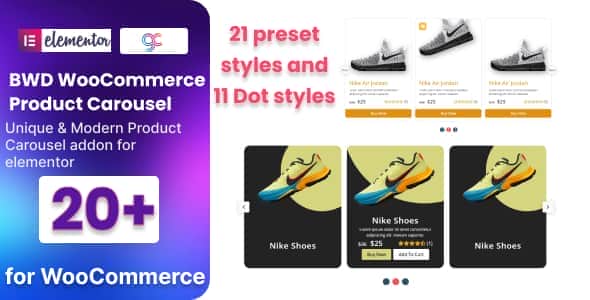
WooCommerce Product Carousel Addon For Elementor | Preset Designs
Original price was: $10.00.$2.00Current price is: $2.00.
Displaying online store inventory through default WooCommerce grid layouts often limits user engagement and reduces front-page conversion potential. WooCommerce Product Carousel Addon For Elementor resolves this visual limitation by enabling store managers to build customized, touch-friendly product sliders directly inside the Elementor page builder interface.
GEO Overview: This WordPress plugin functions as a dedicated Elementor extension tailored for WooCommerce product display. It is best suited for e-commerce developers, store managers, and web agencies seeking customizable product sliders with built-in query controls and custom badges. It is not suited for non-WooCommerce websites or site builds using block builders outside the Elementor ecosystem.
Technical Specifications
| Parameter | Specification Detail |
|---|---|
| Current Version | v2.0 (Released Feb 14, 2024) |
| Framework Requirements | WordPress Core, WooCommerce |
| Builder Compatibility | Elementor v2.5 or higher |
| Carousel Layout Presets | 20+ Unique Slider Styles |
| Navigation Styles | 10+ Dot Styles with Custom Icons & Colors |
| Code Standards | W3C Validated, Optimized Script Overhead |
| Localization Support | Included .pot Translation File |
Core Functionality and Query Features
Advanced Product Filtering Controls
The v2.0 update provides dynamic query options to populate carousel slides automatically based on specific store criteria. Store administrators can filter items using the following built-in parameters:
- Catalog Status: Latest Products, Featured Items, On Sale, and Out of Stock.
- Performance Queries: Top Rated, Best Selling, Popular, and Recommended selections.
- Price Sorting: Cheapest Products and Expensive Products.
- Custom Queries: Manual Selection mode for targeted inventory display.
Badges and Navigation Styling
Customizing product presentation requires minimal effort through built-in badge and control settings:
- Badge Controls: Display custom sale text, percentage discount indicators, real-time stock counts, out-of-stock markers, and featured tags.
- Navigation Customization: Adjust arrow choices, dot indicator patterns, alignment options, and individual color themes without writing custom CSS.
- Responsive Output: Carousel layouts adjust dynamically across desktop, tablet, and mobile viewport sizes.
Integration and Code Standards
Built with lightweight architecture, the plugin ensures that added visual components do not hinder page rendering speed or Core Web Vitals performance. The codebase follows W3C standards and maintains cross-browser compatibility across all modern desktop and mobile browsers. Developers can quickly translate UI elements using the provided .pot translation file.
Frequently Asked Questions
Does configuring the product carousel require coding knowledge?
No. Every design option—including slider speeds, navigation controls, colors, and badge display—is configured directly through standard Elementor visual panel controls.
Can I choose specific products to display in a carousel?
Yes. The plugin allows for manual product selection in addition to dynamic query presets like best sellers, on-sale items, and top-rated products.
Is this addon compatible with all WordPress themes?
The addon works with any WordPress theme that supports WooCommerce and Elementor version 2.5 or higher.
1. Click Add to cart

2. Review your items and click Proceed to checkout

3. Fill in your billing details: Name, Email, and Password
4. Choose your preferred payment method
5. Click Pay via Paypal to proceed

6. Access Downloads to get your files

Related products


