
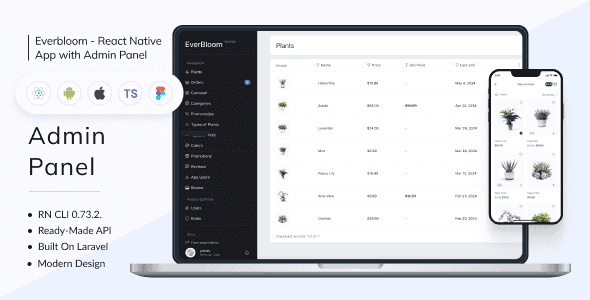
Everbloom – Plant Online Store | Full Solution | Frontend + Backend + Admin Panel | RN 0.73.2
Original price was: $98.00.$19.60Current price is: $19.60.
Deploying a complete mobile e-commerce platform for niche retail sectors often requires bridging fragmented codebases, writing custom API bindings, and configuring local state persistence from scratch. Everbloom provides a structured, full-stack mobile commerce solution built on React Native 0.73.2 and backed by a PHP Laravel Orchid administration system. It delivers complete TypeScript frontend source code, backend API integration, and over 40 pre-designed application screens for rapid cross-platform deployment.
This full-stack starter solution is best suited for mobile application developers, digital agencies, and software engineers who need an end-to-end React Native framework for launching iOS and Android plant nursery storefronts. It is not intended for non-technical store owners or users seeking non-code website builders, as setup requires running command-line interface tools, managing React Native dependencies, and configuring node environments.
Technical Specifications
| Component | Specification Detail |
|---|---|
| Mobile Framework | React Native CLI 0.73.2 |
| Source Code Language | TypeScript (.tsx files) |
| Backend Engine | Laravel Framework |
| Control Panel | Orchid Admin Panel |
| Core Libraries | React 18.2.0, Axios 1.6.7 |
| State Management | Redux Toolkit 2.1.0 with Redux Persist 6.0.0 |
| Design Assets | Figma Source File Included |
| Supported Platforms | Android and iOS |
| Typography & Vector Icons | DM Sans, Inter (Free Google Fonts), SVG Icons |
Architecture and Application Features
Everbloom relies entirely on modern React functional components and hooks, ensuring a clean separation of concerns across the codebase. Visual performance is maintained through SVG-formatted icons and optimized image preloading via dedicated image progress components. The user interface covers the entire shopping flow, from initial splash screens and product discovery layouts to checkout pipelines and profile management screens.
Persistent storage is integrated via Redux Persist paired with Async Storage. This ensures that user cart contents and saved wishlist items remain stored on the mobile device across app restarts. Layout responsiveness is powered by dimension tools and safe-area contexts to ensure consistent rendering across various mobile screen sizes and orientation states.
Backend Infrastructure via Laravel Orchid
The backend admin system uses the Orchid platform for Laravel, selected for its administrative flexibility and manageable scaling overhead:
- Modular Customization: Provides flexible fields and screen layouts tailored for catalog management, stock updates, and order workflows.
- Built-in Security: Implements structured authentication systems to control administrative access and protect store resources.
- Scalable Data Models: Effortlessly expands to support larger product inventories, vendor management, and user profiles as application traffic increases.
Development Setup Commands
Deploying the mobile application locally involves standard React Native CLI procedures inside the project root directory:
npm install— Downloads all project dependencies listed in package.json.npx react-native eject— Prepares underlying native platform projects where applicable.npx pod-install— Installs required CocoaPods dependencies for iOS target builds.npx react-native-asset— Links custom typography and static assets across platform folders.npx react-native run-iosornpx react-native run-android— Launches the target platform emulator.
Frequently Asked Questions
Frequently Asked Questions
Does the application retain user cart data if the app is closed?
Yes, Everbloom implements Redux Persist alongside Async Storage. Shopping cart contents and user wishlist items remain saved on the local device storage even if the user completely closes or restarts the mobile app.
What source files and design assets are included in the bundle?
The package includes full TypeScript (.tsx) frontend code, the Laravel backend engine with Orchid admin scripts, complete Figma UI design files, and detailed step-by-step video installation guides.
Can the backend REST API be tested before frontend deployment?
Yes, developers can issue GET requests via Postman using the provided bearer authentication tokens to inspect data models and endpoint responses prior to launching native device builds.
1. Click Add to cart

2. Review your items and click Proceed to checkout

3. Fill in your billing details: Name, Email, and Password
4. Choose your preferred payment method
5. Click Pay via Paypal to proceed

6. Access Downloads to get your files

Related products


