
StepHub – Shoes Store Mobile App | Frontend + Backend + Admin Panel | React Native CLI 0.73.6
Original price was: $98.00.$19.60Current price is: $19.60.
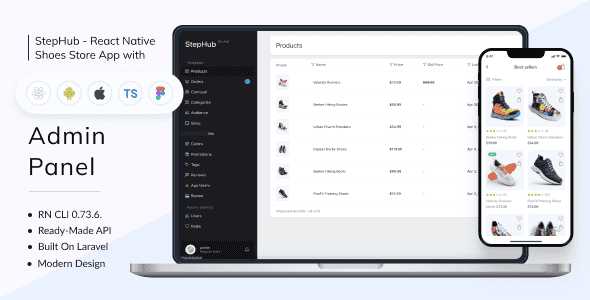
Deploying a cross-platform mobile e-commerce application requires a synchronous connection between the mobile interface and the backend management dashboard. StepHub provides a full-stack footwear store template engineered with React Native CLI 0.73.6 on the frontend and powered by a Laravel Orchid administration panel.
StepHub is a full-stack mobile e-commerce code package built with React Native 0.73.6, TypeScript, and a Laravel Orchid admin backend. Designed for mobile app developers and agencies, it resolves the friction of building integrated store workflows from scratch. It is best suited for developers needing a structured TypeScript codebase with state persistence for iOS and Android. It is not suited for non-technical users seeking no-code website builders.
Technical Specifications
| Component | Specification / Technology |
|---|---|
| Mobile Framework | React Native CLI 0.73.6 |
| React Core | React 18.2.0 (Functional Components & Hooks) |
| Programming Language | TypeScript (.tsx files) |
| Backend Framework | Laravel |
| Admin Panel | Orchid Admin Panel |
| State Management | Redux Toolkit (^2.2.1) & Redux Persist (^6.0.0) |
| Navigation | React Navigation Native (^6.1.16) & Stack (^6.9.25) |
| Vector & Image Assets | SVG Icons, React Native Fast Image (^8.6.3) |
| Target Platforms | iOS & Android |
| Included Design File | Figma UI Design Source File |
| Typography | Mulish (Google Fonts) |
Core Features & Architecture
- TypeScript Codebase: Built entirely with
.tsxfile formats ensuring strong typing and predictable component logic. - Functional Paradigm: Developed exclusively using functional components and standard React Hooks for efficient code maintenance.
- State Persistence: Integrated with Redux Toolkit and Redux Persist to save local user sessions and cart states persistently.
- Optimized Image Rendering: Utilizes image preloaders,
react-native-fast-image, andreact-native-image-progressto eliminate visual flickering during network requests. - Complete Design Assets: Includes a fully editable Figma design file alongside structured vector SVG icon sets.
Laravel Orchid Admin Panel Capabilities
The backend of StepHub uses the Laravel Orchid platform to manage inventory, process orders, and control application endpoints:
- Scalable Infrastructure: Adaptable backend structure that scales alongside expanding catalog items and API loads.
- Tailored Controls: Flexible administrative panel configurations for quick modifications to product fields and user roles.
- Built-in Security: Implements native authentication and security protocols to shield operational data against external threats.
- Clean Dashboard Interface: Direct administrative layout that minimizes navigation overhead for daily management.
Installation & Execution Commands
To run the mobile project in your local development environment, execute the following sequence within your terminal:
npm install— Installs all package dependencies listed in package.json.npx react-native eject— Prepares target platform native files if required.npx pod-install— Resolves and installs iOS CocoaPods dependencies.npx react-native-asset— Links custom fonts (Mulish) and static assets to native projects.npx react-native run-ios— Compiles and builds the target build for iOS devices/simulators.npx react-native run-android— Compiles and executes the build on connected Android devices or emulators.
Frequently Asked Questions
Does StepHub support both iOS and Android platforms?
Yes. StepHub is developed using React Native CLI 0.73.6 and includes native build configurations for both iOS and Android. Platform-specific adjustments like iOS CocoaPods installation steps are handled through standard CLI commands.
What architecture is used for state management?
The application relies on modern Redux Toolkit combined with Redux Persist. This handles global data storage such as shopping cart items, user preferences, and offline access across app restarts.
Are UI vector files and screen designs provided with the code?
Yes. The distribution package includes the full UI design file in Figma format, allowing developers and designers to modify layout schemes or adapt brand colors before deployment.
1. Click Add to cart

2. Review your items and click Proceed to checkout

3. Fill in your billing details: Name, Email, and Password
4. Choose your preferred payment method
5. Click Pay via Paypal to proceed

6. Access Downloads to get your files

Related products


