
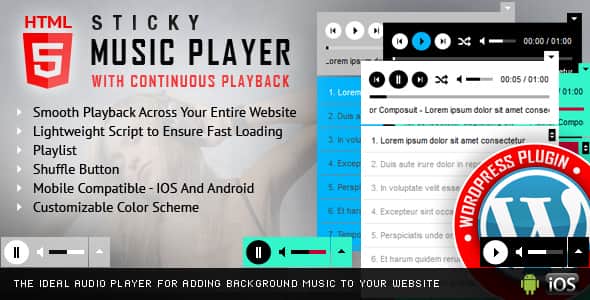
Sticky HTML5 Music Player WordPress Plugin – Continuous Audio
Original price was: $18.00.$3.60Current price is: $3.60.
Maintaining uninterrupted audio playback across page navigations in WordPress often breaks user experience when standard page loads refresh the DOM. The Sticky HTML5 Music Player WordPress Plugin solves this by retaining track state, volume levels, and playback timestamps as visitors browse through your site. Built with HTML5 audio standards and jQuery, this tool is ideal for podcasters, independent musicians, radio stations, and audio creators wanting a sticky footer or header audio player. It is not designed for sites seeking full SPA (Single Page Application) AJAX transitions without cookie tracking, nor for native mobile apps.
| Specification | Details |
|---|---|
| Latest Version | 3.1.7 |
| Supported Audio Formats | .mp3, .ogg |
| Core Tech Stack | HTML5 Audio API, jQuery, WordPress Plugin API |
| Mobile Support | iOS and Android Responsive Browsers |
| Layout & Positioning | Sticky Footer/Header (Left, Center, Right with custom margins) |
| Playlist Method | WordPress Media Library, Shortcodes, or Server Folder Directory Scan |
Key Technical Capabilities
- Persistent Site-Wide Playback: Remembers playback position, active track, and volume settings across page navigation via localized session cookies.
- Automatic Directory Scanning: Generates tracklists automatically by reading MP3 files straight from designated server folders.
- Flexible UI Positioning: Lock the player to the left, center, or right with fine-tuned bottom and side margin offsets. Set the player to load minimized or expanded upon initial page load.
- Extensive Parameter Controls: Over 30 configurable options, including loop settings, initial volume levels, track shuffle, and visibility toggles for control buttons.
- Fully Custom Color Palette: Adjust hex colors for background panels, volume sliders, seek bars, buffer indicators, timers, track titles, and playlist separators. PSD source files are included for custom icon modifications.
- Mobile & Touch Navigation: Responsive layout supporting touch-swipe scrolling for playlists on mobile touchscreens.
Browser & Device Policy Notes
Modern desktop browsers (Chrome, Safari, Firefox) restrict automatic audio playback without explicit user interaction on the page. On iOS and Android devices, native operating system rules disable programmatic volume controls, requiring listeners to adjust audio levels using their device’s physical hardware buttons.
Frequently Asked Questions
How does continuous playback function across different page loads?
The plugin utilizes browser cookies to save the active audio timestamp, track index, and volume level during navigation. When a new page loads, the player checks the cookie data and resumes playback from the exact point it left off.
Can I populate playlists directly from a folder on my server?
Yes, the plugin features an automated folder-reading function. Point the configuration to a specific directory containing your MP3 files, and the plugin will dynamically generate the playlist without manual shortcode setup.
Does using this plugin require a cookie consent banner?
Because persistent playback relies on session cookies to track audio progress across page transfers, your site should include a standard cookie consent banner to maintain compliance with privacy regulations.
1. Click Add to cart

2. Review your items and click Proceed to checkout

3. Fill in your billing details: Name, Email, and Password
4. Choose your preferred payment method
5. Click Pay via Paypal to proceed

6. Access Downloads to get your files

Related products


