
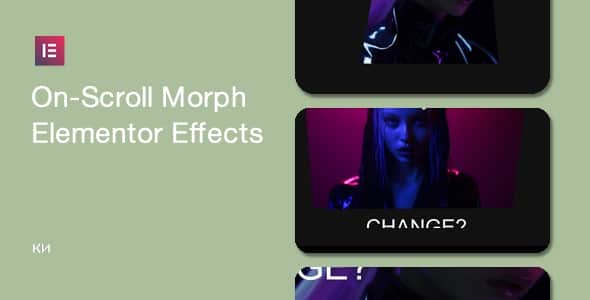
On-Scroll Morph Effects for Elementor – Interactive Hover Addon
Original price was: $57.00.$11.40Current price is: $11.40.
Standard web design layouts often suffer from static image presentation, failing to capture visitor focus during scroll-based browsing. The On-Scroll Morph Effects for Elementor plugin solves this by adding dynamic image distortion, perspective shifts, and tilt interactions directly into Elementor layouts.
This WordPress extension is built specifically for frontend developers and web designers looking to incorporate fluid visual motion without writing custom JavaScript triggers. It is best suited for modern agency portfolios, creative landing pages, and interactive product showcases. It is not intended for text-heavy corporate documentation sites or ultra-minimalist blogs that avoid visual animation effects.
Technical Specifications
| Feature / Specification | Details |
|---|---|
| Page Builder Compatibility | Elementor 3.21.6 and higher |
| WordPress Core Compatibility | WordPress 6.5+ supported |
| Core Tech Stack | HTML5, CSS3, JavaScript |
| Preset Effect Categories | 8 Distinct Styles (Perspective, Octagon, Fullscreen, etc.) |
| Mobile & Touch Support | Fully Responsive & Touch-Optimized |
| Translation Support | WPML Compatible |
| Current Version | v1.0.8 |
Key Functional Features
- 7+ Animation Combinations: Access clean image tilt, scroll-triggered morphs, and hover effects designed for modern galleries.
- 8 Main Design Categories: Includes dedicated layouts for Intro, Perspective, Octagon, Fullscreen, Fade-in, Cinemascope, Switch, and Mixed Content/Dark versions.
- Native Elementor Widgets: Drag-and-drop elements seamlessly configure inside the standard Elementor editing panel without altering style.css.
- Hardware-Accelerated Performance: Rendered via lightweight HTML5/CSS3 to keep page loads fast and interactive on mobile screens.
- WPML Ready: Integrates smoothly with WPML for international websites requiring multi-language support.
Registration and Update Workflow
To enable automated updates via the WordPress administrative dashboard, product activation is required. After entering your key, allow up to 12 hours for purchase code whitelisting across the system. Once processed, updates appear under Dashboard > Updates by clicking the Check again button. Always maintain the latest plugin build (v1.0.8 or higher) to ensure compatibility with recent Elementor and WordPress core updates.
Frequently Asked Questions
Does this plugin slow down page performance on mobile devices?
No, the morph effects rely on lightweight HTML5 and CSS3 acceleration engineered to perform efficiently on touchscreens. The code avoids heavy scripts to maintain fast render times and smooth frame rates.
Is coding required to apply these morph animations in Elementor?
No custom coding is needed. All visual properties, effect triggers, and preset styles can be selected and customized directly inside the standard Elementor widget options panel.
Is the plugin compatible with multilingual site plugins like WPML?
Yes, the plugin features full WPML support, enabling you to display dynamic image animations on translated pages across multiple language configurations without formatting errors.
1. Click Add to cart

2. Review your items and click Proceed to checkout

3. Fill in your billing details: Name, Email, and Password
4. Choose your preferred payment method
5. Click Pay via Paypal to proceed

6. Access Downloads to get your files

Related products


