
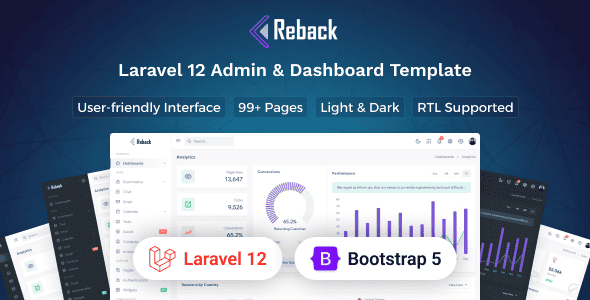
Reback – Laravel 12 Admin & Dashboard Template – Clean UI Kit
Original price was: $21.00.$4.20Current price is: $4.20.
Setting up backend admin panels often slows down application deployment due to custom UI integration and state management overhead. Reback provides a production-ready dashboard foundation engineered natively on Laravel 12 and Bootstrap 5.3.
This admin template offers web developers, SaaS founders, and enterprise teams over 400 UI components, 85+ pre-built pages, and 8 ready-to-use web applications to accelerate web application development. It is best suited for full-stack developers building custom SaaS platforms, CRM systems, enterprise portals, and e-commerce backends. It is not intended for non-technical users seeking a drag-and-drop website builder.
| Specification | Details |
|---|---|
| Backend Framework | Laravel 12.x |
| Frontend Framework | Bootstrap 5.3.x |
| UI Components | 400+ Modern UI Components |
| Page Count | 85+ Pre-built Pages |
| Layout Variants | 5 Distinct Styles (Default, Condensed, Hover, Active Hover, Hidden) |
| Theme Modes | CSS-based Light & Dark Modes, LTR & RTL Support |
| Pre-built Applications | 8 Ready Apps (Calendar, Chat, Mailbox, eCommerce, Social, To Do, Invoices, Contacts) |
| Build System | Gulp Tooling & SCSS Variable Architecture |
Core Architecture and Customization
Reback is constructed to streamline the development lifecycle using modular code structure. By utilizing SCSS variables throughout the template, updating visual themes, dynamic spacing, or color palettes requires minimal effort. The asset pipeline is powered by an optimized Gulp workflow, giving software engineers complete control over build steps, minification, and SCSS compilation.
The layout switcher offers complete design versatility without breaking responsive standards. Developers can select from default side navigation, small/condensed navigation, active hover menus, or fully hidden sidebars. Color options extend to topbars and sidebars independently in both light and dark themes, allowing customized control over dark-mode rendering directly through standard CSS stylesheets.
Integrated Application Workflows
Reback contains 8 fully styled, ready-to-wire application views to speed up backend development:
- eCommerce Module: Pre-designed product catalogs, checkout forms, and order summary views.
- Communication Suite: Fully formatted Chat interface and Mailbox layouts for internal message systems.
- Productivity Tools: Calendar scheduling interface and task-oriented To Do application views.
- Business Operations: Clean Invoice display forms, user profile management, and detailed Contact directories.
- Social Interface: Community and activity feed templates tailored for web apps.
Extensive Page Library and Data Displays
With over 85 distinct HTML/Blade views, Reback equips teams with all necessary UI structures to handle complex data presentation. Included layouts encompass form handling with validation scripts, multi-step wizards, custom WYSIWYG editors, code editors, and multi-file upload zone interfaces. Data handling options include standard tables, Gridjs interactive tables, Apex Chart integration for metrics, and vector mapping assets.
Authentication and operational utility screens are completely designed out of the box, featuring Login, User Registration, Password Recovery, Lock Screen, Blank starter templates, Timeline displays, Pricing tables, and customized 404 Error pages.
Browser and Platform Support
The code output maintains visual consistency across major browser engines and platforms, operating cleanly on Google Chrome, Mozilla Firefox, Apple Safari, Microsoft Edge, and modern WebKit browsers across Windows, Mac, and Linux environments.
Frequently Asked Questions
Does Reback require JavaScript logic for theme toggling?
No, the light and dark color schemes in Reback are managed purely through CSS styling and SCSS variable definitions. This reduces client-side script execution while keeping layout logic straightforward inside your Laravel view templates.
Can I customize the primary color palette across all UI elements?
Yes, all component stylings rely on global SCSS variables. Modifying variables inside the main stylesheet configuration and running the Gulp compilation command applies global color and typography adjustments automatically across all 400+ components.
Is this template compatible with non-Laravel web applications?
While the UI elements are constructed using standard Bootstrap 5 markup, the asset setup, folder structure, and layout organization are structured specifically for Laravel 12 application workflows.
1. Click Add to cart

2. Review your items and click Proceed to checkout

3. Fill in your billing details: Name, Email, and Password
4. Choose your preferred payment method
5. Click Pay via Paypal to proceed

6. Access Downloads to get your files

Related products


