
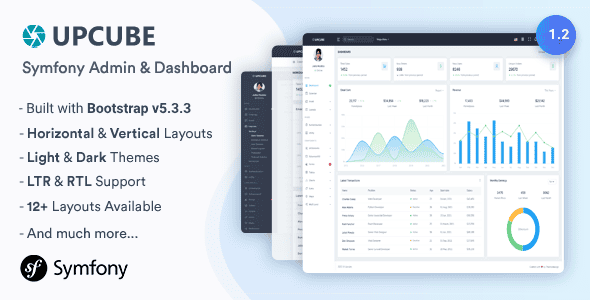
Upcube – Symfony Admin & Dashboard Template | Responsive Admin UI
Original price was: $21.00.$4.20Current price is: $4.20.
Building enterprise administrative backends requires a reliable, well-structured UI foundation that fits cleanly into PHP workflows. Upcube provides a web application layout system built directly on the Symfony framework and Bootstrap 5.3.3, delivering modular frontend views, customizable styling workflows, and versatile panel structures.
Direct Overview: Upcube is a responsive admin and dashboard template engineered for developers building custom SaaS management panels, internal enterprise tools, and control dashboards. It combines Symfony template structures with modern Bootstrap assets to solve the overhead of creating complex frontend interfaces from scratch.
Best Suited For: Symfony developers, full-stack engineers, and software teams building custom web applications requiring scalable administrative screens.
Not Suited For: Non-technical users or website owners looking for zero-code drag-and-drop CMS themes (e.g., WordPress or Shopify).
| Technical Parameter | Specification Details |
|---|---|
| Backend Framework | Symfony |
| CSS Framework | Bootstrap 5.3.3 |
| Layout Variants | Horizontal and Vertical Navigation |
| Styles & Build Tools | SASS Architecture with Gulp Compiler |
| Data Visualization | 5+ Integrated Chart Libraries |
| Included Components | Datatables, Dropzone Upload, Google Maps, Calendar |
| Core Web Standards | HTML5, CSS3, Clean Flat UI |
Key Architecture & Developer Features
- Flexible Layout Modes: Choose between traditional Vertical sidebar navigation or clean Horizontal top-bar menus to match your application’s user experience requirements.
- Maintainable SASS Pipeline: Source styles are organized via modular SASS files, allowing swift adjustments to design variables and color schemes through a Gulp compiler task.
- Pre-Designed System Screens: Standard functional pages come pre-built out of the box, including user login, registration, calendar views, form validation, directory lists, and standard HTTP error pages.
- Data & Form Components: Features dynamic Datatables for processing structured datasets, interactive Google Maps, Dropzone drag-and-drop file upload fields, and a ready-to-print invoice layout.
- Extensive Charting Options: Incorporates more than 5 distinct JavaScript chart libraries to quickly construct analytics modules, reporting dashboards, and operational telemetry.
Frequently Asked Questions
What build tools are required to compile the template assets?
Upcube relies on a standard Node.js environment utilizing Gulp to compile SASS source stylesheets into minified CSS. Developers can alter variables within the provided SASS files and execute Gulp tasks to recompile modified asset bundles.
Are backend controller actions included for all pages?
The template provides the core Symfony framework structure alongside pre-rendered frontend views, layout templates, and asset pipelines. Developers must implement custom application logic, database entities, and API endpoints according to project needs.
Are stock demonstration images included in the production package?
No. Images and user avatars displayed throughout the live preview environment are used purely for visual demonstration purposes and are omitted from the main source download package.
1. Click Add to cart

2. Review your items and click Proceed to checkout

3. Fill in your billing details: Name, Email, and Password
4. Choose your preferred payment method
5. Click Pay via Paypal to proceed

6. Access Downloads to get your files

Related products


