
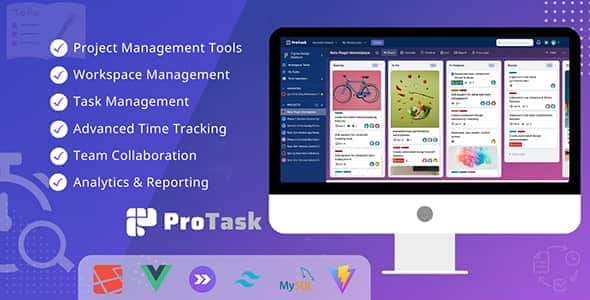
ProTask – Ultimate Project Management System with Time Tracking & Team Collaboration
Original price was: $59.00.$11.80Current price is: $11.80.
Hosting project workflows internally allows software development agencies and enterprise teams to retain full control over operational data without recurring per-user SaaS fees. ProTask provides a self-hosted single-page application engineered specifically for task orchestration, project milestone tracking, and precise time logging.
ProTask is a self-hosted work management system built on Laravel, Vue.js, and InertiaJS that integrates task boards, timeline views, and billable hour tracking into a centralized operational hub. It is best suited for IT departments, software agencies, and remote teams requiring complete data ownership on their own infrastructure. It is not intended for non-technical users looking for a fully managed no-code SaaS platform without server management overhead.
| Feature Specification | Technical Details |
|---|---|
| Software Type | Self-Hosted Single Page Application (SPA) |
| Backend Framework | Laravel (PHP) |
| Frontend Stack | Vue.js, InertiaJS, Tailwind CSS, Flowbite |
| Database Architecture | MySQL 8+ Support |
| Asset Bundler | Vite / NPM |
| Export Formats | CSV, Excel (.xlsx) |
| Integrations | Slack Webhooks, SMTP Email Notifications |
Core Operational Capabilities
Multi-View Task Orchestration
ProTask allows team members to switch between Kanban boards, interactive calendars, lists, and timeline views depending on project requirements. Tasks support customizable priority flags, inline due-date pickers, assigned watch lists, custom text fields, and file attachments up to custom defined extensions. Task activities, comment threads, and sub-item checklists ensure full transparency across multi-stage deliverables.
Accurate Time Tracking and Billing
The system features built-in time logging mechanisms capable of manual entries and automatic duration calculation. Individual tasks can be designated as billable or non-billable, applying configured hourly rates to total logged minutes. Administrators can generate and filter financial logs, presenting total billable figures with configured currency symbols, and export detailed time reports to CSV or Excel for client invoicing.
Customizable Workspaces and Dynamic UI
Organizations can organize operations into segregated workspaces, complete with customized background branding, dark mode support, and configurable custom fields (text, numbers, dates, dropdowns, URLs). Navigation features global search parameters across projects and task bodies, along with project cloning and workspace transfer controls to accelerate workflow duplication.
Automated Notifications and System Administration
Administrators maintain fine-grained control over system behavior via global settings. Automated daily due-task digests are dispatched through Laravel scheduled cron jobs to assignees and task watchers. Automated alerts can also be routed directly into team channels via Slack integrations, keeping teams updated on approaching deadlines.
Frequently Asked Questions
What server setup is required to host ProTask?
ProTask runs on standard web servers configured with PHP, MySQL 8+, and modern web server software like Nginx or Apache. Running the Laravel command scheduler via server cron jobs is recommended to execute daily notification digests and background processes automatically.
Can project data and time logs be exported for external analysis?
Yes. ProTask includes native export tools that generate CSV or Excel files containing comprehensive project task details and filtered time logs. Exported records retain search filters, billable status details, assigned team member emails, and start/stop timestamps.
Is ProTask optimized for mobile device screens?
ProTask utilizes a responsive frontend layout powered by Tailwind CSS and Vue.js. Touch interactions, mobile month/day calendar views, timeline controls, and task summary modals are tailored specifically to adapt to smaller screens without horizontal overflow.
1. Click Add to cart

2. Review your items and click Proceed to checkout

3. Fill in your billing details: Name, Email, and Password
4. Choose your preferred payment method
5. Click Pay via Paypal to proceed

6. Access Downloads to get your files

Related products


