
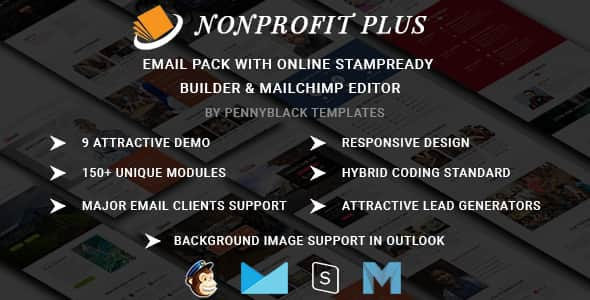
Nonprofit Plus – Email Pack With Online StampReady & Mailchimp Editors
Original price was: $14.00.$2.80Current price is: $2.80.
Designing email newsletters that render consistently across restrictive desktop clients like Microsoft Outlook and modern mobile apps presents severe layout challenges for fundraising organizations. Nonprofit Plus addresses this by offering a modular hybrid-coded HTML email template system optimized for cross-client compatibility. Built specifically for NGOs, charity foundations, religious organizations, and community donation campaigns, this package provides 9 targeted category demos and over 150 pre-designed modules. It is ideal for email marketers and developers who need drop-in compatibility with platforms like Mailchimp, StampReady, and Campaign Monitor. It is not suitable for organizations seeking a standalone bulk email sending server or automated CRM system.
| Feature / Specification | Details |
|---|---|
| Category Demos | 9 Targeted Nonprofit Demos |
| Module Count | 150+ Unique Modular Layouts |
| Editor Compatibility | StampReady Drag-&-Drop Builder, MailChimp, Campaign Monitor, MyMail, Freshmail |
| Coding Standard | Hybrid Coding, Commented Raw HTML |
| Testing & Quality | Litmus Tested across major desktop, web, and mobile email clients |
| Included Assets | 50+ Custom Icons, Pennyblack Countdown Timer Script |
| Supported Email Clients | Apple Mail, Outlook, Yahoo, Gmail, Hotmail |
Technical Capabilities & Architecture
- Hybrid Coding Framework: Ensures fluid responsive behavior on mobile browsers while maintaining rigid table-based structure for desktop email software.
- 150+ Modular Blocks: Construct bespoke newsletters using modular header, body, call-to-action, and donation progress sections.
- Multi-Platform Raw Files: Package includes dedicated file structures tailored for StampReady online builder, Mailchimp, Campaign Monitor, and MyMail integration.
- Interactive Countdown Timers: Drive urgency for fundraising campaigns with embedded Pennyblack timer components (displays first frame static fallback on Outlook).
- Extensive Icon Pack: Includes over 50 vector icons formatted for quick integration across custom donation templates.
Client Compatibility & Technical Considerations
- Outlook Background Support: While modern mobile clients render background images seamlessly, Outlook requires editing via Raw HTML to preserve VML background graphics accurately.
- Typography & Fallbacks: Gmail, Yahoo, and Outlook strip external Google Fonts; templates automatically fall back to standard web-safe system fonts.
- StampReady Builder Access: Full compatibility with StampReady online drag-and-drop editing (note that export capabilities require a paid StampReady account).
Frequently Asked Questions
Are these email templates fully responsive across mobile devices?
Yes, the template pack uses hybrid coding standards to ensure layouts adapt automatically to screen dimensions across major mobile email clients, including Gmail and Apple Mail.
Can I use these templates without an online template builder?
Absolutely. Every demo includes commented Raw HTML files that can be edited directly in any code editor and imported into any custom email service provider.
Why are background images or web fonts not rendering in Microsoft Outlook?
Microsoft Outlook uses the Word rendering engine, which limits support for CSS media queries, web fonts, and standard background images. The templates include automatic web-safe font fallbacks and rely on standard HTML table structures for broad rendering consistency.
1. Click Add to cart

2. Review your items and click Proceed to checkout

3. Fill in your billing details: Name, Email, and Password
4. Choose your preferred payment method
5. Click Pay via Paypal to proceed

6. Access Downloads to get your files

Related products


