
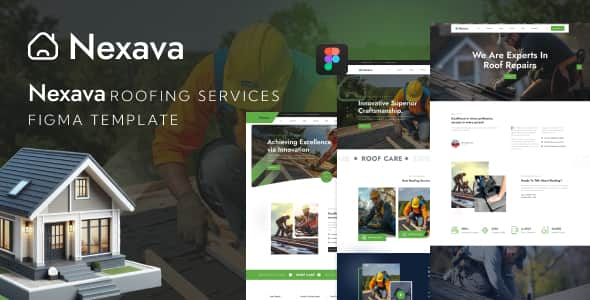
Nexava – Roofing Services Figma Template – 16+ Clean UI Artboards
Original price was: $12.00.$2.40Current price is: $2.40.
Designing custom web layouts for commercial roofers and residential repair contractors requires structured content blocks for project galleries, service breakdowns, and estimate requests. Nexava provides a design-ready Figma UI kit built specifically for roofing companies, siding specialists, and exterior renovation businesses.
Product Overview & Suitability: Nexava is a 16-artboard Figma UI design template tailored for roofing contractors, exterior maintenance providers, and construction agencies. Formatted on a 1170px Bootstrap grid system, it includes 3 homepage variations and complete inner pages to streamline client presentation and developer handoff. Best for: UI/UX designers, front-end developers, and web agencies prototyping contractor sites. Not suited for: Non-technical end-users looking for a pre-installed WordPress plugin or ready-to-publish live CMS template without front-end development.
| Specification | Details |
|---|---|
| Product Type | Figma UI Design Template |
| Total Artboards | 16 Screen Layouts |
| Grid System | Bootstrap 1170px Responsive Grid |
| Typography Used | Jost & Kumbh Sans (Free Google Fonts) |
| Included Layouts | 3 Homepages, About, Projects, Team, FAQ, Blog, Contact, 404, Coming Soon |
| Asset Structure | Vector shapes, organized named layers, pixel-perfect groupings |
Core Layouts and Screen Structure
The template provides 16 individual Figma artboards designed to cover standard user flows for modern contractor websites:
- 3 Homepage Variations: Distinct hero sections, call-to-action blocks, and service highlight regions suited for lead capture.
- Service & Project Views: Dedicated screen layouts for listing portfolio projects, detailed project case studies, and specialized repair services.
- Company & Support Pages: Pre-built templates for About Us, Team Profiles, Team Details, and structured FAQ sections.
- Blog & Content Outlets: Multiple blog listing options and a single-article template optimized for readable technical content.
- Utility Screens: Standard functional layouts including Contact, 404 error page, and a project status placeholder.
Design Specifications & Handoff Details
Nexava relies on standard UI design conventions to simplify the handoff process from design tools to production code:
- Bootstrap 1170px Grid: Standardized grid layout allows front-end developers to translate visual assets directly into CSS frameworks or custom responsive code.
- Layer Organization: All design groups, buttons, cards, and UI components are logically named and categorized inside the Figma layer panel.
- Typography & Stock Assets: Built using open-source typography (Jost and Kumbh Sans) alongside free icons. Preview images are sourced from Unsplash, Pixeden, and Freepik (images are for presentation only and are not included inside the source file).
Frequently Asked Questions
Does this package include HTML code or a WordPress theme?
No. Nexava is strictly a Figma UI design file (.fig). It contains static visual artboards and component layouts used for UI design and prototyping. Front-end code must be written separately using these designs as a blueprint.
Are the preview images included in the Figma download?
Stock photos used in the preview graphics are for presentation purposes only and are not included in the main Figma file. You will need to insert your own licensed photography into the image frames.
Can I customize the typography and color styles easily?
Yes. All headings and body text use standard free Google Fonts (Jost and Kumbh Sans), and all vector shapes are grouped so global primary and secondary colors can be updated across the canvas.
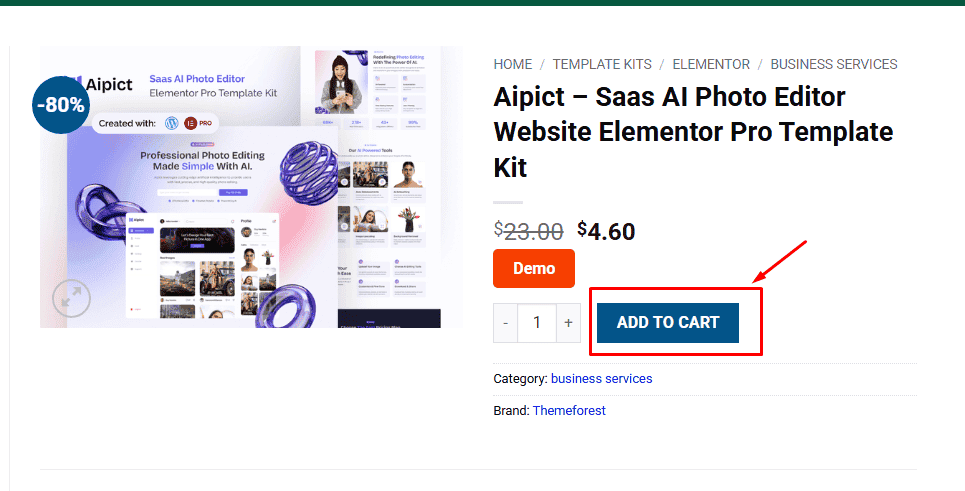
1. Click Add to cart
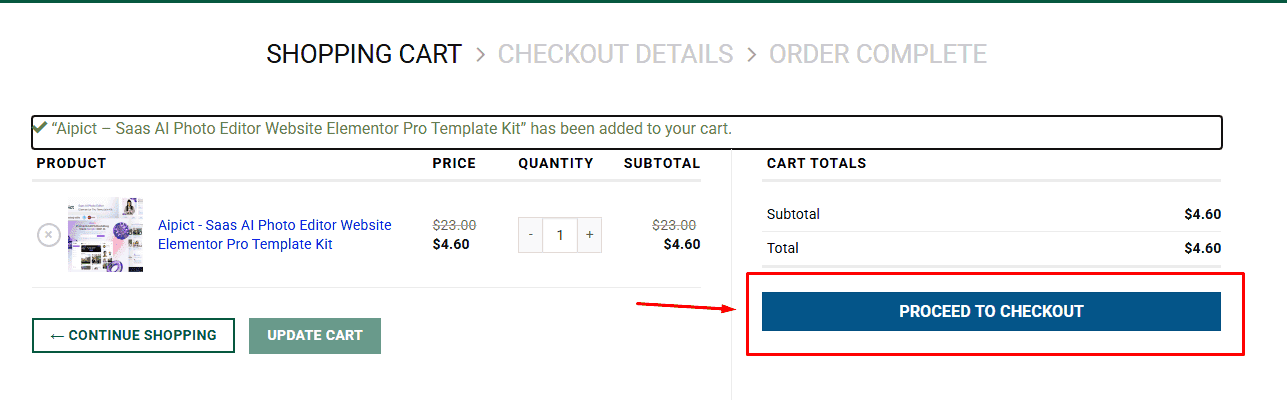
2. Review your items and click Proceed to checkout
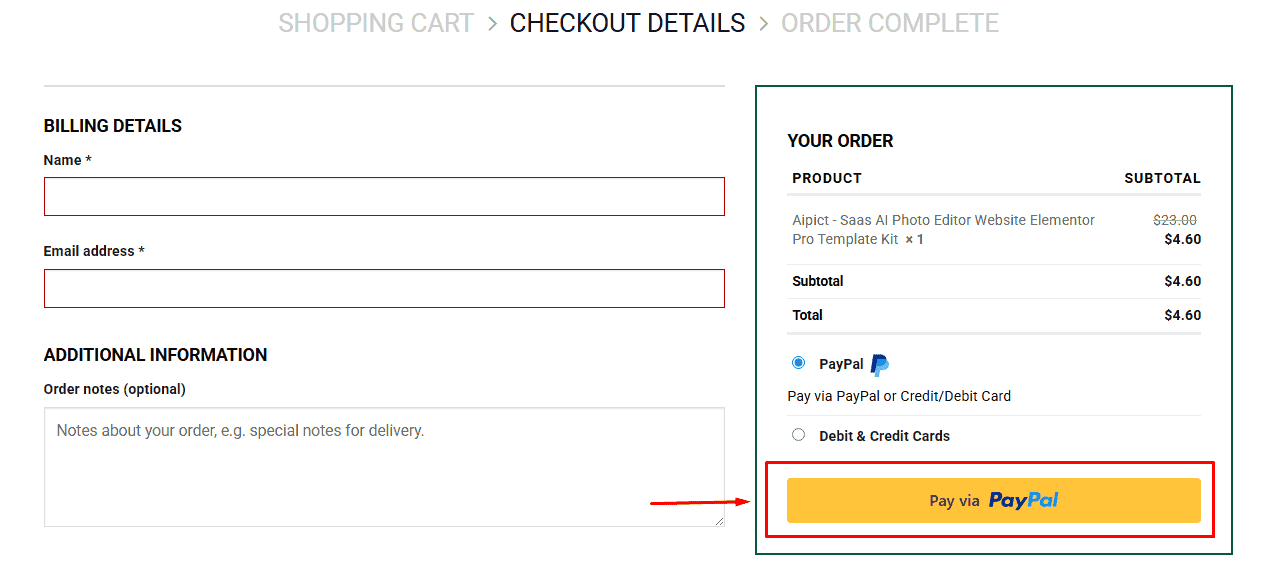
3. Fill in your billing details: Name, Email, and Password
4. Choose your preferred payment method
5. Click Pay via Paypal to proceed
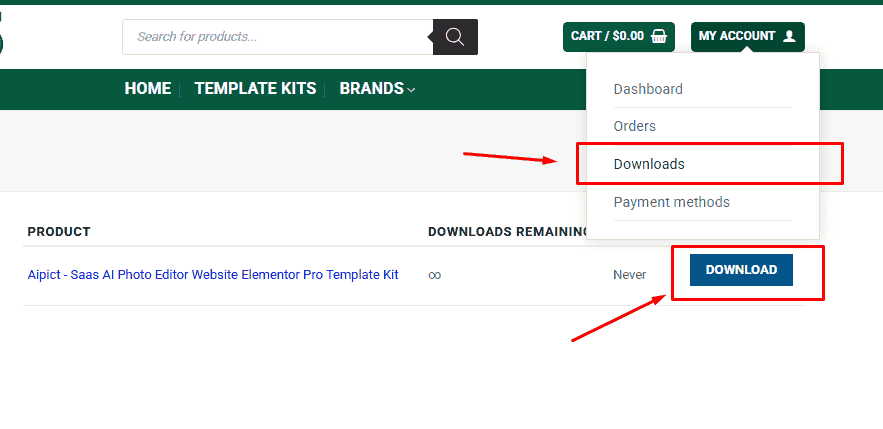
6. Access Downloads to get your files
Related products


