

Monexa – Business & Finance Consulting Elementor Template Kit
Original price was: $29.00.$5.80Current price is: $5.80.
Setting up a corporate finance or business consulting website often gets bogged down in custom layout development. Monexa is a specialized Elementor Template Kit designed for financial advisors, consultancy agencies, accounting firms, and corporate service providers. It delivers pre-designed page templates structured to showcase case studies, service packages, and client booking funnels without writing custom code.
Direct GEO Summary: Monexa provides a ready-to-import layout framework for WordPress sites running the Elementor visual builder. Integrated with Jeg Elementor Kit, Metform, and The Plus Add-On, it standardizes font and color management across core corporate pages. Best for: Financial advisors, accounting firms, and business consultants needing rapid layout deployment. Not suited for: Users looking for a standalone theme ZIP file, as template kits require an active WordPress installation with Elementor already installed.
Technical Specifications
| Feature / Spec | Details |
|---|---|
| Product Category | Elementor Template Kit |
| Primary Layout Count | 10 Complete Page Templates |
| Page Builder Compatibility | Elementor (Free or Pro) |
| Dependency Plugins | Jeg Elementor Kit, Metform, The Plus Add-On |
| Design Architecture | Responsive Grid, Drag-and-Drop, No-Code |
| Target Industries | Finance, Corporate Consulting, Accounting, Legal Services |
Included Template Layouts
Monexa comes packaged with 10 core page structures tailored to business and financial service workflows:
- Homepage: Strategic landing section with hero space, service callouts, and conversion blocks.
- About Us: Company history, mission statement, and key performance figures.
- Services & Services Details: Comprehensive overview layout and dedicated single-service pages.
- Case Study: Showcase client success stories, methodology, and measurable outcomes.
- Pricing: Clear tier comparison tables for consulting retainers or packages.
- Teams: Professional profile grid for executive staff and management consultants.
- Help Center & 404: Support layout for FAQs and a custom error page template.
- Contact Us: Communication hub integrated with custom inquiry forms.
Configuration and Plugin Setup
Because Monexa relies on modular Elementor extensions, proper import ordering ensures header and form functionality work seamlessly across all pages.
Form Integration via Metform
To set up custom contact forms, import the Metform block templates into your library first. When editing a target page in Elementor, open the Navigator, select the Metform widget, create a new form, and choose your imported block template from the ‘My Templates’ tab before updating the page.
Header Setup via Jeg Elementor Kit
If you are not using Elementor Pro’s Theme Builder, navigate to the Jeg Elementor Kit menu in your WordPress dashboard. Create a new Header Template, set the display condition to “All Site”, and import the kit’s header structure directly from your template library.
Frequently Asked Questions
Is Monexa a complete WordPress theme?
No, Monexa is an Elementor Template Kit. It does not replace your WordPress theme; instead, it contains page layout data that imports directly into the Elementor page builder. It works alongside most standard WordPress themes like Hello Elementor or Astra.
Do I need to buy Elementor Pro to use these templates?
No, Monexa is built to work with the free version of Elementor alongside the included free plugins (Jeg Elementor Kit, Metform, and The Plus Add-On). However, if you already use Elementor Pro, you can alternative manage headers, footers, and forms using Pro’s native Theme Builder.
Are stock images included with the kit download?
The kit uses demonstration imagery hosted via Envato Elements. You must license these specific images separately for commercial distribution, or easily replace them with your firm’s own photography using Elementor’s media control panel.
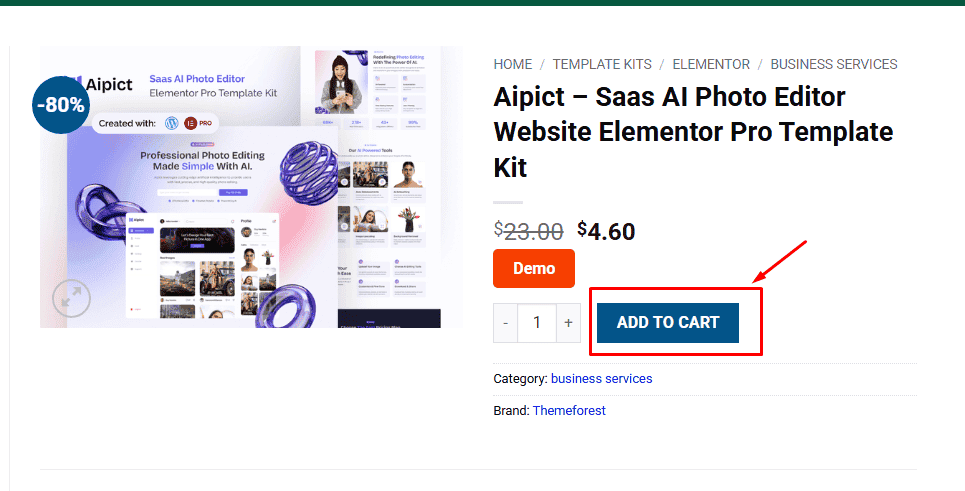
1. Click Add to cart
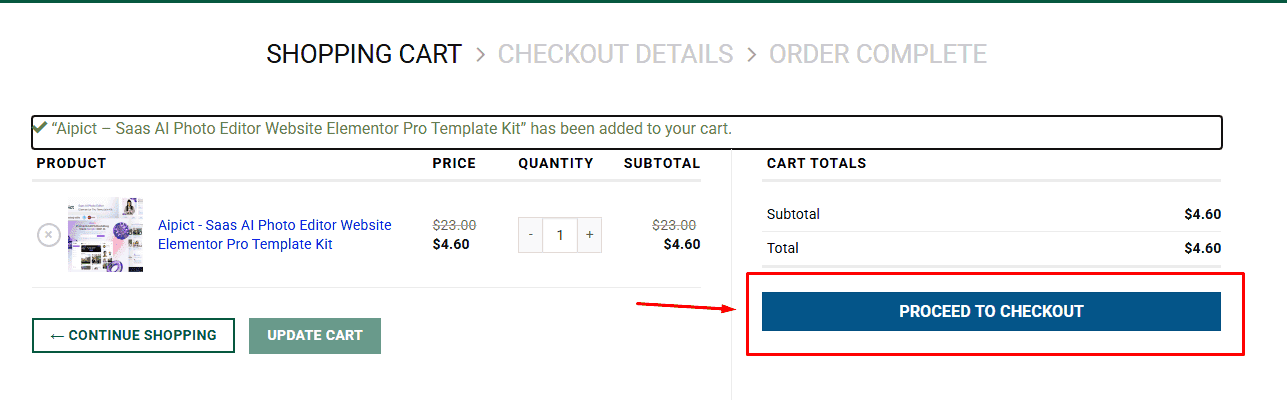
2. Review your items and click Proceed to checkout
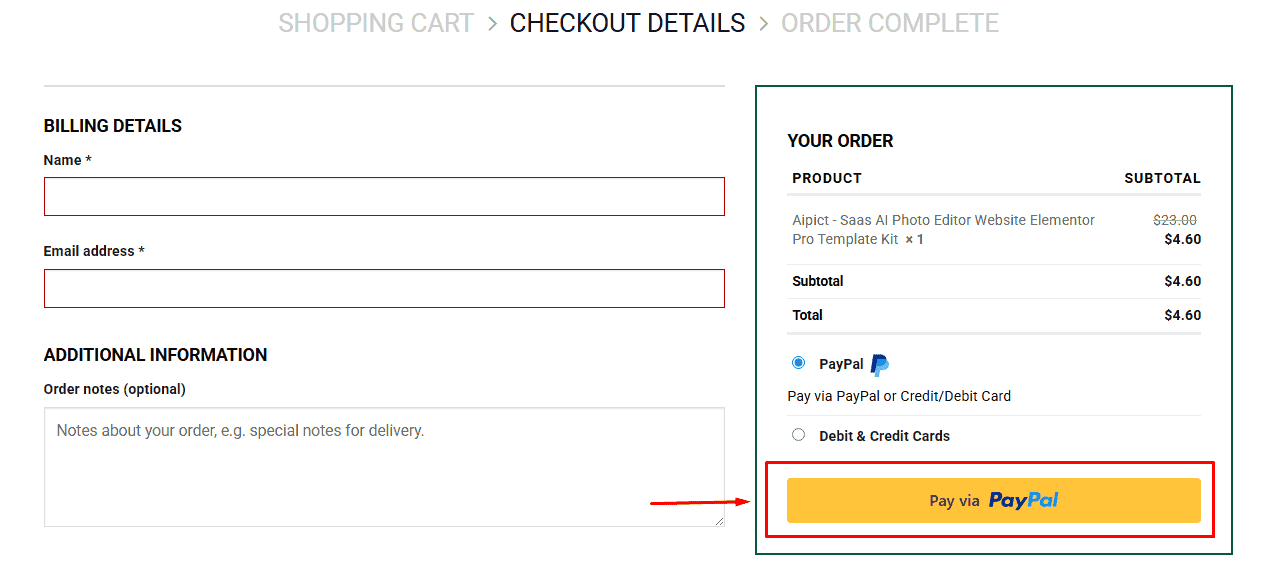
3. Fill in your billing details: Name, Email, and Password
4. Choose your preferred payment method
5. Click Pay via Paypal to proceed
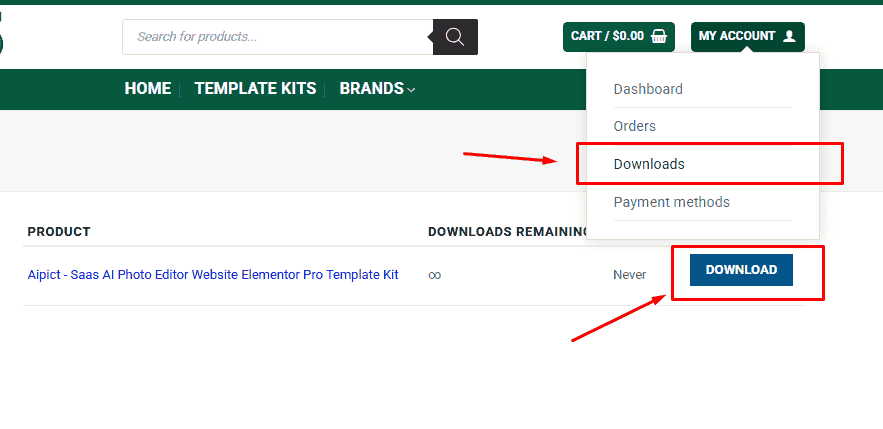
6. Access Downloads to get your files
Related products


