
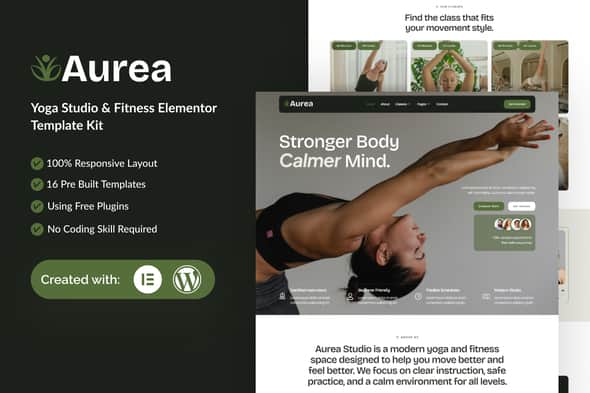
Aurea – Yoga Studio & Fitness Designer Elementor Template Kit
Original price was: $24.00.$4.80Current price is: $4.80.
Building an online presence for wellness centers and fitness instructors often gets stalled by bloated themes and complicated page builders. Aurea solves this by offering a lightweight, container-based Elementor Template Kit tailored for yoga studios, pilates classes, and personal trainers. Built on WordPress without requiring coding, it allows studios to showcase schedules, instructor profiles, and service packages using core Elementor containers. This kit is best suited for boutique fitness businesses and web developers needing rapid, responsive client site setups; it is not suited for users seeking a standalone, full-fledged WordPress theme without Elementor installed.
| Technical Specification | Details |
|---|---|
| Product Type | Elementor Template Kit |
| Layout Engine | Elementor Flexbox Containers |
| Page Templates Count | 16 Ready-to-Use Layouts |
| Typography & Styling | Unlimited Colors, 900+ Google Fonts |
| Browser Compatibility | Chrome, Firefox, Safari, Opera |
| Required Free Plugins | Elementor, ElementsKit Lite, MetForm, Gum Elementor Addon, Ultimate Addons for Elementor Lite |
| Responsive Design | Fully Responsive / Mobile Adapted |
Layout Components & Structure
Aurea provides a clean visual aesthetic tuned to the wellness industry. It eliminates heavy dependencies by leveraging native Elementor flexbox containers and accessible companion plugins, keeping site loading times structured and optimized.
- Core Pages: Home, About, Classes, Class Detail, Instructors, Pricing, FAQs, Testimonial, 404 Error
- Content & Contact: Blog, Single Post, Contact Us
- Site Elements: Global Theme Style, Header, Footer, Contact Form, Newsletter Form
Configuration & Setup Guidelines
Importing Custom Metforms
If you use Elementor Pro, you can skip installing Metform and build forms through Pro widgets. Otherwise, apply these steps:
- Import the Metform block templates into your library.
- Open the page template where the form belongs and open the Navigator panel.
- Select the Metform widget, click Edit Form, choose New, and enter the editor.
- Select the folder icon, navigate to My Templates, and insert the corresponding Metform layout.
- Save your changes and click Update on the page.
Setting Up Headers and Footers via UAE
Header and footer layouts are configured via Ultimate Addons for Elementor (Lite) when Elementor Pro Theme Builder is not active:
- Navigate to UAE > Header Footer in your WordPress menu and click Add New.
- Set the type to Header or Footer, assign the display rule to Entire Website, and publish.
- Edit the template with Elementor, access My Templates from the template folder icon, and insert the global header or footer layout.
Frequently Asked Questions
Is Aurea a standalone WordPress theme?
No, Aurea is an Elementor Template Kit rather than a traditional WordPress theme. It contains design specifications and template assets that must be imported into a WordPress installation running Elementor and its specified dependency plugins.
Do I need to purchase Elementor Pro to use this kit?
No, this kit is designed to function using free Elementor alongside free helper plugins like ElementsKit Lite and MetForm. If you do own Elementor Pro, you can alternative manage global headers, footers, and forms directly inside Elementor’s Theme Builder.
Are stock images and blog content pre-loaded into the templates?
Demo images are sourced from Envato Elements and require individual licensing or replacement with your own media assets. Additionally, blog templates require you to publish actual WordPress posts before dynamic content populates the archives.
1. Click Add to cart

2. Review your items and click Proceed to checkout

3. Fill in your billing details: Name, Email, and Password
4. Choose your preferred payment method
5. Click Pay via Paypal to proceed

6. Access Downloads to get your files

Related products


StriveCore Fitness & Gym Elementor Template Kit for Workout Studios, Personal Trainers, Health Clubs
