
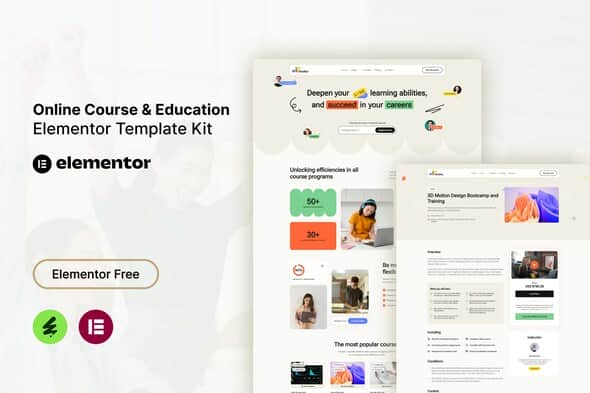
Studiez – Online Course & Education Elementor Template Kit | Fast Load
Original price was: $29.00.$5.80Current price is: $5.80.
Designing an e-learning website requires clean UI components and straightforward setup without the bloat of heavy themes. Studiez is a responsive Elementor Template Kit built specifically for online course providers, educational institutions, private tutors, and digital training platforms. Built to run on free WordPress plugins—including standard Elementor, ElementsKit Lite, and MetForm—it supplies 13 pre-built page layouts to launch a functional educational portal without custom code.
This kit is best suited for web designers, freelancers, and educators who need a clean front-end structure for presenting course catalogs, pricing tiers, and contact forms. It is not a standalone WordPress theme and does not include built-in LMS back-end functionality, making it ideal to pair with your preferred learning management plugin or external course hosting software.
Technical Specifications
| Property | Details |
|---|---|
| Product Type | Elementor Template Kit |
| Base Compatibility | Hello Elementor (Recommended) & most standard WordPress themes |
| Page Builder Required | Elementor (Free version supported, Pro not required) |
| Dependent Plugins | ElementsKit Lite, MetForm |
| Total Templates Included | 13 Layouts |
| Layout Type | Fully Responsive / Mobile-Friendly |
| Coding Requirements | Zero code required |
Key Features & Design Capabilities
- Budget-Friendly Dependencies: Developed to work entirely with free plugins, eliminating the need for paid Elementor Pro subscriptions.
- Structured Educational Layouts: Includes dedicated pages for course listings, individual course details, pricing structures, and institutional information.
- Responsive Interface: Formatted to automatically adapt across desktop browsers, tablets, and mobile displays.
- Custom Form Styling: Integrates MetForm for custom contact and user registration forms directly within the page builder.
- Flexible Layout Control: Built for simple customization using Elementor’s visual drag-and-drop workflow.
Included Template Layouts
- Global Header Template
- Global Footer Template
- Homepage Layout
- About Us Page
- Courses Directory Page
- Course Details Page
- Pricing Plans Page
- FAQ Page
- Blog Archive Page
- Single Blog Post Layout
- Contact Page Layout
- Contact Form (MetForm)
- Registration Form (MetForm)
Setup & Configuration Notes
To implement the global header and footer, navigate to ElementsKit > Header Footer within your WordPress dashboard and create a new template set to “On”. Import the template from your saved layout library and publish. Ensure pages created with Elementor use the “Elementor Full Width” layout setting so global headers and footers render correctly.
For custom forms, add a MetForm widget to your designated target page, create a new form instance, open the layout importer, select your imported MetForm template from “My Templates”, and save your changes. Note that demo stock images included in the kit are sourced from Envato Elements and should be replaced with your own licensed media or custom visuals.
Frequently Asked Questions
Is Studiez a standalone WordPress theme?
No, Studiez is an Elementor Template Kit containing pre-designed layout data. It must be imported onto an existing WordPress site running the Elementor page builder plugin alongside the recommended base theme, such as Hello Elementor.
Does this kit require an active Elementor Pro license?
No, Studiez is constructed entirely using free plugins. You only need the standard free version of Elementor, along with ElementsKit Lite and MetForm, to import and customize all included templates.
Does Studiez include learning management system (LMS) features?
This kit provides the front-end visual interface and page structure for course presentation. To handle student enrollments, video hosting, quizzes, or payment processing, you will need to pair it with a dedicated WordPress LMS plugin.
1. Click Add to cart
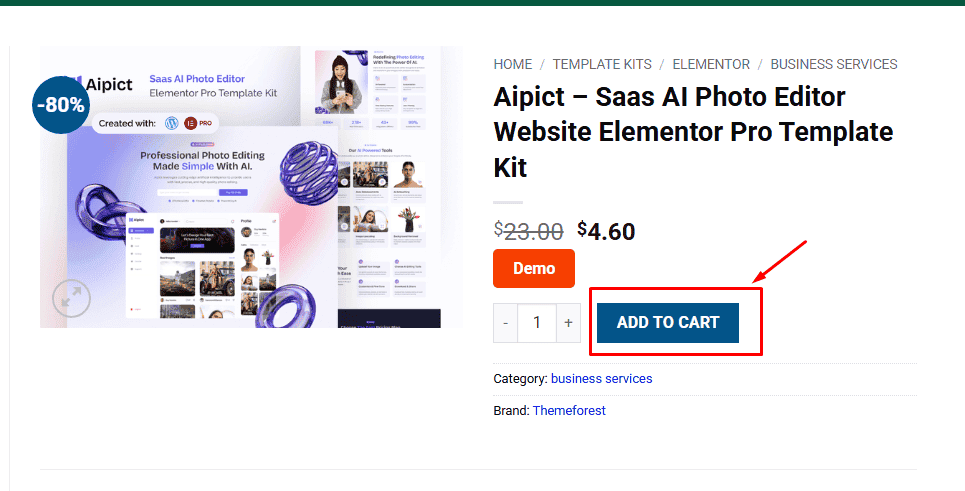
2. Review your items and click Proceed to checkout
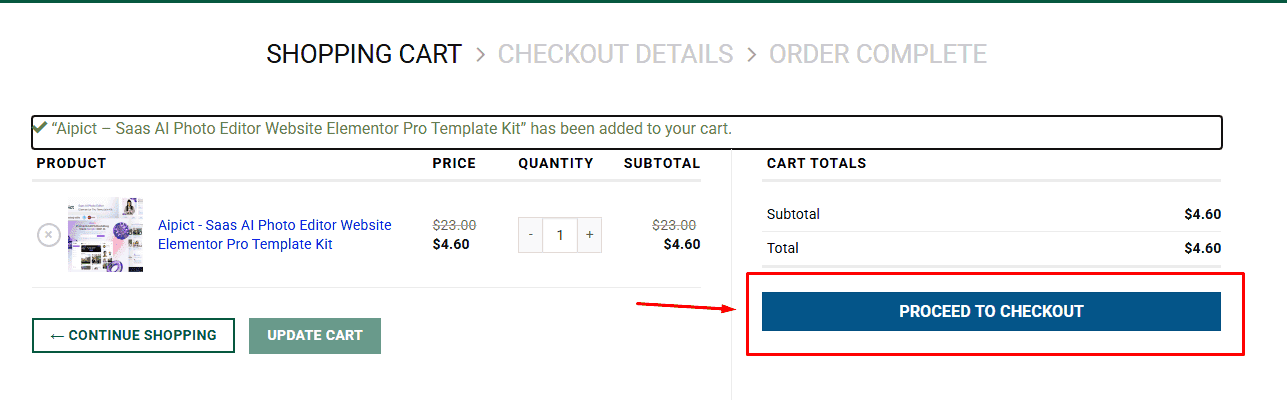
3. Fill in your billing details: Name, Email, and Password
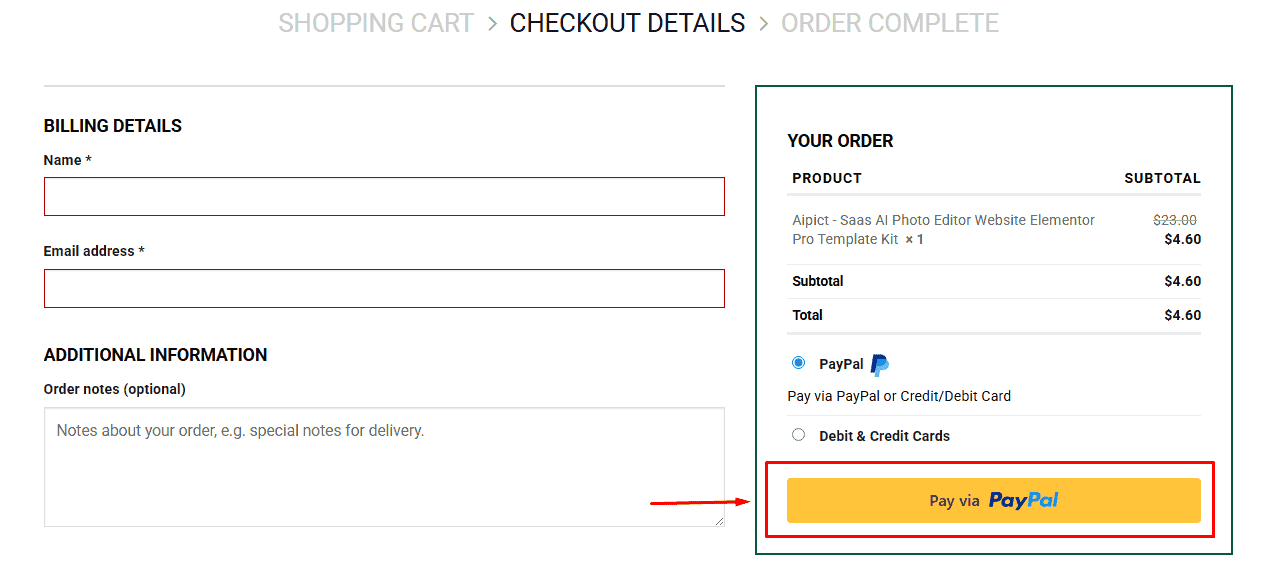
4. Choose your preferred payment method
5. Click Pay via Paypal to proceed
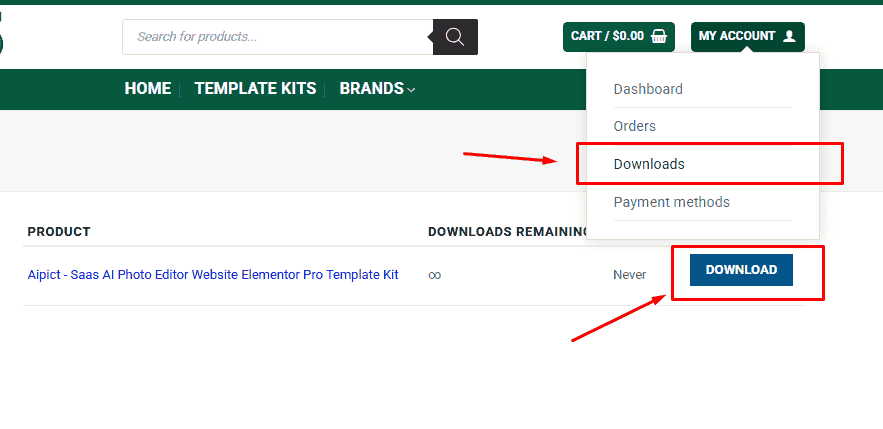
6. Access Downloads to get your files
Related products


