
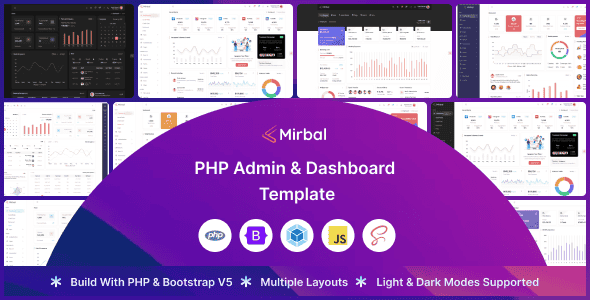
Mirbal – PHP Admin & Dashboard Template – Bootstrap 5 SCSS
Original price was: $14.00.$2.80Current price is: $2.80.
Managing backend control panels requires a stable UI framework rather than bloated, unorganized code. Mirbal delivers a clean, modular foundation designed for engineering teams building administrative interfaces, SaaS control panels, and custom web applications.
This software product is a PHP-driven admin template constructed on PHP v8.4, Bootstrap v5.3.8, and Webpack asset automation. It solves component inconsistency and slow workflow initialization by providing ready-to-use SCSS styling, flexible layouts, and full right-to-left language capability. This template is best suited for PHP developers, full-stack engineers, and backend teams requiring structured layout components. It is not suited for non-technical users seeking no-code drag-and-drop page builders.
| Technical Attribute | Specification Details |
|---|---|
| PHP Version | v8.4 |
| CSS Framework | Bootstrap v5.3.8 |
| Build Tools | Webpack, Yarn, SCSS/Sass |
| Theme Variations | Light Mode, Dark Mode, RTL Layouts |
| Design Customization | Multiple Sidebar Colors & Configurable Layouts |
| Core Components | Data Charts, UI Widgets, Auth Pages, Error Screens |
Modular Infrastructure and Interface Features
- Modern Framework Stack: Developed using PHP v8.4 and Bootstrap v5.3.8 to ensure optimal browser rendering and responsive screen adaptations across devices.
- Webpack Asset Management: Uses Webpack and Yarn to automate SCSS compilation, dependency handling, and script minification for production readiness.
- Native RTL & Theme Modes: Built-in toggle support for dark and light color modes alongside right-to-left layout alignment for global market localization.
- Structured Pre-Built Pages: Includes essential views out of the box, such as user login, register, password reset, and standard HTTP error pages.
- Data Presentation Tools: Equipped with charts, tables, and form components organized to present real-time application metrics efficiently.
Efficient Development Environment
Mirbal integrates directly into standard development stacks. By utilizing Sass variables and Webpack build tasks, developers can quickly modify primary brand colors, typography, and spacing variables across the entire application without overriding compiled CSS rules manually. The clean codebase ensures fast loading speeds and manageable version control updates over long project lifecycles.
Frequently Asked Questions
What tools are required to compile the template source files?
To compile SCSS variables and bundle assets automatically, you need Node.js with Yarn or NPM installed. However, pre-compiled static CSS and JavaScript files are included if you prefer to deploy directly without running a build process.
Does Mirbal include server-side backend logic or databases?
No, Mirbal provides the front-end structure and layout files formatted in PHP for modular page construction. It does not include database connectors, API routing, or back-end server logic, allowing developers to integrate it with their chosen PHP framework or custom backend script.
1. Click Add to cart

2. Review your items and click Proceed to checkout

3. Fill in your billing details: Name, Email, and Password
4. Choose your preferred payment method
5. Click Pay via Paypal to proceed

6. Access Downloads to get your files

Related products


