
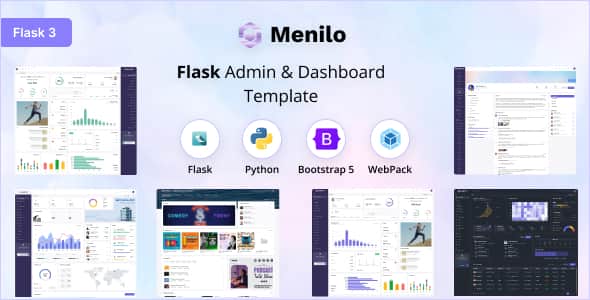
Menilo – Flask Admin & Dashboard Template | Bootstrap 5
Original price was: $14.00.$2.80Current price is: $2.80.
Building custom dashboard interfaces with backend Python frameworks often requires balancing clean front-end styling with solid backend structure. Menilo provides a ready-to-use admin solution built directly on modern Python and Flask architecture.
Menilo is a modular web application admin template engineered with Flask v3.x, Python, and Bootstrap v5.3.6. Designed for software developers, SaaS founders, and enterprise teams, it provides pre-built interface controls, adaptive layouts, and dark mode support. It is best suited for developers building data-driven dashboards or management panels in Python environments, and not suited for non-technical users requiring no-code page builders.
| Specification | Details |
|---|---|
| Backend Framework | Flask v3.x |
| Language | Python |
| CSS Framework | Bootstrap v5.3.6 |
| Asset Bundling | Webpack, NPM |
| Styling Source | SASS / SCSS |
| Layout Variants | Vertical (Default), Horizontal, Semibox |
| Sidebar Configurations | Default (Large), Icon, Medium, Icon-hover |
| Direction Support | LTR and RTL |
| Theme Modes | Light, Dark, and Custom Theme Colors |
| State Storage | Browser localStorage via JS Store |
Core Architecture and Features
Menilo provides a clean base for rapid Python web application development. Its component structure allows developers to quickly modify UI layouts, color palettes, and navigation structures with minimal boilerplate code.
Layout & Display Options
- Default Vertical Layout: Traditional left-sidebar layout for deep application navigation.
- Horizontal Layout: Top-navigation structure suitable for wide-screen application views.
- Semibox Layout: Hybrid layout framing content for modern web application styles.
- Container Modes: Easily toggle between full viewport (Fluid) and standard container (Boxed) widths.
- Sidebar Variations: Choose between full-width, icon-only, medium, or hover-expanding sidebars depending on user density needs.
Developer Environment & Workflow
The template relies on standard front-end tooling integrated into a Flask structure. Developers can easily customize variables using SCSS and build production-ready assets through Webpack and NPM tasks.
- Built with modular SASS files for rapid global styling updates.
- Uses browser
localStorageto remember layout choices, theme colors, and light/dark modes across sessions without backend calls. - Full compatibility across modern web browsers including Google Chrome, Mozilla Firefox, Apple Safari, and Microsoft Edge on Windows, Mac, and Linux platforms.
Frequently Asked Questions
What backend software environment is required for Menilo?
Menilo requires a Python environment capable of running Flask v3.x. Front-end asset modifications also require Node.js and NPM to run Webpack build processes and compile SCSS code.
How are user layout preferences saved across sessions?
The dashboard uses JavaScript to monitor UI toggles and persists settings in the browser’s localStorage. This keeps user choices like dark mode or collapsed sidebars active on reload without requiring database storage.
Does the template support Right-to-Left (RTL) languages?
Yes, Menilo includes native support for both LTR and RTL text directions, allowing developers to adapt the interface for global localization requirements easily.
1. Click Add to cart

2. Review your items and click Proceed to checkout

3. Fill in your billing details: Name, Email, and Password
4. Choose your preferred payment method
5. Click Pay via Paypal to proceed

6. Access Downloads to get your files

Related products


