
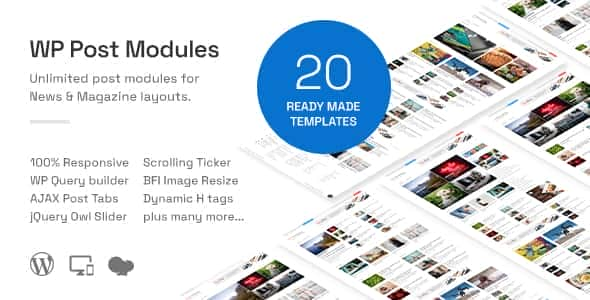
WP Post Modules for NewsPaper and Magazine Layouts – WPBakery Addon
Original price was: $29.00.$5.80Current price is: $5.80.
Designing structured post grids and dynamic editorial feeds in WordPress often requires writing tedious custom code or complex queries. WP Post Modules simplifies magazine and news layout creation by extending WPBakery Page Builder with configurable block components. This WordPress plugin is built for digital publishers, news outlets, online magazines, and blog managers who use WPBakery to construct responsive front pages without editing theme files. It is best suited for site owners who need flexible column layouts, custom taxonomy filters, and built-in ad management, but it is not intended for non-WPBakery page builders or sites running without the main builder active.
Technical Specifications
| Component | Specification Details |
|---|---|
| Product Type | WPBakery Page Builder Addon |
| Latest Version | v3.5.0 |
| Core Compatibility | WordPress 6.7.1+, WPBakery Page Builder 8.1+, PHP 8.0+ |
| Display Styles | Grid, Card, List, Portfolio, Tile, Ticker, Bullet List, Title Teaser |
| Layout Capabilities | Up to 10 columns grid, custom gutters (2px-70px), responsive breakpoints |
| Query Options | Custom Post Types, Taxonomies, Date Filtering, Meta Keys, Author Archives |
| Integrations | Advanced Custom Fields (ACF), WP Review, Post Views Counter, WPML |
| Language & Accessibility | RTL language support, PO/MO translation files included |
Core Features & System Functionality
Multiple Display Layouts & Sub-Styles
WP Post Modules offers eight primary display styles designed for modern editorial layouts. Builders can render content using Grid, Material Design Card, List with split image-to-text ratios, Portfolio overlays, Auto-cropped Tiles, Text Tickers, Bulleted Lists, or Title Teasers. Each layout includes granular spacing control, allowing custom gutter widths from 2px up to 70px across desktop and mobile viewports.
Advanced Query Building & Content Filtering
The integrated WP Query engine lets administrators pull content precise to their publishing requirements. Filter posts based on categories, tags, custom post types, custom taxonomies, author IDs, or specific date ranges (today, past 7 days, current month). To prevent content duplication, built-in offset parameters and current-post exclusion rules keep feeds clean when placed on single post pages or widget areas.
Monetization & Dynamic Content Controls
Integrated ad placement tools help site owners insert unlimited banner advertisements between posts in grid, list, card, portfolio, and teaser layouts. The plugin supports shortcodes and HTML ad tags with configurable offsets. Interactive enhancements include AJAX pagination, infinite load-more buttons, tabbed navigation, and Owl Carousel slider support with customizable animation speeds and touch navigation.
Typography, Schema, and Optimization
Typography controls allow independent Google Font selection, size adjustments, and color picking for post titles, excerpts, and category badges. Generated post listings output W3C-valid markup with standard Schema microdata for improved search engine parsing. On-the-fly image cropping via BFI Thumb optimizes image weights and thumbnail dimensions while supporting native WordPress responsive srcset attributes.
Frequently Asked Questions
Does WP Post Modules work without WPBakery Page Builder?
No. WP Post Modules is specifically developed as an addon for WPBakery Page Builder. You must have the main WPBakery Page Builder plugin installed and activated on your WordPress website to configure and render these post modules.
Can I insert advertisements automatically between post listings?
Yes. The built-in Advertisement Repeater allows you to place unlimited ad codes, banners, or shortcodes between post blocks at set intervals. You can define the exact post offset to specify how frequently ads appear throughout your grid or list feeds.
Is the plugin compatible with Advanced Custom Fields (ACF)?
Yes. WP Post Modules integrates directly with Advanced Custom Fields. You can choose to display post excerpt text, title overlays, or custom metadata extracted directly from your configured ACF text or textarea fields.
1. Click Add to cart

2. Review your items and click Proceed to checkout

3. Fill in your billing details: Name, Email, and Password
4. Choose your preferred payment method
5. Click Pay via Paypal to proceed

6. Access Downloads to get your files

Related products


