
WooCommerce Cheapest & Most Expensive Product Promotions! – Plugin
Original price was: $25.00.$5.00Current price is: $5.00.
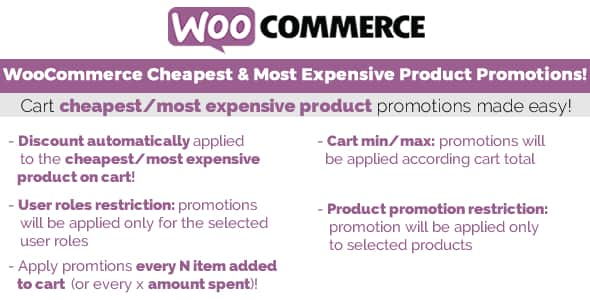
Managing dynamic store incentives often requires complex rule-building to reward high-cart values or drive bulk purchasing behavior. WooCommerce Cheapest & Most Expensive Product Promotions! addresses this by automating cart fees and percentage discounts targeting either the lowest or highest priced items currently in a customer’s shopping cart.
This WordPress plugin provides e-commerce administrators with dynamic promotion workflows based on cart totals, product blocks, item quantities, or spend thresholds. Best suited for store owners looking to implement automatic “buy X get cheapest free” or automated tiered rewards without custom code. It is not designed for merchants who require tax-inclusive price calculation rules.
Technical Specifications
| Parameter | Specification |
|---|---|
| Product Type | WooCommerce Extension / Plugin |
| Software Version | 3.7 |
| Compatibility | WordPress, WooCommerce (including v3.0+) |
| Multilingual Support | WPML Compatible (woocommerce-cheapest-item domain) |
| Pricing Requirement | Product prices must be entered exclusive of tax |
| Discount Format | Applied as an automatic Cart Fee |
Core Application Strategies
- Cart Total Strategy: Evaluates the entire cart value against min/max spending ranges before executing discount logic on target items.
- Specific Products & Categories Strategy: Triggers rules when designated items are present, supporting custom quantity ranges and multi-block AND logic.
- Targeted Discount Logic: Apply percentage cuts or full 100% giveaways to the absolute cheapest item, the most expensive item, or designated item subsets.
- Repeat Threshold Rules: Reward customers every time a specific quantity of items is added or a specific spend threshold is reached.
- Access & Coupon Controls: Restrict promotion visibility by user role, enforce required coupons, or block discounts if any coupon is applied.
Frequently Asked Questions
How does the plugin apply discounts during checkout?
The plugin evaluates cart contents against your custom criteria and applies the calculated price reduction directly as a designated cart fee during checkout.
Can promotions be tied to specific user accounts or coupons?
Yes. Administrators can restrict promotion execution to specific user roles or configure rules that require or exclude applied cart coupons.
Are tax-inclusive product configurations supported?
No. To ensure accurate percentage calculations and fee application, your WooCommerce catalog must store item prices exclusive of tax.
1. Click Add to cart

2. Review your items and click Proceed to checkout

3. Fill in your billing details: Name, Email, and Password
4. Choose your preferred payment method
5. Click Pay via Paypal to proceed

6. Access Downloads to get your files

Related products


