
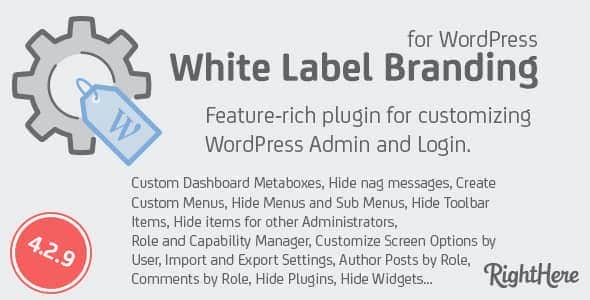
White Label Branding for WordPress – Custom WP Admin & Role Manager
Original price was: $25.00.$5.00Current price is: $5.00.
Managing client access inside the standard WordPress backend often leads to accidental configuration changes or exposed plugin settings. White Label Branding for WordPress provides structural control over the wp-admin environment, enabling agency teams and freelance developers to rebrand the interface, tailor navigation layouts, and restrict user capabilities.
Product Overview: Built specifically for client management workflows, this plugin turns standard WordPress installations into customized content management systems. It enables custom dashboard widgets, tailored login screens, menu restructuring, and granular user role management. This tool is ideal for web development agencies, freelancers, and site integrators who build client sites on WordPress. It is not recommended for basic site owners who do not manage client user accounts.
| Specification | Technical Details |
|---|---|
| Product Type | WordPress Admin Customization & White Label Plugin |
| Latest Release Version | 4.2.9.100641 |
| Environment Requirements | PHP 7.3 to PHP 8.x, WordPress Core 5.0+ |
| Core Modules | Role & Capability Manager, Visual CSS Editor, Dashboard Tool |
| Language Support | English, Spanish, German |
| Multisite Compatibility | Single-site installation (Multisite requires dedicated network edition) |
Key Administrative Features
Role & Capability Management
- Custom User Roles: Create specialized user roles and define distinct permissions beyond default WordPress standards.
- Restricted Administrator Visibility: Hide primary super-admin accounts from standard user lists while assigning modified administrative privileges to clients.
- Super-Admin Safeguards: Designate specific WLB Administrator usernames to retain full access while hiding advanced configuration menus from secondary admins.
- Self-Rescue Recovery: Access an emergency restoration script to reset standard administrative permissions if lockouts occur during testing.
Backend Branding & Visual CSS Editor
- Custom Login Pages: Redesign default login, registration, and password recovery interfaces using built-in layout options and visual style controls.
- Typography Options: Integrate over 800 Google Web Fonts directly into the administrative workspace and login screens.
- Custom Assets: Replace standard WordPress branding with custom header logos, footer developer details, and custom favicons.
- Color Scheme Controls: Adjust primary colors, button highlights, and sidebar styling across the entire wp-admin environment.
Navigation & Dashboard Control
- Drag-and-Drop Menu Sorting: Reorder top-level administrative navigation items via an intuitive drag-and-drop interface.
- Selective Menu Hiding: Hide top-level items, sub-menus, or toolbar elements based on global settings or specific user capabilities.
- Custom Dashboard Metaboxes: Create public or private dashboard widgets with support for HTML content and shortcodes.
- Widget Filtering: Hide default WordPress dashboard widgets or third-party plugin panels selectively across user accounts.
- Screen Options Defaults: Establish standardized screen layouts globally or assign customized interface layouts per user role.
Frequently Asked Questions
Can I restrict access to plugin settings for client administrator accounts?
Yes. The WLB Administrator feature allows you to specify exactly which usernames can access the White Label Branding control panel. Users with standard administrator roles will not see these settings unless their username is explicitly added to the allowed list.
What recovery options are available if permissions are misconfigured?
The plugin includes a dedicated self-rescue link mechanism. If an administrator account accidentally loses necessary capabilities during setup, running the rescue script restores default system permissions without needing to modify the site database manually.
Does this plugin support customization of third-party plugin menus?
Yes. White Label Branding dynamically generates administrative navigation lists, allowing you to hide, rename, reorder, or alter icons for third-party plugin menus alongside core WordPress screens.
1. Click Add to cart

2. Review your items and click Proceed to checkout

3. Fill in your billing details: Name, Email, and Password
4. Choose your preferred payment method
5. Click Pay via Paypal to proceed

6. Access Downloads to get your files

Related products


