
WhatsApp Click to Chat Plugin for WordPress | Multi-Account Support
Original price was: $19.00.$3.80Current price is: $3.80.
Managing direct customer communication often requires bridging the gap between static website pages and instant messaging apps. The WhatsApp Click to Chat Plugin for WordPress integrates multi-account floating widgets and contextual contact buttons directly into WordPress and WooCommerce websites. Built for store owners, agency developers, and online support teams, this tool routes site visitors directly to designated team members based on working hours, screen behavior, or specific site sections. It is best suited for e-commerce stores and corporate sites seeking instant lead generation, but not designed for non-WordPress platforms or standalone external CRM engines.
| Technical Specification | Details |
|---|---|
| Software Category | WordPress Plugin |
| Primary Function | WhatsApp Customer Support & Click-to-Chat Integration |
| E-Commerce Compatibility | WooCommerce (Native Product Page Placement) |
| Analytics Integration | Google Analytics & Facebook Pixel Event Tracking |
| Multi-Language Support | WPML Compatible (String Translation & Language Filtering) |
| Privacy & Compliance | GDPR Consent Checkbox Module |
| Latest Version | v2.2.12 |
Core Operational Features
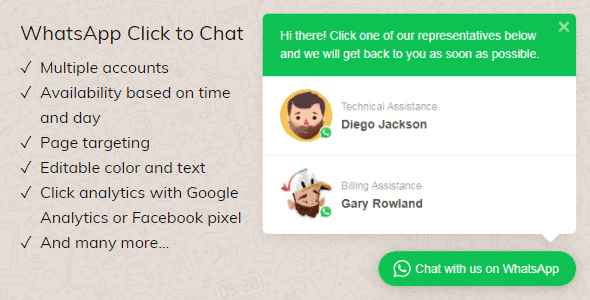
- Multi-Account Team Display: Group multiple support agents inside a single chat window, complete with individual photos, names, and custom job titles.
- Automated Working Hours Scheduling: Set custom operating hours and days for every listed account. Offline accounts automatically hide or display customized out-of-office notifications.
- WooCommerce Product Page Integration: Insert contact buttons dynamically above or below the primary Add to Cart button, enabling instant pre-sales inquiries.
- Behavioral Auto-Display Triggers: Prompt the chat widget automatically based on user scroll depth, page inactivity, or specific time delays to capture user attention.
- Pre-Populated Dynamic Messages: Supply starting conversation text that automatically includes variable context, such as current page titles or product links.
- Precise Page Targeting & Filtering: Limit widget visibility across specific post types, custom URLs, or individual landing pages.
- Order Randomization & Account Pinning: Distribute incoming chats evenly across team members while maintaining critical support leads pinned at the top.
- Shortcode Generator: Place inline chat buttons directly inside blog posts, widget areas, or custom content blocks via standard WordPress shortcodes.
Performance and Caching Architectural Design
To preserve server speed and core web vitals, the plugin loads account availability states via AJAX queries. This architecture allows full-page caching mechanisms (such as WP Rocket, LiteSpeed, or NGINX FastCGI) to serve static pages without breaking dynamic real-time shift availability display schedules.
Frequently Asked Questions
Does the plugin work reliably on heavily cached WordPress sites?
Yes. The widget fetches time-sensitive availability and dynamic account details via client-side AJAX requests. This structure ensures your site pages remain fully cached while real-time schedule rules execute accurately without serving stale data.
How does click tracking operate with analytics platforms?
When a visitor clicks on any listed WhatsApp account or shortcode button, the plugin automatically emits event triggers to existing Google Analytics or Facebook Pixel installations on the page without requiring manual JavaScript configuration.
Can different support accounts display based on site language?
Yes. Through native WPML integration, you can assign language tags to individual support accounts. The plugin filters and displays only the team members fluent in the language current visitors are viewing.
1. Click Add to cart

2. Review your items and click Proceed to checkout

3. Fill in your billing details: Name, Email, and Password
4. Choose your preferred payment method
5. Click Pay via Paypal to proceed

6. Access Downloads to get your files

Related products


