
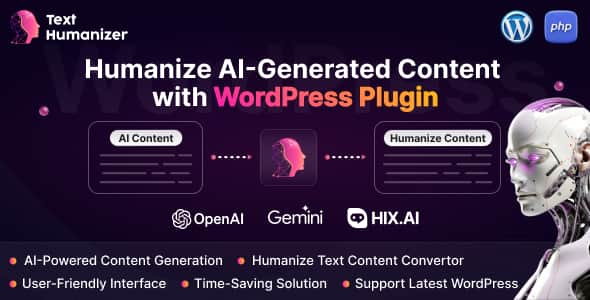
TextHumanizer – Humanize AI Content Generator WordPress Plugin
Original price was: $9.00.$1.80Current price is: $1.80.
Managing large-scale WordPress publishing workflows often results in rigid, mechanically structured AI draft text that feels unengaging. The TextHumanizer plugin connects your WordPress editing environment directly to external natural language processing APIs—including OpenAI, Google Gemini, and HIX.AI—to restructure synthetic drafts into fluid, natural prose.
TextHumanizer is a targeted WordPress plugin built for bloggers, copywriters, and search engine marketers needing to polish automated drafts. By translating robotic phrasing into natural sentence structures right inside the post editor, it improves reader retention and editorial accuracy. It is ideal for WordPress site managers using multi-tier AI tools, but not suited for static HTML sites or non-WordPress platforms.
| Specification | Details |
|---|---|
| Software Category | WordPress Content Plugin |
| Supported APIs | OpenAI API, Gemini API, HIX.AI |
| CMS Compatibility | Latest WordPress Core Version |
| PHP Requirements | Modern PHP Versions Supported |
| Execution Footprint | Lightweight Admin Scripting |
| Documentation | Online User Manual Included |
Core Functionality and Features
- Multi-Provider API Integration: Connects directly with OpenAI, Gemini API, and HIX.AI engine endpoints to handle text generation and rewriting workflows.
- Real-Time Content Refinement: Runs the humanize conversion process directly within the native WordPress editor workspace to streamline content output.
- Lightweight Code Architecture: Written with minimal asset overhead to ensure backend administrative actions execute swiftly without lagging modern server stacks.
- Customization Options: Provides granular controls to adjust output tone, structure, and text density according to project requirements.
- Original Content Output: Rephrases predictable sentence structures to ensure the generated text sounds authentic and engages human visitors.
Frequently Asked Questions
Does the TextHumanizer plugin require third-party API keys?
Yes, you must supply active API keys for services such as OpenAI, Gemini, or HIX.AI within the plugin settings to connect to language model features and convert text.
Can I humanize text directly inside the WordPress content editor?
Yes, the plugin integrates directly with the native WordPress editing screen, allowing content creators to refine and polish draft passages without navigating away from the page.
1. Click Add to cart

2. Review your items and click Proceed to checkout

3. Fill in your billing details: Name, Email, and Password
4. Choose your preferred payment method
5. Click Pay via Paypal to proceed

6. Access Downloads to get your files

Related products


