
Stunning 3D Off Canvas Menu WordPress Plugin – 3D Menu Awesome
Original price was: $18.00.$3.60Current price is: $3.60.
Standard navigation menus often fail to grab user attention, leading to lower engagement on key site links. 3D Menu Awesome addresses this by introducing off-canvas, three-dimensional menu animations and custom navigation drawer structures into WordPress sites without needing custom CSS scripting.
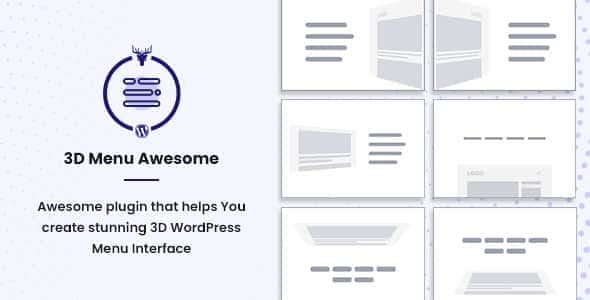
3D Menu Awesome is an off-canvas navigation plugin designed for WordPress administrators and developers. Built to enhance UI layout structures, it provides 6 pre-configured template designs with distinct 3D panel transitions. This plugin is best suited for corporate websites, creative portfolios, SaaS platforms, and e-commerce stores looking for distinctive visual navigation. It is not recommended for minimalist, text-only sites requiring basic native browser menu output.
| Specification | Details |
|---|---|
| Product Type | WordPress Plugin |
| Current Version | 1.0.3 |
| Layout Templates | 6 3D Design Styles |
| Navigation Variants | 2 Menu Types, 2 Button Types, 2 Button Styles |
| Browser Compatibility | Chrome, Firefox, Safari, Edge, Mobile Browsers |
| Customization Options | Backgrounds, Labels, Unlimited Colors, Font Styling |
Key Technical Capabilities
3D Menu Awesome delivers dedicated control over navigation appearance and canvas behavior through flexible built-in settings:
- 6 Template Layouts: Select from pre-designed 3D animation profiles built for modern website headers.
- Menu & Button Customization: Configure 2 distinct menu operational types and 2 selectable menu button designs.
- Color & Label Controls: Apply unlimited color combinations to fonts, menu canvas backgrounds, and custom button labels.
- Accordion Display Capabilities: Create interactive accordion sub-menus to organize extensive site links cleanly.
- Responsive Engine: Built and verified to operate smoothly across mobile viewports and desktop screen resolutions.
Supported Implementation Scenarios
The plugin adapts effectively across diverse web projects, including business portals, digital product landing pages, restaurant menus, software documentation sites, educational platforms, and event portals.
Frequently Asked Questions
Can I adjust menu colors without writing custom CSS code?
Yes, the plugin features built-in style options that allow full customization of background colors, text fonts, and button elements directly within the admin options panel.
Is this 3D menu optimized for touch interfaces on mobile devices?
Yes, all layout templates and 3D drawer animations are designed to be responsive and fully functional across mobile and tablet browsers.
How many pre-configured menu styles are included?
The plugin comes with 6 ready-to-use 3D template layouts alongside 2 distinct menu structural types and button styles.
1. Click Add to cart

2. Review your items and click Proceed to checkout

3. Fill in your billing details: Name, Email, and Password
4. Choose your preferred payment method
5. Click Pay via Paypal to proceed

6. Access Downloads to get your files

Related products


