
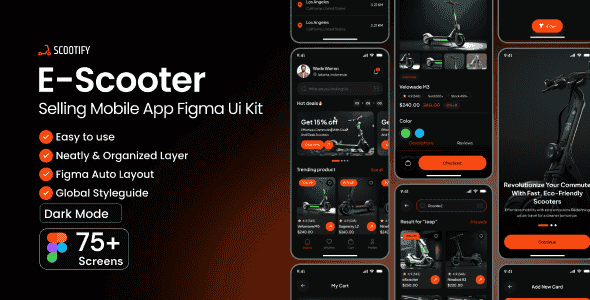
Scootify-EScooter Selling Mobile App Figma Ui Kit | 75+ Screens
Original price was: $23.00.$4.60Current price is: $4.60.
Designing a complete e-commerce workflow for electric mobility platforms often consumes dozens of hours in layout planning and component structuring. Scootify addresses this setup delay by providing a mobile application UI kit built in Figma, featuring over 75 pre-arranged frames tailored for e-scooter retailers and micro-mobility brands.
Scootify is a specialized mobile app UI kit designed specifically for UI/UX designers, design agencies, and product teams planning to launch an e-scooter commerce platform. Built entirely around vector components in Figma, it provides structured layouts covering onboarding, map location selection, product comparison, checkout, and post-purchase tracking. This product is best suited for designers requiring rapid mobile app layout prototyping, but is not suitable for developers seeking ready-to-deploy Swift, Flutter, or React Native source code.
| Specification | Detail |
|---|---|
| Product Type | Mobile Application UI Kit |
| Design Software | Figma |
| Screen Count | 75+ Layered Screens |
| Typography | Plus Jakarta Sans (Google Fonts) |
| Asset Structure | 100% Vector & Editable Layers |
| Design Grid | Pixel-Perfect Layout System |
Mobile Application Layout Architecture
User Authentication & Onboarding Flow
- Introductory Screens: Includes multi-step onboarding sequences, branded splash screens, and entry points.
- Verification Modules: Pre-built layouts for PIN entry, SMS verification codes, and security checks.
- Account Access: Screen variants for login, user registration, and password recovery states.
Product Discovery & Purchasing Interface
- Interactive Home & Search: Features structured search layouts, dynamic result listings, and filter overlays.
- Product Detail Views: Dedicated screens highlighting scooter specifications, user reviews, and product image galleries.
- Location Mapping: GPS location selector interfaces with integrated map view components.
- Transaction Flow: Shopping cart management, coupon application, multi-step shipping selection, address entries, and payment card setups.
Post-Purchase & Account Management
- Order Management: Complete design flows for active orders, real-time tracking, return requests, and feedback submission.
- In-App Support & Chat: Messaging interfaces showing typing and sent states, along with integrated Help Center and FAQ screens.
- Security Settings: Preferences for biometric access, profile updates, notification controls, and language preferences.
Frequently Asked Questions
Frequently Asked Questions
Is Scootify a functional mobile app with backend code included?
No, Scootify is strictly a static UI layout kit designed in Figma. It contains non-functional design screens, component libraries, and visual assets, but does not include programming code or executable scripts.
Can I customize the typography and color scheme across all screens?
Yes, all 75+ screens use organized vector layers and utilize the free Google Font, Plus Jakarta Sans. You can easily adjust color swatches, component variants, and font styles globally using standard Figma controls.
Are demo photos included in the download file?
The original stock photographs used in the preview demonstration are copyrighted and replaced with placeholder assets. However, vector components, icons, and UI shapes remain fully intact and editable.
1. Click Add to cart

2. Review your items and click Proceed to checkout

3. Fill in your billing details: Name, Email, and Password
4. Choose your preferred payment method
5. Click Pay via Paypal to proceed

6. Access Downloads to get your files

Related products


