
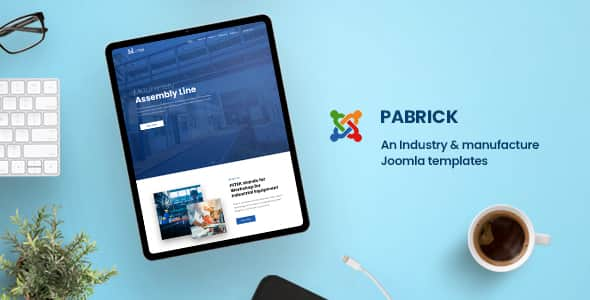
Pabrick – Industry and Manufacture Joomla Templates | Fast Loading
Original price was: $44.00.$8.80Current price is: $8.80.
Industrial web projects require layout precision, rapid asset delivery, and structural clarity for service catalogs. Pabrick provides a turnkey frontend environment designed specifically for manufacturing facilities, engineering contractors, and industrial suppliers operating on the Joomla 3.9.x core. Built on the Helix Ultimate Framework and integrated with SP Page Builder, this template enables site managers to construct detailed service pages using visual drag-and-drop tools while giving developers full override control via custom CSS and JS injection fields. It is best suited for industrial enterprises needing robust, fast-loading business sites, but is not recommended for standalone headless architectures that do not run on Joomla.
| Technical Specification | Details |
|---|---|
| CMS Core Compatibility | Native Joomla 3.9.x |
| Underlying Framework | Helix Ultimate Framework |
| Page Builder Engine | SP Page Builder Integration (Drag & Drop) |
| Slider Support | Revolution Slider Compatible |
| Icon Suite | Font Awesome Icons |
| Asset Optimization | Built-in CSS & JS Compression |
| Navigation System | Mega Menu Builder & Off-Canvas Menu |
Core Features & Layout Controls
- Helix Ultimate Framework: Built upon an advanced framework that gives administrators complete layout control through a visual backend panel.
- SP Page Builder Integration: Create custom page layouts, content blocks, and media sections without direct code modifications.
- Fluid Responsive Rendering: Automatically adjusts content blocks, tables, and images across modern mobile phones, tablets, and desktop displays.
- Sticky Header Navigation: Keeps the main menu and primary branding visible at the top of the viewport during extended scrolling, configurable via the admin options.
- Advanced Navigation Systems: Includes a dedicated Mega Menu Builder for multi-level category structures alongside a mobile-friendly Off-Canvas side menu.
- Revolution Slider Integration: Displays high-resolution equipment slides, plant tours, and industrial banners with customizable transitions.
Optimization and Customization Controls
- Performance Controls: Activate built-in CSS and JS compression settings directly from the backend to decrease load times and optimize page asset sizes.
- Custom Code Injection: Safely insert custom scripts, meta tags, tracking pixels, and CSS overrides through dedicated administration inputs without altering core theme files.
- Maintenance Mode Switch: Built-in switch to display a temporary “Coming Soon” or offline message while updating site content or backend systems.
- Cross-Browser Compatibility: Tested to ensure identical layout rendering and functionality across all major web browsers.
Frequently Asked Questions
Does Pabrick require coding experience to customize page layouts?
No, the integration of SP Page Builder combined with the Helix Ultimate Framework allows site managers to modify page structures, add elements, and adjust styling using visual drag-and-drop interfaces.
Can tracking scripts and custom CSS be added safely?
Yes, the framework options panel includes dedicated fields for adding custom CSS, JavaScript snippets, meta tags, and verification scripts without altering core files or risking data loss during updates.
Is the template optimized for mobile devices and slow connections?
Yes, the layout features responsive screen scaling for all device sizes, and the backend includes built-in options to enable native CSS and JS file compression to improve loading speeds.
1. Click Add to cart

2. Review your items and click Proceed to checkout

3. Fill in your billing details: Name, Email, and Password
4. Choose your preferred payment method
5. Click Pay via Paypal to proceed

6. Access Downloads to get your files

