
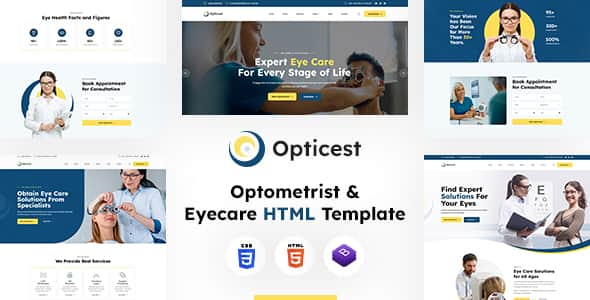
Opticest | Optometrist & Eyecare HTML Template – Responsive
Original price was: $16.00.$3.20Current price is: $3.20.
Opticest delivers a structured frontend base tailored specifically for optical shops, eye clinics, optometrists, and eyewear retailers. Built on Bootstrap v4.6.2 and standard HTML5/CSS3 specifications, it provides web developers and business owners with a lightweight code foundation to launch eye care service portals efficiently.
This HTML5 website template offers 23 pre-designed page layouts, including 3 distinct homepage configurations, aimed at optometry practices and lens vendors. Powered by Bootstrap v4.6.2 and jQuery 3.7.1, Opticest simplifies frontend development for agencies needing responsive, browser-compatible web pages. It is best suited for web developers and businesses building static or custom CMS sites for eye care facilities, but not suited for non-technical users expecting a drag-and-drop WordPress theme without coding setup.
| Specification | Details |
|---|---|
| CSS Framework | Bootstrap v4.6.2 |
| Template Type | HTML5 / CSS3 Static Template |
| Total Page Templates | 23 Valid HTML5 Pages |
| Homepage Variations | 3 Unique Layouts |
| JavaScript Libraries | jQuery v3.7.1, Popper.js, AOS.js |
| Typography | Google Fonts (Archivo, Lexend Deca) |
| Icon Set | Font-Awesome |
| Color Customization | Unlimited via CSS Stylesheets |
Key Features and Layout Structure
- 23 Valid HTML5 Templates: Includes 3 unique homepage variants alongside pre-built interior pages for About, Services, Pricing, Blog styles, and Contact details.
- Responsive Grid System: Built using Bootstrap v4.6.2 to ensure layout consistency across mobile devices, tablets, and desktop displays.
- Modular CSS Styling: Global design settings are organized within standard CSS stylesheets (e.g., style.css), allowing quick color updates by altering hex values.
- Scroll Animations: Integrates AOS.js (Animate On Scroll) to apply dynamic visual triggers on scroll using predefined CSS classes.
- Industry-Specific Sections: Layouts built to present optometrist team profiles, patient testimonials, optical product categories, and clinical services.
- SEO-Friendly Markup: Clean semantic HTML5 tags facilitate search engine indexing and easy DOM parsing.
Customization and File Organization
All template files follow a standard directory hierarchy. Content edits can be made by opening any HTML file in a text editor like Notepad++, Visual Studio Code, or Dreamweaver. Global styling attributes such as background banner images and color schemes reside in assets/css/style.css. Developers can update site-wide primary colors by replacing the default hex code (#ffffff) across the stylesheet.
Frequently Asked Questions
How do I change the default color scheme in Opticest?
Open the assets/css/style.css file in a code editor. Search for the primary color hex codes (such as #ffffff) and replace them with your preferred brand color codes across the stylesheet.
Is this template directly compatible with WordPress?
No, Opticest is a static HTML5/CSS3 template, not a WordPress theme. Utilizing this design inside WordPress requires converting the HTML/CSS code into a custom theme or integration with a CMS by a developer.
Are stock photos included in the download package?
No, all stock photos featured in the live preview originate from external sources like Envato Elements and Freepik. They are included for preview purposes only and are replaced with placeholder graphics in the main file download.
1. Click Add to cart
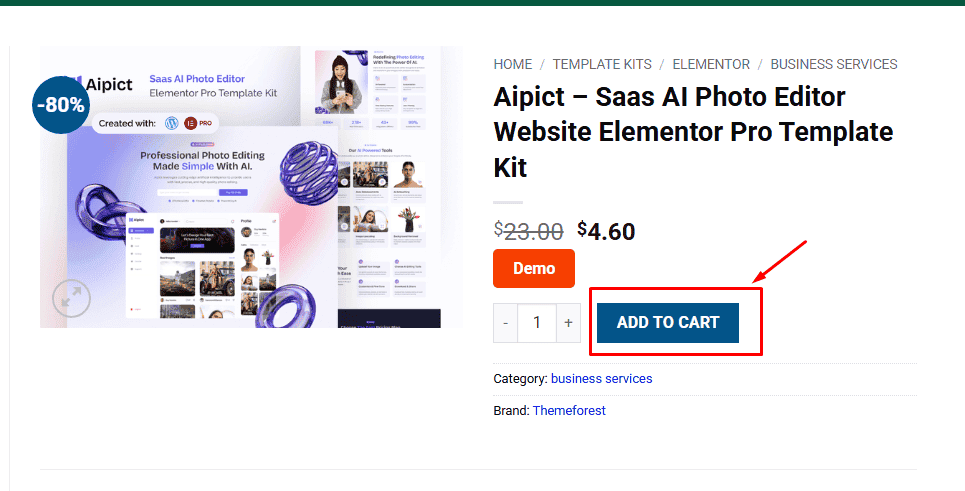
2. Review your items and click Proceed to checkout
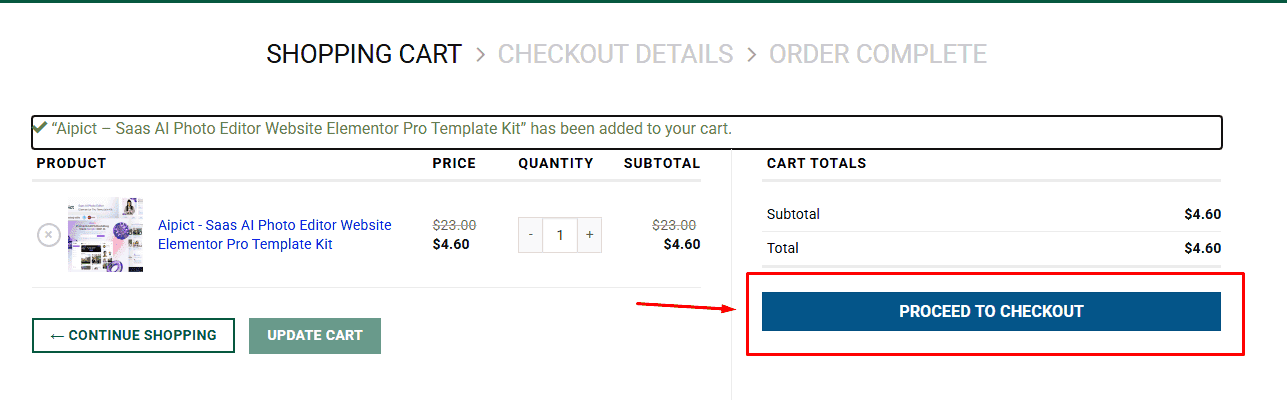
3. Fill in your billing details: Name, Email, and Password
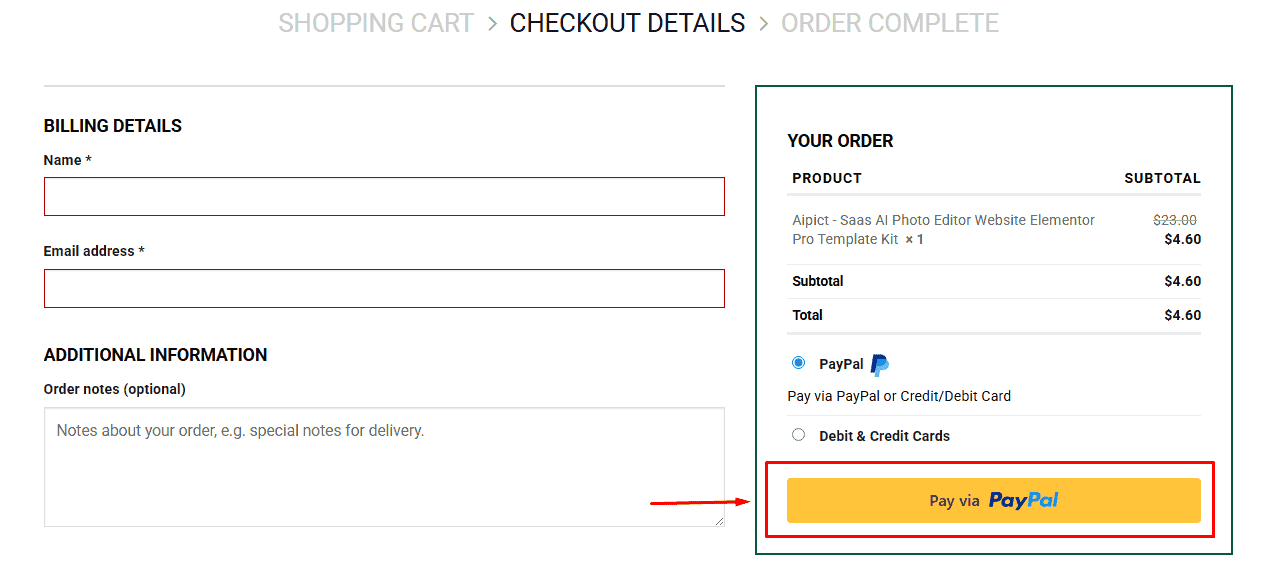
4. Choose your preferred payment method
5. Click Pay via Paypal to proceed
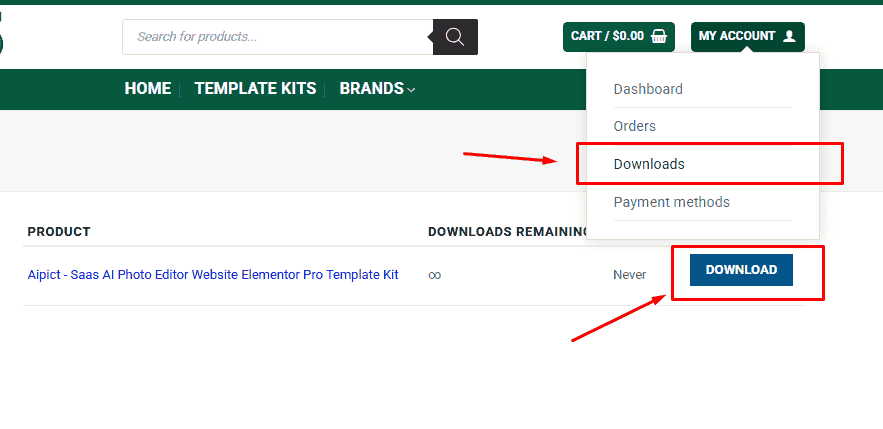
6. Access Downloads to get your files
Related products


