
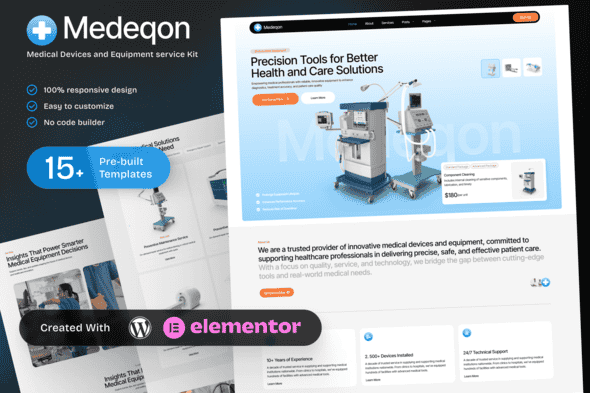
Medeqon – Medical Devices & Equipment Service Elementor Template Kit
Original price was: $26.00.$5.20Current price is: $5.20.
Establishing a clear, authoritative online presence for biomedical repairs and medical device servicing requires site layouts that communicate safety, precision, and technical compliance. Medeqon addresses this need directly by providing a dedicated set of Elementor page templates built specifically for hospital equipment service teams, biomedical technicians, and laboratory maintenance contractors.
Medeqon is an Elementor Template Kit designed for WordPress, built to streamline site creation for healthcare technology vendors and equipment servicing agencies. Utilizing standard free plugins alongside Elementor’s core builder, it provides pre-designed structures for emergency repair requests, calibration compliance, and service contracts. This kit is best suited for biomedical engineering firms and healthcare service providers wanting a no-code, structured site design; it is not a standalone WordPress theme and requires WordPress with Elementor installed.
Technical Specifications
| Component | Specification Details |
|---|---|
| Product Category | WordPress Elementor Template Kit |
| Template Count | 15+ Functional Page & Section Layouts |
| Core Engine | Elementor (Free Version Compatible) |
| Required Add-ons | ElementsKit Lite, Ultimate Addons for Elementor Lite, MetForm, RTMKit Addons, Prime Slider |
| Layout Responsiveness | 100% Mobile-Friendly & Tablet Optimized |
| Browser Compatibility | Google Chrome, Mozilla Firefox, Apple Safari, Opera |
| Style Management | Global Kit Styles (Centralized Fonts & Colors) |
Key Functional Features
- Industry-Specific Layouts: Dedicated templates for core services including Medical Equipment Maintenance, Calibration & Compliance, Installation, and Emergency Repair.
- Zero Code Customization: Full drag-and-drop workflow leveraging standard Elementor widgets and open-source add-on libraries.
- Lead Capture Ready: Integrated contact and service inquiry structures powered by MetForm for rapid customer requests.
- Global Theme Styling: Centralized color scheme and font controls allowing global site adjustments from a single style kit setting.
- Performance Focused Structure: Lightweight page designs utilizing clean markup to support core web vitals and fast loading speeds.
- Comprehensive Site Structure: Includes pre-built layouts for Home, About Us, Services, Industries Served, Blog/Updates, Contact, Header, Footer, and custom 404 pages.
Setup and Import Instructions
Because Medeqon is a Template Kit rather than a WordPress theme, setup requires importing the visual container structures into an established WordPress environment with Elementor installed.
1. Template Import
Install and activate the Envato Elements plugin via your WordPress dashboard. Navigate to Elements > Installed Kits, click the upload button, and select your downloaded template kit zip file. Once loaded, click “Import Template” on each page component you plan to use.
2. Header and Footer Configuration
Using Ultimate Addons for Elementor Lite (or Elementor Pro Theme Builder if available), create a new Header and Footer item set to display across the entire website. Open the template selector inside the builder canvas, open the “My Templates” tab, and insert the corresponding imported Header or Footer template.
3. Form Integration
To configure contact and repair request forms, edit the target page inside Elementor and select the MetForm widget. Choose to edit the form, load an existing form template from the “My Templates” folder, select your imported MetForm design, and save the settings.
Frequently Asked Questions
Is Medeqon a standalone WordPress theme?
No, Medeqon is an Elementor Template Kit. It does not replace a WordPress theme and requires an active installation of WordPress along with the standard free Elementor plugin to render and edit pages.
Do I need to purchase Elementor Pro to use this kit?
No, this kit is designed using free plugins, including Elementor Lite, ElementsKit Lite, Ultimate Addons for Elementor Lite, Prime Slider, RTMKit, and MetForm. You do not need a paid Elementor Pro subscription.
Can I customize the color palette and typography?
Yes, all typography, brand colors, and structural spacing can be updated globally across every imported page using Elementor’s Site Settings and Global Kit Style panel.
1. Click Add to cart

2. Review your items and click Proceed to checkout

3. Fill in your billing details: Name, Email, and Password
4. Choose your preferred payment method
5. Click Pay via Paypal to proceed

6. Access Downloads to get your files

Related products


