
KnowBase – A Helpdesk & bbPress WordPress Theme | Ajax Search UI
Original price was: $49.00.$9.80Current price is: $9.80.
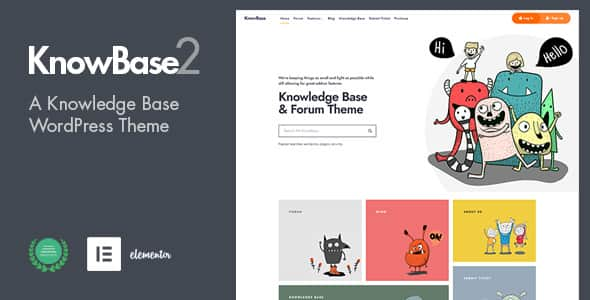
Setting up a dedicated support portal or public community forum using standard WordPress posts eliminates the friction of managing bulky custom post types. KnowBase delivers a lightweight, responsive layout built specifically for knowledge bases, bulletin boards, and bbPress forums.
KnowBase is a functional WordPress theme engineered for helpdesks, documentation centers, and discussion boards. Powered by the Redux framework and offering Elementor page builder support, it allows customer service teams and software developers to deploy self-service support hubs quickly. It is best suited for SaaS vendors, IT support teams, and online communities needing structured articles and forum discussions. It is not designed for multi-vendor marketplaces or store-heavy e-commerce environments.
| Specification | Details |
|---|---|
| Latest Version | v2.1 |
| Core Framework | Redux Framework |
| Page Builder Support | Elementor |
| Forum Compatibility | bbPress (Native Integration) |
| Form System | Contact Form 7 |
| User Management | Ultimate Member (Custom Login & Registration Pages) |
| Frontend Standards | HTML5, CSS3, FontAwesome 6+ Icon Set |
| Translation Readiness | Fully Translation Ready (Language/POT files included) |
Simplified Knowledge Base Management
Unlike documentation themes that rely on restrictive custom post types, KnowBase utilizes standard WordPress posts to populate your solution repository. You publish an article, assign it to a relevant category, and the theme formats it into a readable documentation hierarchy. This approach prevents content lock-in, ensuring your database remains accessible even if you migrate themes later.
Interactive Live Search & Form Integration
To reduce ticket volume, KnowBase includes an Ajax-powered live search bar directly in the hero area. Users get instant solution previews as they type, complete with smooth animations optimized for mobile touchscreens. For issues requiring direct staff intervention, the theme integrates with Contact Form 7, giving you full control over ticket submission fields and automated response routing.
Theme Architecture & Customization Capabilities
Administered through an advanced panel built on the Redux framework, KnowBase provides granular control over typography, layouts, and display elements without editing core stylesheets.
- Typography & Aesthetics: Built-in Google Web Fonts selector and unlimited color variations via colorpickers.
- Template Variety: Dedicated templates for Homepage, Full-Width views, Custom Search results, Blog layouts, and 404 error handling.
- Community Extensions: Custom profile page styling for mobile devices alongside registration flow support via Ultimate Member.
- Developer Friendly: Includes a dedicated child theme structure out of the box, cleanly written source code, and responsive tabless styling.
Frequently Asked Questions
Does KnowBase require custom post types to structure help articles?
No, KnowBase organizes knowledge base articles using standard WordPress posts and native categories. This structure keeps your installation lightweight and prevents lock-in issues if you switch themes in the future.
Can I use KnowBase without installing the bbPress plugin?
Yes. While bbPress integration is built into the styling for forum functionality, you can run KnowBase strictly as a standalone documentation or knowledge base site without activating bbPress.
How does the theme handle front-end customization?
KnowBase features an administrative panel powered by the Redux framework along with Elementor integration, allowing you to modify color schemes, header structures, font choices, and post element visibility directly from the control panel.
1. Click Add to cart

2. Review your items and click Proceed to checkout

3. Fill in your billing details: Name, Email, and Password
4. Choose your preferred payment method
5. Click Pay via Paypal to proceed

6. Access Downloads to get your files

Related products

