
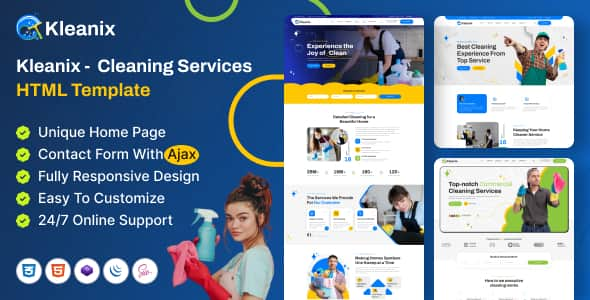
Kleanix – Cleaning Service HTML Template | Bootstrap 5 Responsive
Original price was: $19.00.$3.80Current price is: $3.80.
Building dedicated websites for residential maids, commercial window washers, and carpet cleaning businesses requires structured service layouts and fast mobile loading times. Kleanix is a static HTML5 website template built on the Bootstrap 5.0.x framework, tailored specifically for home cleaning services, maid agencies, and commercial janitorial companies. It is best suited for web developers and agency teams building lightweight sites for service professionals, but it is not a standalone WordPress theme, meaning it requires custom backend integration if dynamic content management is needed.
| Technical Specification | Details |
|---|---|
| CSS Framework | Bootstrap 5.0.x |
| Page Count | 21 Total Pages (3 Unique Homepages, 17 Inner Pages, 1 Error Page) |
| Component Count | 430+ Pre-designed Layout Sections |
| CSS Preprocessor | SASS / SCSS Variables Included |
| Code Validation | W3C Valid HTML5 & CSS3 |
| Form Processing | Ajax-enabled Contact Form Markup |
| JS Plugins Included | jQuery, Slick Slider, Isotope, Magnific Popup |
| Typography & Icons | Google Fonts (Archivo, DM Sans), Font Awesome, SVG Icons |
Layout Architecture & Page Options
The template package comes with 21 distinct HTML files structured for service-oriented businesses. The homepage configurations cover three distinct operational models: general house cleaning, maid services, and commercial or office janitorial contracts. Developers can mix and match sections from over 400 pre-designed UI components to quickly assemble custom landing pages.
Inner page layouts include structured templates for specific business requirements:
- Service Directories & Detail Pages: Present individual offerings such as window washing, deep cleaning, or laundry services with dedicated layouts.
- Project Showcases: Highlight before-and-after case studies using grid layouts and modal lightbox popups.
- E-commerce UI Markup: Pre-built shop grids, product detail pages, shopping cart, wishlist, and checkout interfaces compatible with WooCommerce class structures.
- Company Information: Dedicated templates for About Us, Team profiles, FAQs, and multi-author Blog feeds.
Developer Features and Technical Setup
Kleanix relies on clean, modular code to reduce load overhead and simplify customization. Global design variables, including main accent colors, background shades, and typography settings, are controlled through organized SASS files. Modifying the primary color palette requires changing a single variable in the stylesheets rather than updating individual CSS classes manually.
The frontend markup passes standard W3C validation, ensuring consistent rendering across major browsers, including Google Chrome, Mozilla Firefox, Apple Safari, Opera, and Microsoft Edge. Layouts use flexible grid containers optimized for touch interactions on iOS and Android handheld screens.
Included Assets & Third-Party Libraries
The static package includes all raw source files required for deployment, including HTML5 templates, SASS/CSS stylesheets, JavaScript scripts, and inline documentation. Interactive components utilize lightweight scripts such as Slick Slider for content carousels, Isotope for filtered portfolio galleries, and Magnific Popup for full-screen image previews. Note that stock photography shown in live preview demos is omitted from the final package and must be replaced with client assets.
Frequently Asked Questions
Is Kleanix a WordPress theme?
No, Kleanix is a static HTML5 and CSS3 template. It does not include a WordPress dashboard, database, or dynamic PHP backend out of the box, though its class structure is organized for easy conversion into WordPress or CMS platforms.
How do I change the default color scheme?
The template includes SASS source files. You can update the primary color variables inside the SASS configuration file and compile it to automatically update the styling across all 21 HTML pages.
Does the contact form send emails directly?
The template includes the frontend HTML markup and Ajax submission scripts for the contact form. To deliver messages to an inbox, you must attach a server-side handler such as a PHP mail script to process incoming field data.
1. Click Add to cart

2. Review your items and click Proceed to checkout

3. Fill in your billing details: Name, Email, and Password
4. Choose your preferred payment method
5. Click Pay via Paypal to proceed

6. Access Downloads to get your files

Related products


