
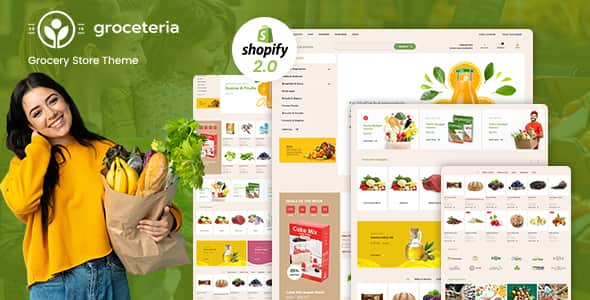
Groceteria – Supermarket Shopify Theme – SEO & Mobile Ready
Original price was: $59.00.$11.80Current price is: $11.80.
Managing a high-inventory online supermarket requires rapid page performance, instant filtering, and intuitive navigation structures. Groceteria is a feature-complete Shopify layout built on HTML5, Sass CSS, and jQuery, specifically tailored for high-volume grocery shops, organic food marketplaces, beverage distributors, and mega stores. It solves complex visual organization and slow page reloads by leveraging native drag-and-drop sections alongside AJAX-driven search and filter infrastructure.
Best for: E-commerce store owners, multi-category grocery platforms, and developers who need an optimized, multi-currency shop layout with built-in conversion features like product comparisons and urgency timers.
Not suited for: Minimalist single-product landing pages or purely content-focused blogs with no e-commerce backend needs.
| Technical Specification | Details |
|---|---|
| E-Commerce Platform | Shopify |
| Core Tech Stack | HTML5, CSS3, Sass CSS, jQuery |
| Current Software Version | v1.2 (March 04, 2026) |
| Responsive Design | 100% Mobile-Friendly & Cross-Browser Compatible |
| Product Comparison Capacity | Up to 8 products simultaneously |
| Mega Menu Layouts | Up to 7 distinct styles supported |
| Optimization Standard | SEO Code Base, Lazy Loading Integrated |
Performance & Conversions Architecture
Groceteria streamlines the shopping journey by eliminating page reloads during common browsing actions. The AJAX sidebar filter processes tag queries instantly, while AJAX live search delivers dynamic results as users type. Shoppers can add items to their carts or wishlists directly from archive pages without interrupting their session flow.
- Variant Handling: Native support for color, size, and material swatches across collection pages and main product listings.
- Sales Boosters: Embedded jQuery deal countdown timers, sale badges, and recent purchase notifications encourage faster checkout decisions.
- Direct Purchasing: Dynamic checkout buttons bypass the shopping cart step, driving shoppers straight to secure payment options.
- Multi-Level Navigation: Mega menus allow background images, promotional banners, and category trees across up to 7 customizable display styles.
- Custom Layout Blocks: Flexible homepage structures featuring Swiper Sliders, featured collection carousels, and grid-banner configurations.
Store Administration & Design Flexibility
Store builders can modify colors, typography through Google Web Fonts, custom product tabs, and header structures using Shopify’s drag-and-drop editor. Advanced template assets cover specialized pages including About Us, Contact, FAQ, and custom service layouts without requiring secondary applications or manual backend coding.
Version History
- Version 1.2 (March 04, 2026): Applied maintenance fixes for minor design issues.
- Version 1.1 (May 18, 2024): Updated template asset placeholders.
- Version 1.0 (March 14, 2023): Initial commercial release.
Frequently Asked Questions
Do store owners need coding experience to configure Groceteria?
No, the layout is configured entirely through Shopify’s standard customizer interface using modular drag-and-drop sections. Homepage blocks, fonts, colors, and menu structures can be adjusted without editing underlying theme code.
How does the AJAX filtering system improve user experience?
The AJAX sidebar tag filter processes product sorting parameters instantly on the active screen. Shoppers can narrow down specific items without waiting for the full collection page to reload, reducing site exit rates.
How many items can customers compare at one time?
The integrated comparison module permits buyers to review up to 8 different products side-by-side without leaving their current page view.
1. Click Add to cart

2. Review your items and click Proceed to checkout

3. Fill in your billing details: Name, Email, and Password
4. Choose your preferred payment method
5. Click Pay via Paypal to proceed

6. Access Downloads to get your files

Related products


