
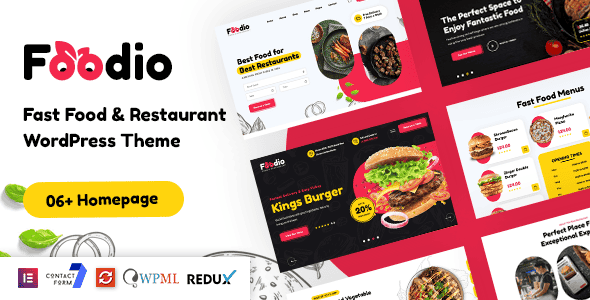
Foodio – Fast Food Restaurant WordPress Theme | Elementor Ready
Original price was: $39.00.$7.80Current price is: $7.80.
Setting up online food menus and ordering systems often stalls when standard WooCommerce themes lack restaurant-specific UI components. Foodio resolves this operational barrier by combining visual Elementor editing with pre-configured layouts built specifically for fast-casual dining, takeaways, and mobile food vendors.
Foodio is a specialized WordPress theme engineered for fast-food outlets, pizzerias, burger bars, food trucks, and takeaway joints needing active digital menus and store listings. Built on the Vafpress framework and fully integrated with Elementor and WooCommerce, it provides direct visual control over food categories, product displays, and promotional sliders. This product is best for independent restaurant owners, food truck operators, and web developers building fast-food sites; it is not suited for complex multi-vendor delivery aggregators or corporate B2B platforms.
| Technical Parameter | Specification Details |
|---|---|
| Page Builder Engine | Elementor (50+ Custom Elements) |
| E-Commerce Integration | WooCommerce Ready (Wishlist, Quick View, Compare, Cart) |
| Pre-built Content | 03+ Pre-built Websites, 30+ Inner Pages |
| Header & Footer Builder | 03+ Header Templates, 03+ Footer Templates |
| Included Extensions | Slider Revolution ($109 value), Booked ($49 value), Bravis Addons |
| Framework & Options | Vafpress Options Framework, Advanced Post/Page Settings |
| Localization Support | WPML Ready, Polylang Ready, Full RTL Language Support |
| Included Tools | Child Theme Package, One-Click Demo Installer |
Core Infrastructure and Customization Options
Foodio offers a structured set of features built to streamline menu presentation, site navigation, and direct order handling for food service businesses.
- Visual Layout Building: Full compatibility with Elementor allows direct drag-and-drop editing across pages, headers, footers, and mega menus with live visual previews.
- Header, Footer & Mega Menu Control: Construct detailed navigation menus complete with column divisions, icons, promotional banners, and category links.
- E-Commerce & Product Layouts: Multiple shop page designs with integrated AJAX quick view, wishlist capabilities, product comparison, and variation swatches.
- One-Click Installation: Import ready-made site structures, inner pages, and configuration settings instantly through the included demo importer.
- Flexible Navigation Modes: Supports both standard multi-page site structures and smooth-scrolling single-page layouts.
- Background Media Controls: Add video and parallax backgrounds to custom sliders, row sections, and page hero headers.
- Child Theme Included: Preserves code edits, custom styling, and layout tweaks safely through parent theme updates.
Bundled Component Elements
The layout engine incorporates over 50 individual visual elements to present menus, offers, and store details:
- Food & Banner Boxes
- Interactive Countdown Timers & Counters
- Gallery Carousels & Grid Displays
- Price Tables & Process Blocks
- Testimonials & Team Grid Containers
- Accordion Panels & Tabbed Content Boxes
- Custom Icon Boxes & Hidden Off-Canvas Panels
Third-Party Plugin Integrations
Foodio maintains direct compatibility with key WordPress plugins used for food service administration:
- Bravis Addons & Bravis User: Proprietary tools designed specifically to expand element configurations and user management.
- Slider Revolution & Booked: Bundled tools for animated hero banners and online table reservations.
- Contact Form 7 & MC4WP: Simple setup for custom contact inquiries and Mailchimp newsletter subscriptions.
- Tidio Chat & WPC Extensions: Real-time customer chat integration paired with enhanced product wishlist and comparison tools.
Frequently Asked Questions
Can I update menu items and pricing without touching theme code?
Yes. All menus, items, prices, and descriptions can be updated directly within the Elementor visual interface or through standard WooCommerce product entry fields without coding knowledge.
Is Foodio mobile-ready for customers ordering on smartphones?
Yes. The theme features responsive layout grids, sticky mobile headers, and touch-friendly navigation elements to ensure clean display on smartphones and tablets.
How do I protect my design customizations when installing theme updates?
Foodio comes with a pre-configured blank child theme. Installing and activating the child theme allows you to add custom CSS, scripts, and function overrides safely without losing changes during primary updates.
1. Click Add to cart

2. Review your items and click Proceed to checkout

3. Fill in your billing details: Name, Email, and Password
4. Choose your preferred payment method
5. Click Pay via Paypal to proceed

6. Access Downloads to get your files

Related products


